
Maybe you don't understand What is Google Sheet? but perhaps you have heard the phrase Google Sheets, nice Google Sheets. Currently, Google Sheet is one of the most popular Google tools used for calculating and sharing data online. Let's 5SMedia discover What is Google Sheet? and its great benefits!
1. What is Google Sheet?
What is Google Sheet? Google Sheet is an online spreadsheet creation tool that is similar to Excel on your computer. But it's been streamlined so everyone can use it. Google Sheet was launched in 2006 and supports use in 83 languages around the world. Up to now, Google Sheet has more than 2 billion users. This is a spreadsheet program that has the function of creating and editing worksheets on a web browser. You only need the internet and a Google account to use it. If you don't have a google account, you can view the article how to create google account they are provided for free by Google.
Google Sheet has the same main features as its predecessor, Excel. However, Google Sheet can be used in the browser and is upgradeable, bringing more convenience to users.
VIEW NOW Professional - Effective Advertising Services:
2. Outstanding features of Google Sheet
Google Sheet has a lot of features. To fully understand what Google Sheet is, you need to learn about the useful features that Google Sheet has. You can refer to the following outstanding features of Google Sheet that many people need to use.
Google Sheet Create forms, compile data
Specifically, when users fill out the form you provide, this data will immediately be sent to the worksheet. At this time, Google Sheet will classify and arrange data in the most intuitive way for you to easily view and read. Thanks to that, collecting information about customers accessing the website becomes much simpler.
Google Sheet writes functions and statements
When asked what Google Sheet is, many people will immediately think of the following functions and command helped them calculate complex math formulas easily. In Google Sheet, there are full tools and calculation formulas for you to calculate and handle many difficult formulas at the same time. However, there are many calculation formulas, but the most important thing is still your thinking. Tools are only there to support you.
Below are the most basic formulas in Google Sheet, and from there you can develop further calculations:
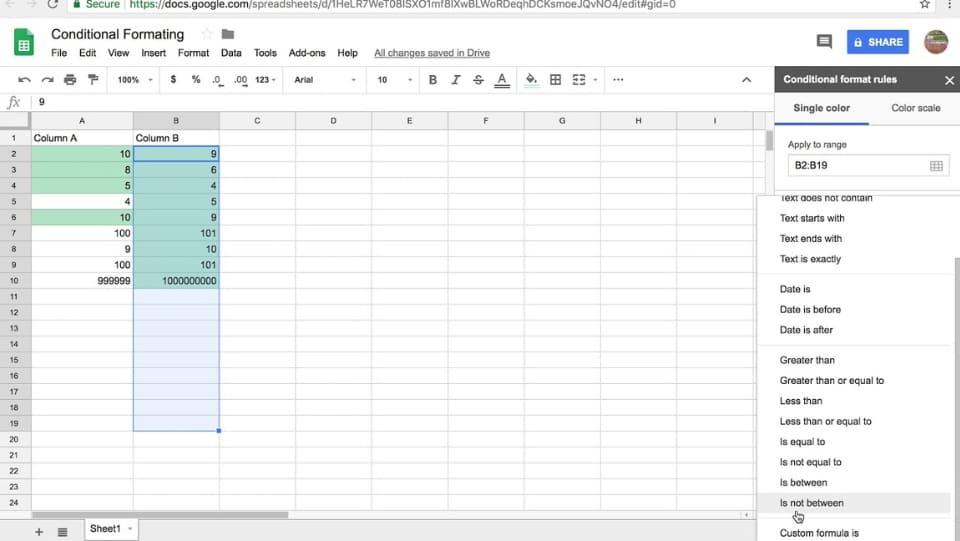
- Ham Sum: Function to add total within a certain data cell input range.
- Max function: Function to find the highest value in the range of cells you have selected.
- Ham Min: Function to find the smallest value in the range of cells you have selected.
- Average function: The function calculates the average value of specific cells you select.
- Count function: Function to find values within a certain range of cells.
Google Sheet can be shared with many people
This is an extremely convenient feature that helps you share files with many others extremely quickly and easily. The entire process of working and editing worksheets takes place in real time. In addition, Google Sheet also saves the edit history so if a problem occurs, everyone can easily find the cause and handle it. Easily restore if someone makes a mistake.
Google Sheet automatically saves data
You don't need to press save every time you finish working. Google Sheet will automatically save the file for you no matter what you do. This helps minimize the risk of file loss when problems occur while studying and working.
Google Sheets are useful when working in groups
Google's Google Sheet is an online platform that allows many people to access and use it at the same time. Therefore this is a “location” ideal for teams to discuss with each other and work together without anyone overlapping. But note that everyone needs to coordinate properly to avoid confusing use of the worksheet.
Google Sheet Highlight data
Google Sheet not only helps with calculations, but also has charting and graphing tools to highlight data. This method both saves time and simplifies common spreadsheet operations. Formulas are all built-in by default, with summary tables and diverse formatting options for you to choose from.
3. Basic instructions for using Google Sheet
After we learn about the superior features, we will proceed to put them into practice, which will help you learn more and remember longer.
Create a form to fill out information
First, you need to know the basic steps to create a Google Sheet in two ways:
- Method 1: Enter Google Drive > Select new > Select item Google Sheets.
- Method 2: Enter File > Select new > Click Google Sheets.
In the information filling step, select the box to fill in, then enter all required information and click Enter. Just like that, the worksheet has automatically saved your information, very simple and easy.
Upload data and save data
You can upload data from a file previously saved on your computer in the following ways:
- Open Drive next path: > Select Go to Drive > Go to section My drive > Right click and click select Upload files > Select the Excel file you want to upload.
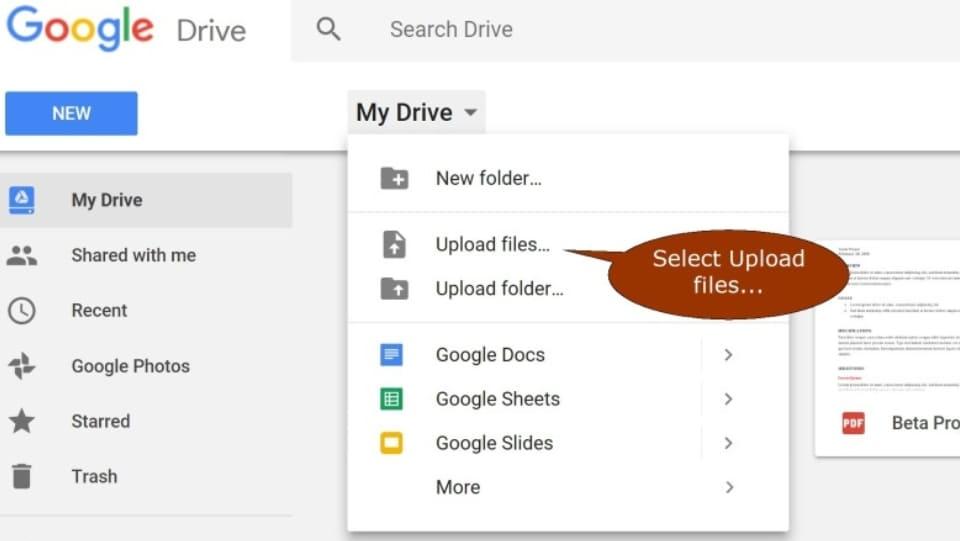
Conversely, to download a Google Sheet to your computer, you can follow the steps below:
- Open the Google Sheet link you want to download > Select File > Hover over the item Download > Select the file format you want to download to your device.
Rename data
To rename a sheet is very simple, you just need to do each step as follows: Click select File > Select Change name > Type a new name for the file > Click Enter once you have entered the name.
Open access and sharing permissions
This is a really useful feature for teams because it supports group work more conveniently and effectively.
Step 1: Click File > Select button Share in the top right corner of the Google Sheet.
Step 2: Click Share with anyone who has the link.
Step 3: Then, edit the permissions according to your needs such as: "Commenter", "Viewer", "Editor".
Step 4: File sharing:
- Select the cell Advanced > Enter the specific emails of the people you want to see/edit the sheet.
- If the group of people you want to share with is in a chat group (chat application, social network, etc.), you can copy the link and send it to the group for everyone.
Step 5: Next choose Copy the link to temporarily save the link and send it to everyone > Click Finished. So you can share the link with your friends.
Note: If you set access rights to "Viewer" or "Commenter" mode, when people request to edit anything on your sheet, all notifications will be sent to their private email. Friend.
4. Difference between Google Sheet and Excel
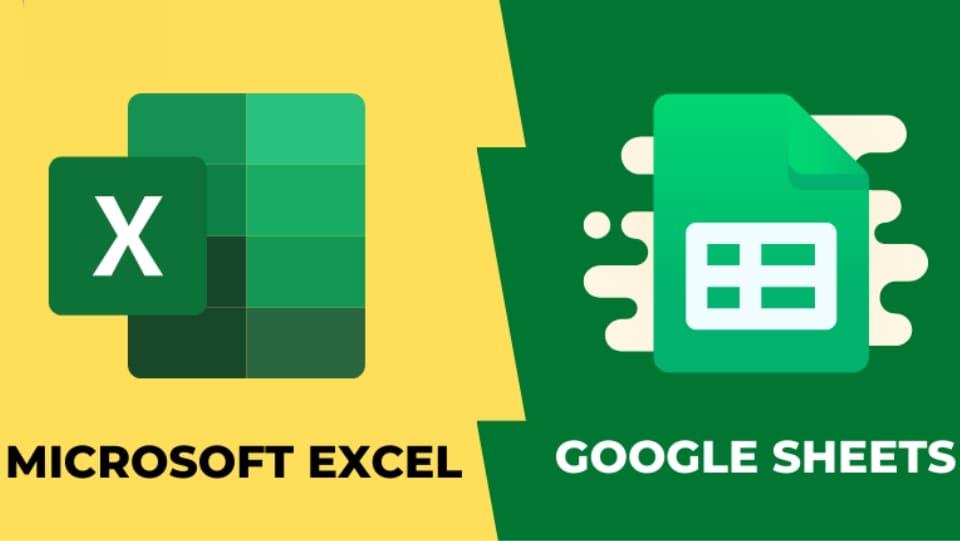
Up to now, many people still wonder why they already have Excel and why they still have to use Google Sheet. In fact, it's because they don't understand these two tools clearly. Therefore, if you still have questions, please see the table comparing the differences between Google Sheet and Excel.
| Google Sheets | Excel |
| 100% for free | Pay about 8.25 USD/month |
| Multiple people can edit at the same time | Only people using a computer with an Excel file can operate it |
| Automatically archived | Cannot be auto-archived |
| Can only be used when there is an Internet connection | Can be used offline (without Internet). |
| Basic functions | There are many functions from basic to advanced |
Conclude
Through the above article, 5SMedia has helped you answer your questions. What is Google Sheet?. This is a tool that helps you create and perform operations on spreadsheets extremely conveniently and completely free. Hopefully after reading the above article, you will have a better experience using Google Sheet.
If you are a seller and need to increase sales effectively. Please contact us at 5SMedia. With extremely preferential costs from only 5%. You will meet with consultants 24/7.
Address 1: 05 Thanh Thai, Ward 14, District 10, Ho Chi Minh City
Address 2: 175A Pham The Hien, Ward 2, District 8, Ho Chi Minh City
Hotline: 0965 165 166 or 0888 768 115
Fanpage: https://fb.com/howto.edu.vn
Email: infohowto.edu.vn@gmail.com




 EN
EN  VI
VI