What is google search console tool?? There are quite a few people wondering? Even though people do not fully understand this tool, they still choose to use it first and understand it later. Today, join us at 5SMedia to learn about the tool google search console What is it?
1. What is Google Search Console?
Google Search Console (GSC) is called "birth". Google Webmaster Tools, until 2015 was changed to its current name. Google Search Console is a service provided by Google to users to conveniently monitor website performance, maintain and fix problems related to your website in Google search results.
You do not need to sign up for Google Search Console for your website to show up in Google search results, GSC will help you understand and improve how Google views your website.
How to use Google search console can be summarized with 4 main contents as follows:
- Verify website ownership.
- Make sure that Google find and read your web pages. Including google new
- Report Search results using keywords with many searches
- Allow Submit sitemap for Search Console.
- Performance tracking website operations.
- Current status report index pages on google and show pages that are not indexed
>> SEE NOW Advertising services to help you increase sales:
2. What are the outstanding advantages of Google Search Console?
There must be a reason why Google Search Console has become such a necessary tool, and that is because of the outstanding advantages that this tool brings:
- Monitor the data collection process.
- Declare newly updated content to Google.
- Handle access issues from mobile devices.
- Track the number of visits to the website, impression rate, click through rate.
- Send notifications to users if Google encounters problems related to your website.
- Track internal and web links pointing to your website.
- Create and upload XML sitemap for better site indexing.
- Check if your website has been indexed in Google.
3. Who needs to understand what Google Search Console is?
Anyone can learn what Google Search Console is and use it, however if you belong to one of the following groups, this is even more necessary.
Google Search Console for SEO professionals

If you are someone who writes SEO standard articles for online marketing, Google Search Console will help track traffic to your website. At the same time, optimize your website's rankings so you can make better decisions about the appearance of your page's search results.
The information in Google Search Console can be used to make technical decisions about your website and conduct marketing analysis in conjunction with other useful Google tools, for example: Google Trends and AdWords, Analytics,…
Google Search Console for webmasters
Those who manage websites are interested in operating the website properly and effectively. And GSC (Google Search Console) is a tool that allows users to track and monitor several error cases easily such as: Server error, page load error, not indexed, Excluded by 'noindex' tag, Not found (404), Page with redirects, Detected – currently not indexed, Crawled – currently not indexed, Alternate page has appropriate canonical tag, Blocked due to another 4xx issue… website and security-related issues such as: being attacked by malware.
Using Google Search Console can ensure that any maintenance or adjustments you make to your website will not hinder search performance.
Google Search Console for website developers

If you are in the process of creating markup, the actual code for your website, Google Search Console will help you track and even resolve common problems with markup.
Google Search Console for business owners
Normally business owners will not use GSC Google Search Console directly. However, if your business is related to websites, you should learn basic knowledge about Google Search Console, for example: features that can be used in Google Search, how to optimize Website optimization for search engines,...
4. How to connect Google Search Console to the website
To connect to Google Search Console, follow the steps below.
Step 1: Access to Google Search Console for administration. Then choose Start right now
Step 2: Use your Gmail account to sign in. If you don't have an account, please see the article How to create a Gmail account hey
Step 3: Add your website or domain.
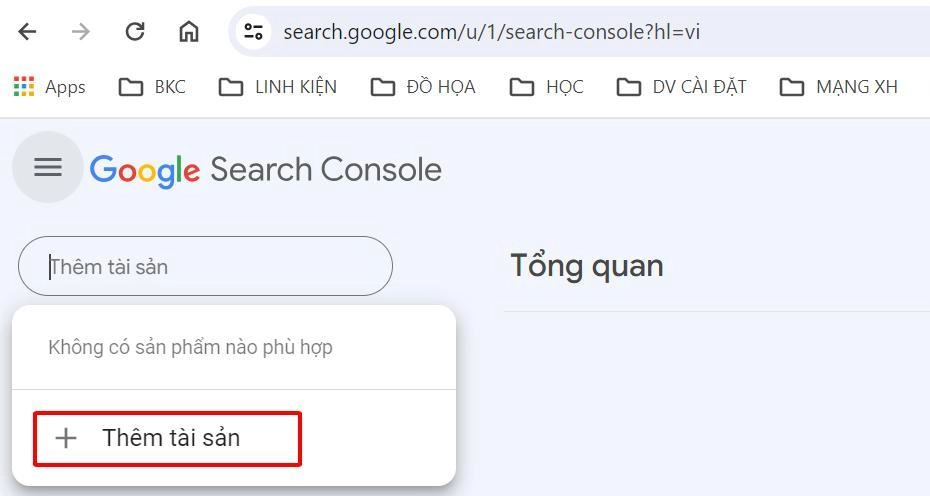
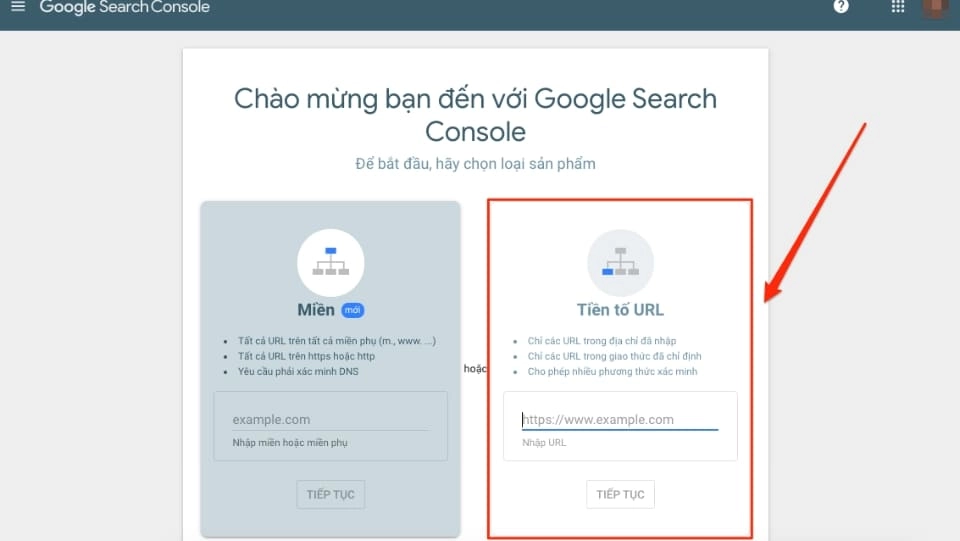
Step 4: Enter website
In this section we will have 2 items for us to enter. To make things convenient, you should enter the content as shown below
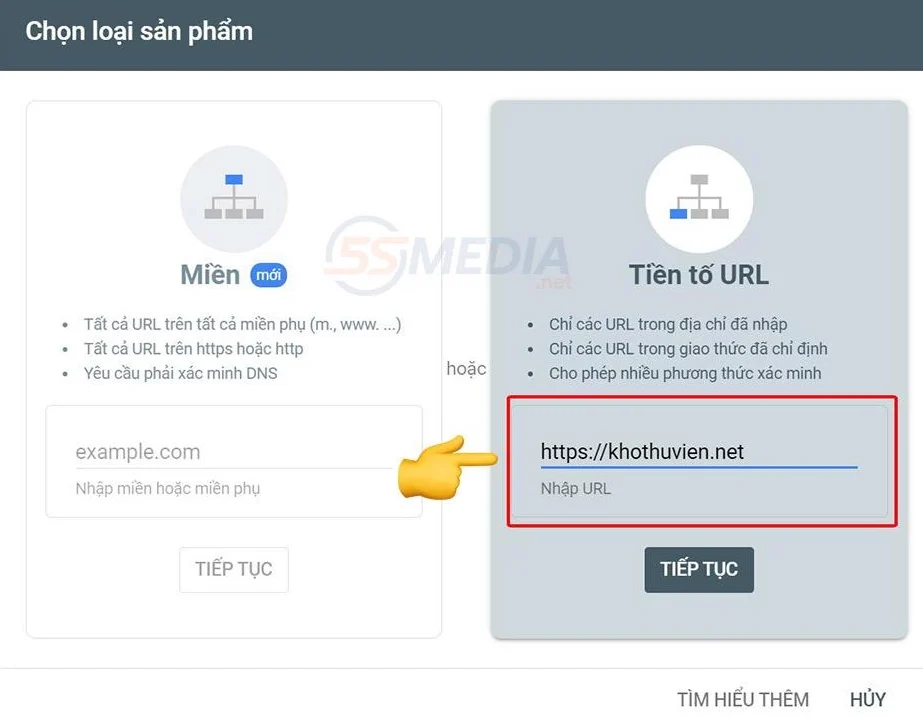
After you enter the website name and click continue, the product ownership verification interface appears and you will need to verify that you are the owner.

Step 5: Verify ownership
Google Search Console allows you many options to verify identity and ownership. Google recommends that you use the first method for verification. We will do it this way.
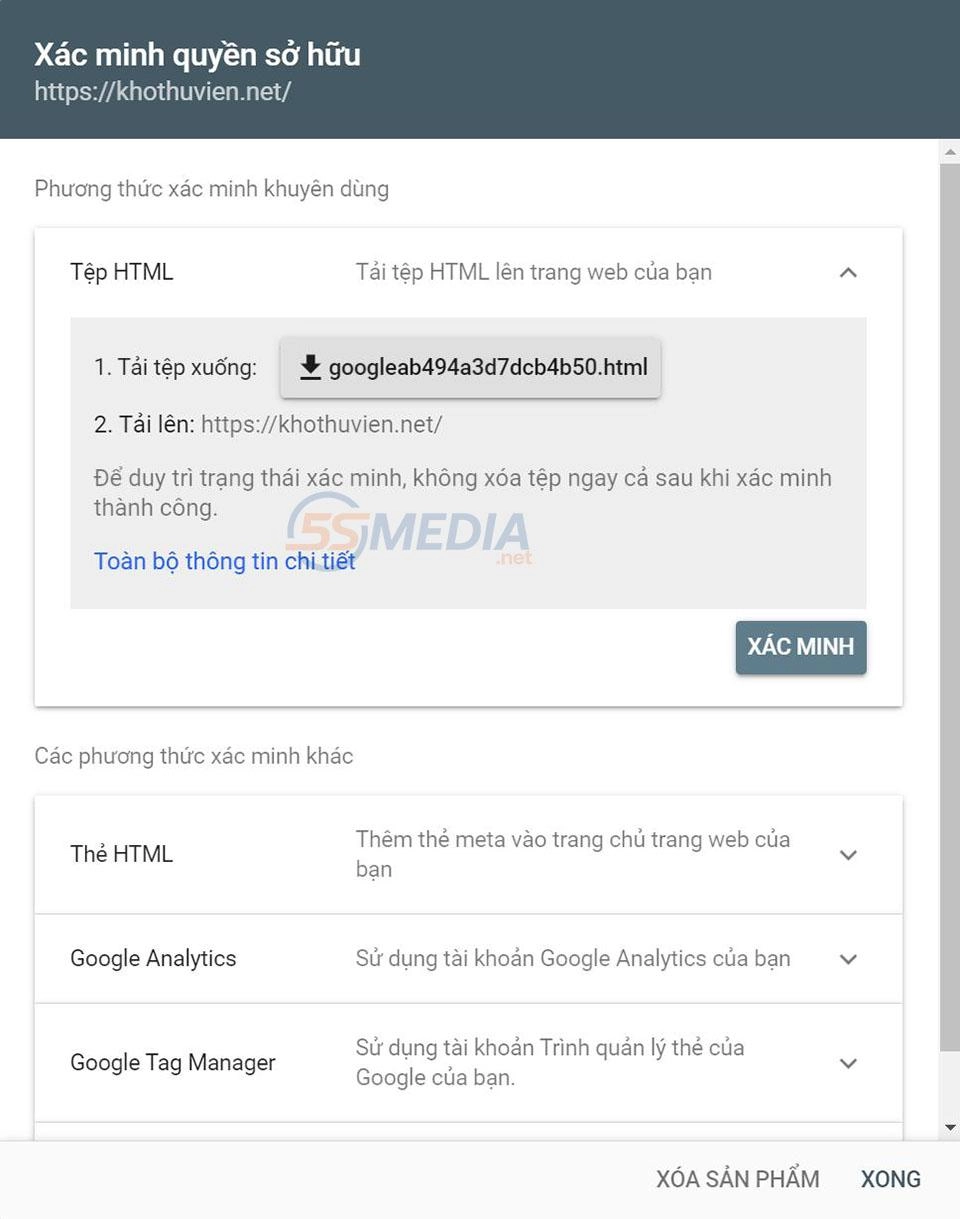
Step 6: Download the HTML file to your computer, but we haven't clicked verify yet. Because we haven't uploaded the file yet, we will receive an error when verifying
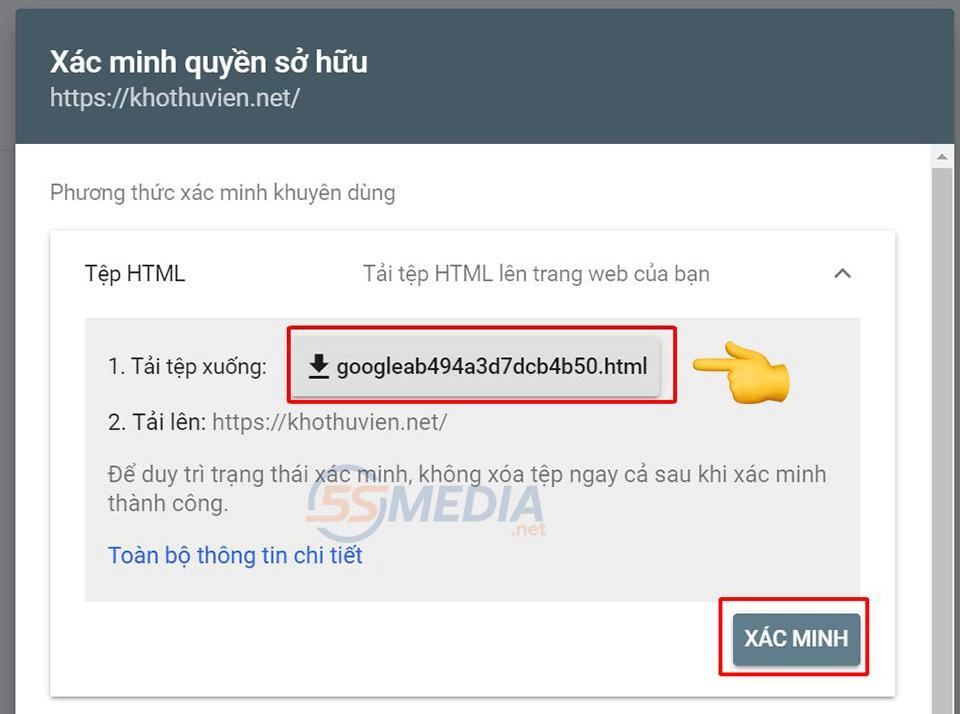
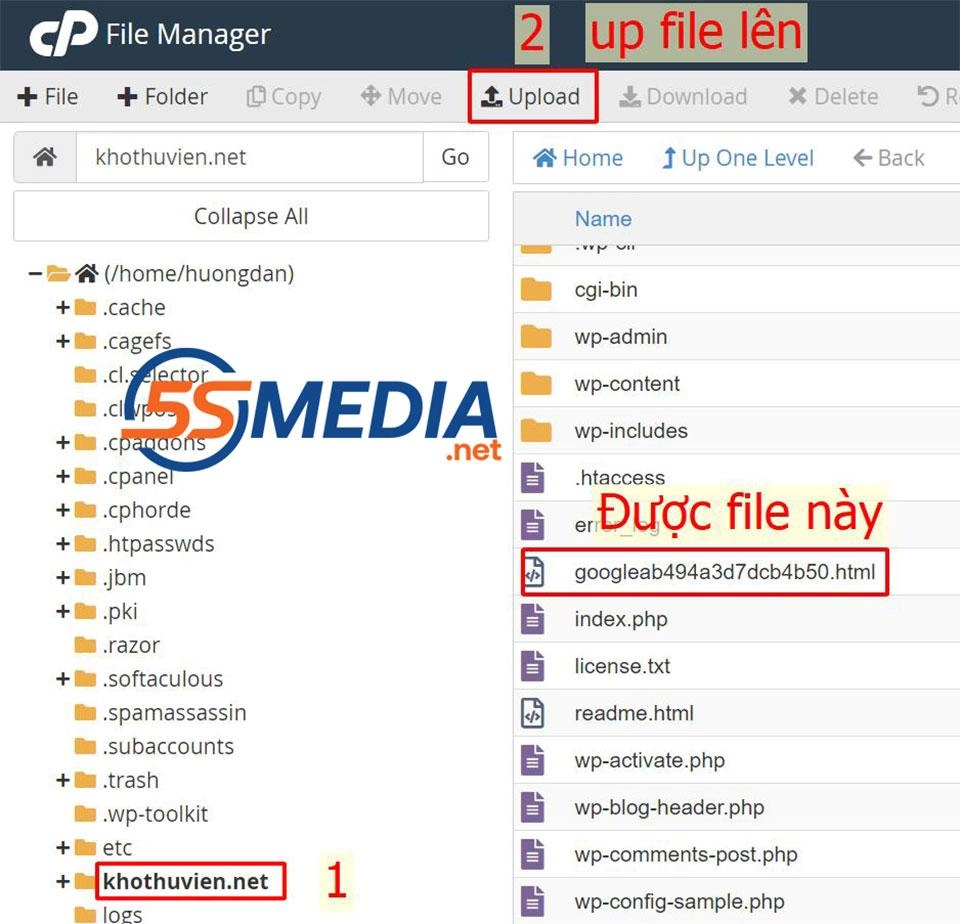
Step 7: Log in go to hotsting afterwards download files file before up. After uploading, we will get something like the image below
Step 8: Go back to step 6 and click confirm ownership
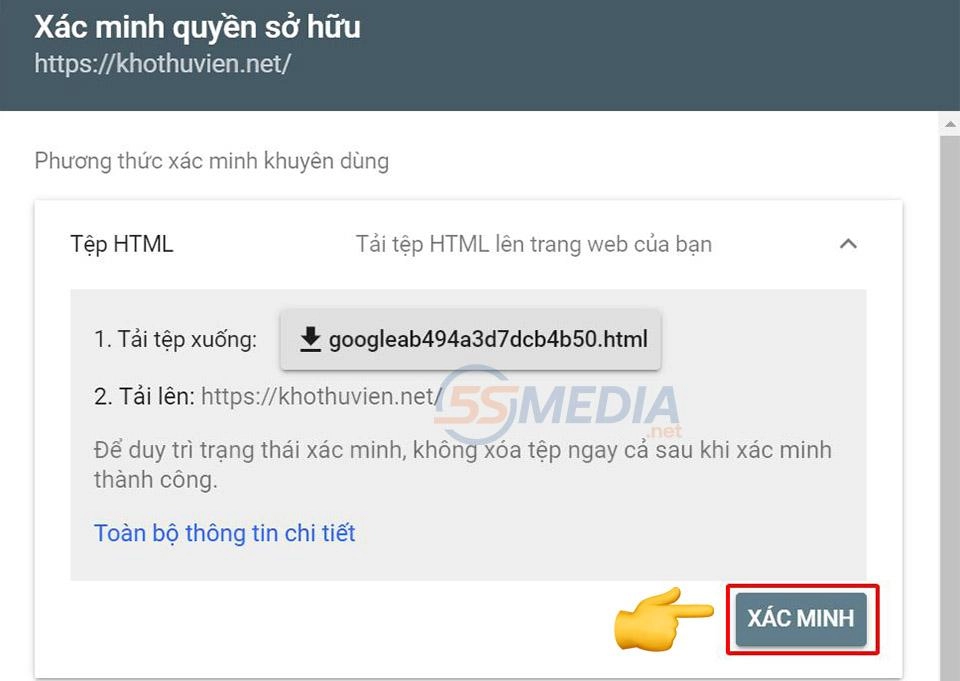
Step 9: If you followed the steps above correctly, click verify and you will see the screen Ownership verified > Go to product
Step 10: When the process is complete, you will have the interface as shown below and a website has just been added to your Google Search Console tool.
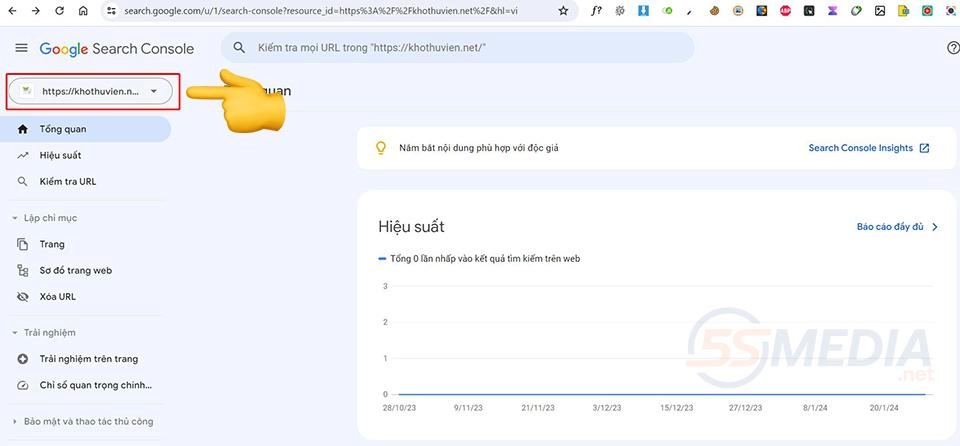
So you have completed the process of adding the website to the Google Search Console tool
5. Discover important features of Google Search Console?
To better understand what Google Search Console is, you need to know the main and important features of Google Search Console as follows:
Performance measurement tools (Performance)
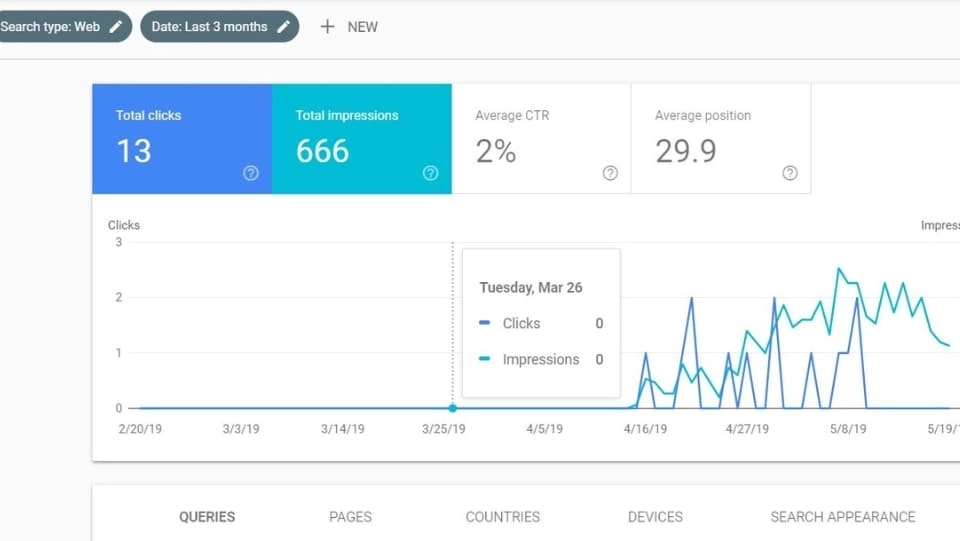
This feature provides important metrics such as: Total clicks, Total impressions, Average CTR, Average position. To make it easier to understand, they are:
- Website visits.
- Frequency of appearance.
- Average click-through rate shows which websites have the highest and lowest click-through rates in Google search results.
- The average position in search results is divided based on the keyword ranking of the entire website.
Sitelink Search Box (Sitelink Search Box)
It can be said that this tool is very useful when studying user behavior. From customers' search keywords on Google, you will analyze and know what people are interested in, thereby creating trending articles by creating content to answer questions. of everyone.
URL Inspection
URL Inspection helps users notify Google that this is new or updated content, saving time waiting for Google to collect and update data.
Coverage
This tool helps determine whether crawled content is problematic or not. And common errors with websites are 404 and 500 errors.
Mobile Usability
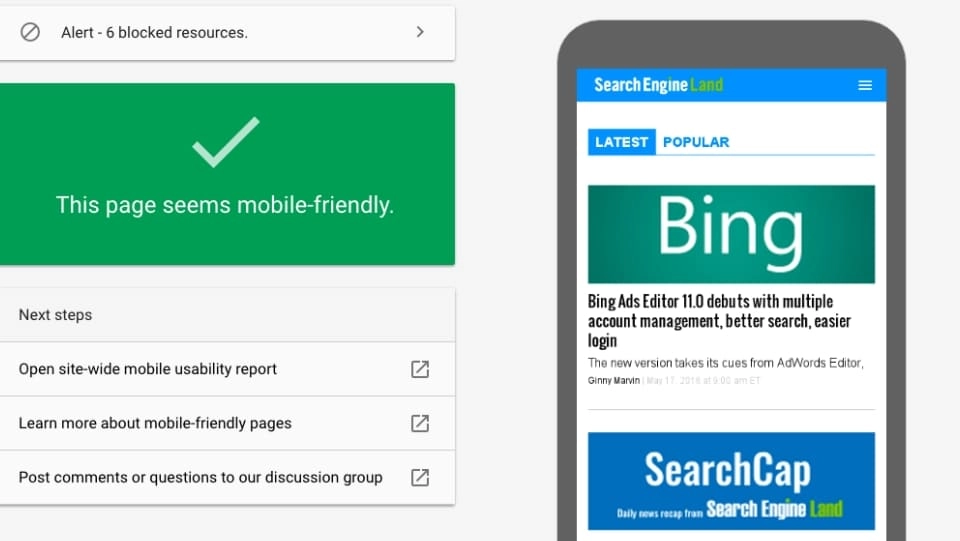
This is a great feature for you to know if your website is working properly when displayed on mobile phones. In other words, friendliness with all types of mobile devices.
If your website really has problems with interface, fonts, etc. on mobile phones, you will receive a notification immediately. And based on that, you will have reasonable measures to optimize and increase the user experience better.
Links
Links helps you clearly statistics the number of links pointing from other websites (also called Backlinks) and internal links.
6. Verify the site on Google Search Console
Verification is intended to prove to Google that you are truly the website owner. Currently, there are the following ways to verify a website:
- Upload the HTML file to the server. This is the most commonly used method.
- If your website has Google Analytics tracking code inserted, you should choose the method of using the Google Analytics tool.
- Connect to the domain provider (domain name).
- Use the Google Tag Manager tool.
7. What is the difference between Google Analytics and Google Search Console?
The biggest difference between these two tools is clearly shown as follows:
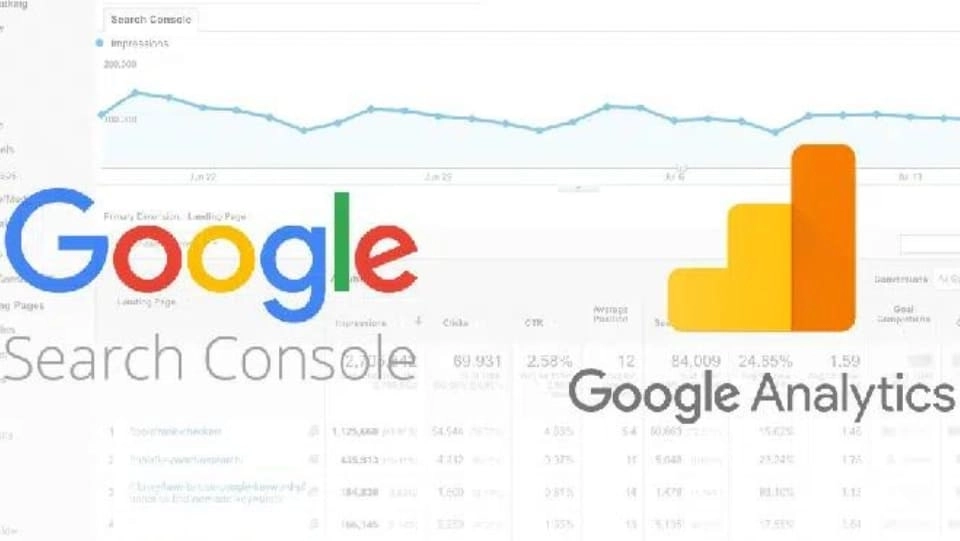
- Google Analytics User-oriented is key. It provides data about the people who visit and interact with your website.
- Google Search Console Focus mainly on search engines. It provides the most detailed tools and information to help website owners improve visibility and presence in SERPs.
Conclude
5SMedia I believe that through the above article you have understood quite a lot Google Search Console What is that. This tool is a great assistant for those working with websites in particular and business owners in general.
Before starting to use this tool, learn the basics about it first to use it more effectively!
If you want your website to increase rankings quickly, please contact us at 5SMedia. And if you are struggling with our inventory at cost Google advertising, Facebook advertising Extremely preferential from only 5%. You will meet with consultants 24/7. Extremely effective advertising and support for image design, scripting, and strategies to run ads
Address 1: 05 Thanh Thai, Ward 14, District 10, Ho Chi Minh City
Hotline: 0965 165 166 or 0888 768 115
Fanpage: https://fb.com/howto.edu.vn
Tiktok: https://www.tiktok.com/@how.congdongso.net
Twitter: https://twitter.com/5smedianet
Youtube: https://www.youtube.com/@5smedianet
Email: infohowto.edu.vn@gmail.com