Facebook Ads, also known as Facebook Advertising. This is Facebook's advertising platform that aims to promote products and services through publications in many forms such as: text, images or videos.
With its wide spread on social networks, Facebook Ads is truly a perfect tool to help businesses reach customers and introduce their products. Join 5SMedia to discover all the uses of Facebook Ads Please!
1. Popular types of Facebook Ads
There are three main advertising goals: Awareness – Consideration – Conversion. Based on these goals, Facebook Ads are divided into the following popular types:
- Single video/ Single images format.
- Form Filling (Facebook Leads Ads).
- Carousel.
- Event Responsive.
- Article format (Boosted Page Posts).
- Click to Web format (Domain Ads).
- Messenger message format.
- App Install form.
- Collection form.
2. Things to know before running Facebook Ads
Before running Facebook Ads, you need to have a Visa account to pay for advertising costs. There will be 2 forms for you to choose from:
- Visa/Master credit card is a form of spending first and then paying later with the bank. However, to use this type of card, you need to carry out quite complicated procedures, including proving income and stabilizing the credit limit. The process of making this type of card takes about 1 week.
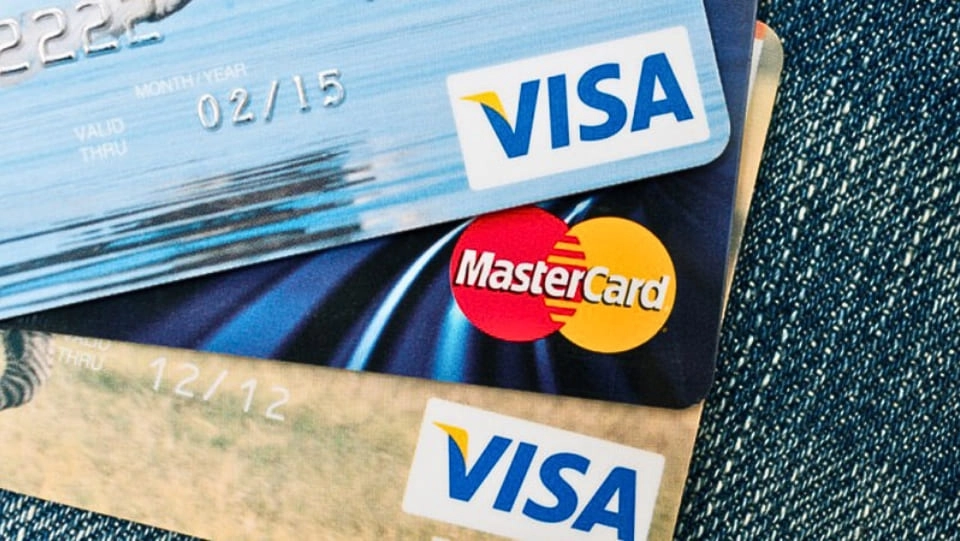
- Visa/Master debit card is a type of card that allows you to spend up to the amount of money in your account. The procedure for making this card is simpler, but the downside is that it is not as secure as a credit card. Specifically, it only takes about 30 minutes to get an ACB Visa debit card.
3. Steps to run Facebook Ads
For starters, you can create and run ads Facebook Ads with 8 basic steps as follows:
Step 1: Add visa card to advertising account
- Access address: http://facebook.com/ads/manage in new tab
- Select Invoice > Select Payment Methods
- Click Add Payment Method
- Select Credit/Debit Card or Paypal depending on the payment method you want. However, since we are add Visa card so you choose the first one
- Fill in your card information correctly. For the postal code, find the postal code of the province you live in (eg: Hanoi is 100000) and then click Send that's it.
Step 2: Choose advertising format
First, you need to access this link: http://facebook.com/ads/manageNext, you start choosing the appropriate advertising format.
- Participate in the article on the page: Support advertising certain posts on Fanpage, thereby helping to increase views and shares.
- Number of page likes: to increase likes for your Fanpage.
- Visit the website: Attract people to visit your website directly through advertising. You can choose the ad position to display on the right column or above the news feed (if you own a Fanpage).
- Website Conversion: You create a pixel to get the code, then add it to your website to track the conversion rate to the target page you want.
- App installs: Encourage people to take action to install your app through advertising strategies.
- Join the app: Increase activity on your Facebook app by creating ads, a method similar to creating ads to increase app installs.
- Join the event: Advertisements are created to promote an event.
- Requirements to receive the offer: Inform users about promotional programs through advertisements.
In addition, ads not only help interact with the article but also increase clicks to the website.
Step 3: Create ad content
Ad titles are limited to 25 characters, so make sure you're creative and compelling to grab viewers' attention, like using some special characters to make them stand out.
If you want to describe in more detail, you can use a description with a maximum length of 90 characters. This section should summarize general information about your Website or Fanpage, it needs to be full of information but must be concise and hit the user's psychology.
See more: Facebook ad image size | all you need to know
Step 4: Target the right advertising audience
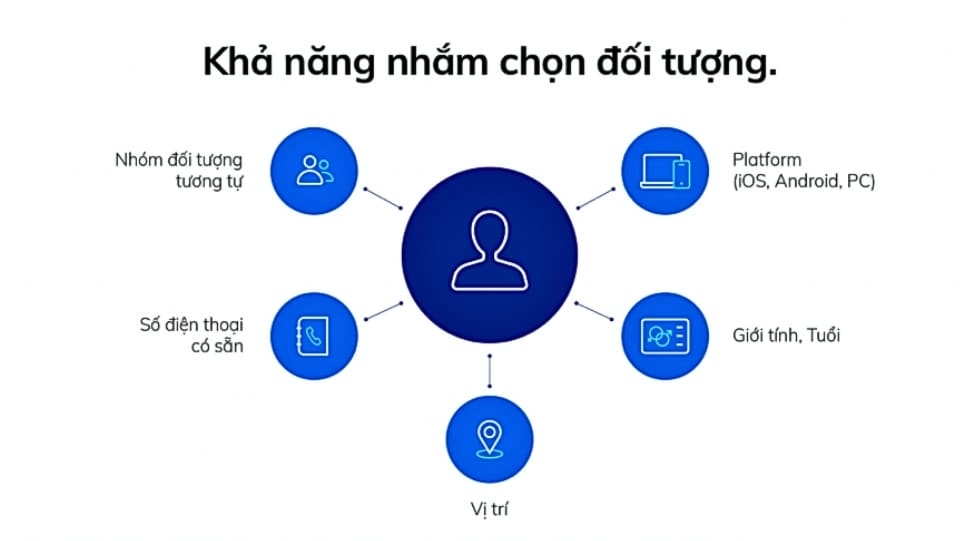
This step plays an important role in Facebook advertising campaigns. Because if you choose the right target audience, you will save a lot of costs, and at the same time, the advertising direction will accurately hit the target market, helping Facebook Ads achieve maximum efficiency.
Step 5: Choose a location for your ad
There are 2 options: Automatic ad placement and Edit ad placement.
- Automatic ad placement: Facebook will show your ads in the most relevant and optimal locations, which can appear on both Instagram and Audience Network.
- Edit ad placement: helps you customize the ad placement as desired. Here, you choose Device Type and Foundation. There are many types of ads on each platform, and with this feature of Facebook Ads, you can easily visualize where and how your ads will appear. You can check or uncheck the boxes on the right corresponding to the locations you want or do not want to advertise.
Step 6: Set up advertising costs
This step is especially important, because the success or failure of your Facebook Ads campaign depends largely on how you evaluate and set up your costs at this stage. There are two parts you need to focus on in particular, which are daily budget and ad viewing format.
Step 7: Preview the ad interface appearing on Facebook
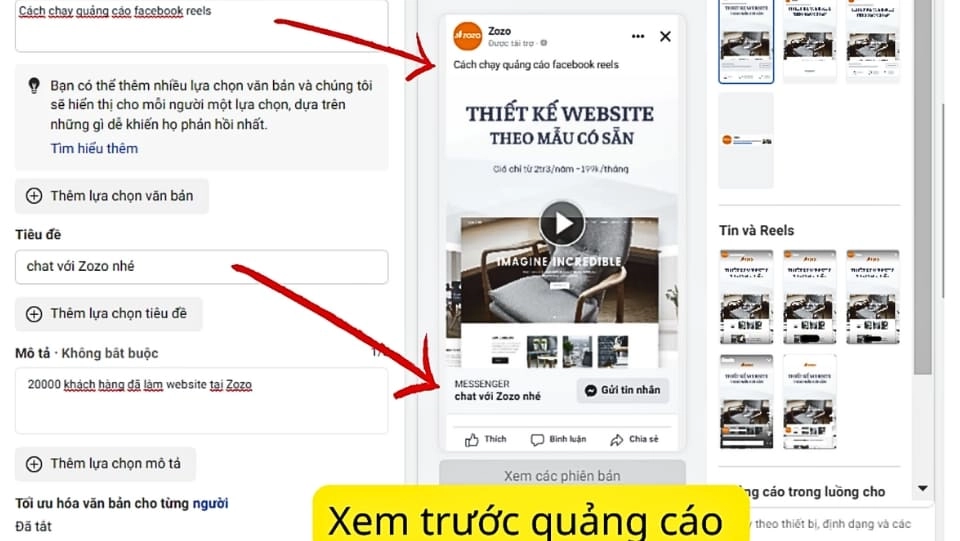
Here, you will select the Fanpage and post you want to advertise to preview how the ad will appear on users' phones, computers, etc.
Step 8: Pay the fee via Visa card
Be sure to enter the correct card information, including card number, expiration date and security code (last 3 digits in italics on the back of the card).
Maybe you are interested: Professional Facebook Advertising Service
4. Notes when using Facebook Ads
Facebook Ads are not too difficult to use, but you still need to keep in mind the following things to make your advertising campaigns better.
- Product/service quality, Especially advertising content (video/photo/website) must be put first.
- Fanpage management capabilities: If you do not manage and take care of your Fanpage well, you will lose a lot of customers.
See more: Fanpage Care Service for you
- Advertising to the wrong customer file just waste money. You need to run ads aimed at target audiences, do not run ads everywhere because it will not be effective.
- Choose the right advertising service: Not all services can be advertised. Services such as: home income, dating/friendship ads, illegal goods/wild animals trading, etc. will not be advertised on Facebook.
- Pay attention to word choice: Do not use obscene, vulgar language intended to threaten or create a strong negative reaction.
Conclude
Facebook ADS is an advertising platform that attracts many potential customers that every business wants to target. Facebook Ads is both a service and a great tool to help businesses reach target customers more easily and bring many great benefits.
If you are running Facebook Ads or Google advertising but not see the effect or want to run more effectively, please contact us. With cost only 5% The cheapest commitment on the market will bring you the highest efficiency.
CONTACT INFO
Address: 05 Thanh Thai. P14. Q10. Ho Chi Minh City
Hotline: 0965 165 166
Email: infohowto.edu.vn@gmail.com