Currently, Sketchup software is widely used in Vietnam. With the ability to create 3D models easily and quickly, Sketchup has become the top choice of many architects, interior designers and architecture students.
However, to be able to use this software effectively, users need to perform the installation process properly. That's why we provide Corel software installation services.(Sketchup software installation service is guaranteed forever)
For further details, please contact below:

Warranty service
When you use our services. We have a number of warranty services for you as follows:
- Lifetime warranty when the software is copyrighted or has some minor errors
- Install the Crack version software for permanent use.
- Choose any version to install
- 24/24 support on software or usage (depending on software)
Refund service.
- If you have transferred money in advance and our installation is not successful, we will refund your money
- Refund your money if you don't want to install it anymore if we haven't done anything.
For customers who have used our services. We all have good pricing policies for previous users. All those who have used it before will receive a better price after using it again
Bank transfer
 Bank: MB Bank
Account owner: Dam Van Thin
Account number: 0965165166
| 
Vietcombank bank
Account owner: Dam Van Thin
Account number: 9965165166
|
Price list of Sketchup installation service
| ✅SketchUp | 💵150,000 |
| ✅SketchUp + Vray | 💵200,000 |
| ✅Install Enscape for Sketchup | 💵50,000 |
| ✅ Emergency data recovery | 📲Contact 0965 165 166 |
| ✅ Clean and upgrade computers and laptops | 📲Contact 0965 165 166 |
Introduction to Sketchup software
Overview of Sketchup
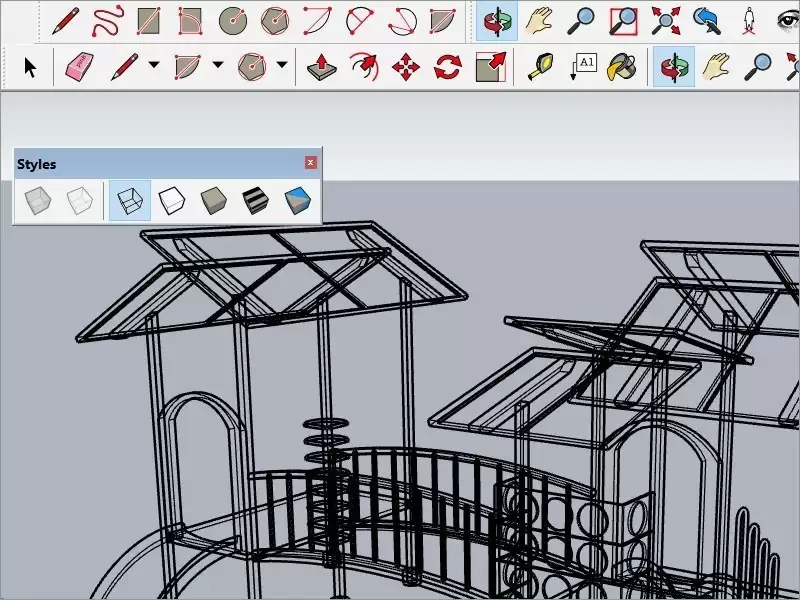
Sketchup is a 3D design software developed by Trimble Inc., first launched in 2000. This software stands out with its user-friendly and easy-to-use interface, allowing users to create 3D models from from simple shapes to complex structures. Sketchup not only serves the field of architecture but is also widely used in interior design, urban planning, construction, and many other fields.
With Sketchup, users can easily manipulate by dragging and dropping, drawing straight lines, creating planes and many other support tools. This makes design more intuitive, even for beginners. In addition, Sketchup also supports exporting files in many different formats, helping users easily share and present their ideas.
Outstanding features of Sketchup
One of Sketchup's strengths is its rich and diverse features. The software provides a variety of drawing and editing tools, allowing users to create 3D models flexibly. Outstanding features include:
- Paint: Users can easily create basic shapes such as squares, rectangles, circles and then transform them into more complex shapes.
- Edit model: Sketchup allows users to edit the size, position and shape of objects quickly and easily.
- Sample library: The software provides a rich sample library, helping users search and use available models, saving design time.
- Integration with Google Earth: Users can integrate their 3D models with Google Earth, making the presentation of ideas more vivid and intuitive.
Integrate useful plugins and addons for Sketchup software
In addition to basic features, Sketchup also supports the integration of many useful plugins and addons, helping to expand the software's capabilities. These utilities can help users perform more complex tasks or improve workflow. Some popular plugins include:
- V-Ray: This is a powerful rendering tool that helps users create high-quality images from their 3D models.
- SketchUp STL: This plugin allows users to export models to STL format, which is very useful for those working with 3D printers.
- Profile Builder: This tool helps users create complex structures quickly, saving design time.
Thanks to the abundance of plugins and addons, Sketchup becomes a flexible 3D design tool that meets the diverse needs of users.
Why should you choose Sketchup software installation service?
Convenient and fast
When deciding to use the Sketchup software installation service, users will receive convenience and speed during the installation process. Instead of learning and performing complicated installation steps themselves, users just need to contact a professional installation service. Our team of technicians will install the software quickly and effectively, helping users save valuable time.
Besides, the installation service also helps users avoid problems that may occur during the installation process. Issues such as software conflicts, missing installation files or errors during the installation process will be handled professionally by a team of technicians. Thanks to that, users can safely focus on their design work without having to worry about installation issues.
Ensure accuracy during installation
One of the biggest benefits when using Sketchup software installation service is ensuring accuracy during the installation process. Our team of experienced technicians will carefully perform each installation step, ensuring that the software is installed with the correct version and configured to suit the user's system.
Installing the wrong version or incorrect configuration can lead to many problems during software use, such as poor performance, software errors or incompatibility with plugins. Using a professional installation service helps users avoid these troubles, ensuring that the software operates stably and effectively.
Professional technical support
When using the Sketchup software installation service, users will receive professional technical support from a team of technicians. If you encounter any problems during installation or use of the software, users can quickly contact the support service for timely advice and resolution.
This support is not limited to software installation but also includes user guidance, troubleshooting and software updates. This helps users feel more secure when using the software, while enhancing their design experience.
Sketchup software installation process

Preparation steps before installation
Before installing Sketchup software, users need to perform some important preparation steps. First, users need to check the software's system requirements to ensure that their computer meets the installation conditions. System requirements usually include information about the processor, RAM, hard drive capacity, and graphics card.
Next, users need to download the software installation file from Sketchup's official website or from a reputable source. Downloading from unknown sources can lead to the installation of counterfeit or virus-containing software, causing harm to the user's computer.
Finally, users should back up important data on the computer before installing the software. This helps ensure that if anything goes wrong during the installation process, user data remains securely protected.
Software installation steps
Once fully prepared, users can proceed to install Sketchup software. The Sketchup software installation process usually includes the following steps:
- Download the installation file: Users need to visit the official website of Sketchup and download the version suitable for their operating system.
- Run the installation file: After downloading, open the installation file and follow the on-screen instructions. You will need to accept the software's terms and conditions.
- Select installation directory: You can choose the installation directory for the software or keep the default directory. Make sure you have enough hard drive space in the selected folder.
- Complete installation: After completing the above steps, the software will be installed on your computer. You can start Sketchup immediately after installation.
Test and confirm successful installation
After completing the installation process, users need to check and confirm whether the software has been installed successfully or not. To do this, users can perform the following steps:
- Start the software: Open the Sketchup software and check if it starts normally. If the software does not start or encounters errors, users need to recheck the installation process.
- Check version: Users should check whether the software version is as expected. Using the latest version helps users take advantage of new and improved features.
- Perform some basic operations: Users can try performing some basic operations in the software to ensure that everything works properly. If there are no problems, users can safely use the software.
Things to keep in mind when installing Sketchup

System requirements for Sketchup
For Sketchup software to work effectively, users need to ensure that their computer meets the system requirements. System requirements typically include:
- Processor: Sketchup requires a multi-core processor with a minimum speed of 2.1 GHz or higher.
- RAM: For Sketchup Pro version, users need a minimum of 8 GB of RAM to ensure best performance.
- Graphics card: The graphics card needs to support OpenGL 3.0 or higher to ensure smooth rendering of 3D models.
- Hard drive capacity: Users need at least 500 MB of free space on their hard drive to install the software.
Users should carefully check the computer's specifications before proceeding with the installation to avoid encountering performance-related issues.
Version suitable for usage needs
Sketchup offers many different versions, including Sketchup Free, Sketchup Pro, and Sketchup Studio. Each version has its own features and tools, suitable for the needs of each user.
- Sketchup Free: This is a free version, suitable for beginners or just using the software for small projects.
- Sketchup Pro: This version provides many advanced features, suitable for architects, professional designers and businesses.
- Sketchup Studio: This is the most advanced version, including all the features of Sketchup Pro plus additional tools for design and simulation.
Users should carefully consider their usage needs to choose the appropriate version, avoiding wasting money on unnecessary features.
Update software regularly
To ensure that the software always operates stably and effectively, users should regularly check and update the latest version of Sketchup. Updating software not only helps users take advantage of new features but also helps fix errors and improve software performance.
Users can set up automatic updates in the software so they don't miss any updates. In addition, regular updates also help secure data and minimize the risk of attacks from malware.
Some note
Experience in selecting installation services
When deciding to use the Sketchup software installation service, users need to keep in mind a number of important factors to choose a reputable and quality service. First, users should learn about the reputation of the installation service through reviews from previous customers. Positive feedback from customers will help users have an overview of service quality.
Second, users should check whether the service offers post-installation technical support. This support is very important, especially when users encounter problems while using the software.
Finally, users should compare prices between different services to choose a service with a reasonable price while still ensuring quality.
Avoid common mistakes
During the process of installing Sketchup software, users may encounter some common mistakes. One of them is not checking the system requirements before installing. This may lead to the software not working properly or not starting.
In addition, users should also avoid downloading software from unknown sources. This can lead to the installation of fake or virus-containing software, causing harm to the computer.
Finally, users should pay attention to backing up data before installing the software. This helps protect important data in case something goes wrong during the installation process.
Evaluate the service after installation
After using the Sketchup software installation service, users should take time to evaluate the quality of the service they have received. This evaluation not only helps users have an overview of the service but also helps the service improve service quality in the future.
Users can evaluate based on criteria such as installation time, professionalism of the technician team, level of post-installation technical support and service price. This feedback will help the installation service improve service quality and better meet customer needs.
Frequently asked questions
Is there a fee for Sketchup installation service?
Normally, Sketchup software installation service will have a certain fee. This fee may fluctuate depending on the service the user chooses and the included support features. However, some services may provide free installation for customers who purchase software licenses.
Users should carefully learn about the fees and included services before deciding to use the installation service.
How long does it take to install the software?
If you already have the software on your device, the estimated software installation time will be about 10 minutes. If you have not installed the software, we will install it for you, which will take about 10 to 20 minutes depending on your network connection and the software you want to install.
Users should talk to the installation service for more detailed information about installation times.
Can Sketchup be installed on multiple devices?
Yes, users can install Sketchup software on many different devices. However, each software license only allows use on a certain number of devices. Users need to check the terms of use of the license they purchased to better know the number of devices allowed to install.
If users want to install on multiple devices, they may need to purchase additional licenses or use appropriate service packages.
Benefits of using a professional installation service
Save time for users
One of the biggest benefits of using Sketchup software installation service is saving time for users. Instead of having to learn and perform complicated installation steps themselves, users just need to contact a professional installation service. The technician team will install the software quickly and effectively, giving users more time to focus on their design work.
Ensure data security
When using professional installation services, users will be assured of the safety of their data. Our team of experienced technicians will perform the installation carefully, avoiding any problems that could result in the loss of important user data.
Additionally, installation services also often provide security measures to protect user data during the installation process. This helps users feel more secure when using the software.
Minimize technical risks
Installing software yourself can pose many technical risks, such as software conflicts, missing installation files, or errors during the installation process. Using a professional installation service helps users minimize these risks, ensuring that the software is installed properly and operates stably.
Our team of technicians will handle any problems that arise during the installation process, helping users have a smooth and effective software usage experience.
Who should use Sketchup software installation service?
Architects and interior designers
Architects and interior designers are the main users of Sketchup software. With the ability to create 3D models easily and quickly, Sketchup helps them present design ideas visually and vividly. Using a professional installation service saves them time and ensures that the software works stably.
Students majoring in architecture and design
Architecture and design students are also those who regularly use Sketchup software during their studies and practice. Using the installation service helps them quickly obtain the necessary software for their studies, and receive technical support when needed.
Enterprises in the field of construction and design
Businesses in the construction and design fields also regularly use Sketchup software to serve their work. Using a professional installation service helps them ensure that the software is installed properly and works effectively, thereby improving work productivity.
Compare Sketchup installation service with other software
Advantages of Sketchup compared to AutoCAD
Sketchup and AutoCAD are both popular 3D design software, but each has its own advantages. Sketchup stands out with its friendly and easy-to-use interface, allowing users to create 3D models quickly. Meanwhile, AutoCAD is often used for more complex 2D and 3D technical drawings.
This makes Sketchup ideal for beginners or those who need to create 3D models quickly without too much technical skill.
Sketchup and Revit: Which one should you choose?
Revit is a professional BIM (Building Information Modeling) design software, often used in the field of architecture and construction. Meanwhile, Sketchup stands out with its ability to create 3D models easily and quickly.
If users need in-depth software for architectural design and construction, Revit may be a better choice. However, if users just need a simple and easy-to-use 3D design tool, Sketchup will be a more suitable choice.
Outstanding features of Sketchup compared to other 3D software
Sketchup stands out with its friendly, easy-to-use interface and the ability to quickly create 3D models. The software also provides many drawing and editing tools, helping users easily create complex models.
In addition, Sketchup also supports the integration of many useful plugins and addons, helping to expand the software's capabilities. This makes Sketchup a flexible 3D design tool that meets the diverse needs of users.
Conclude
Summary of benefits of Sketchup installation service
Sketchup software installation service brings many benefits to users, including convenience and speed during the installation process, ensuring accuracy and professional technical support. Using the installation service helps users save time, protect data and minimize technical risks.
Recommended to choose a reputable service
To ensure that the software installation process goes smoothly and effectively, users should choose a reputable and quality installation service. Thoroughly researching the service, consulting previous customers and comparing prices will help users make the right decision.
Invitation to experience Sketchup installation service
If you are looking for an optimal solution for installing Sketchup software, contact a professional installation service today. We are committed to bringing you the best service experience, helping you quickly own this leading 3D design software and start your creative journey.