
Run Facebook Ads is very necessary for shops. Many people who are working in sales want to learn how to be effective but do not know what to prepare to run ads? When running Facebook ads, where should you start to create a complete advertising campaign? Let's find out how to run Facebook ads effective in the article below.
How to run Facebook ads?
I have received this question from many of you recently. Perhaps because of the current economic trend of everything moving online, I have received more questions.
To put it briefly and briefly, you can follow the steps as below. Below are detailed instructions.
- Log in to your Facebook account.
- Access to Advertiser (Ads Manager) by click enter down arrow in the upper right corner of your Facebook page and select “Advertisement” in the menu.
- Create a new ad campaign by clicking the “Create” and select “Advertising campaign” in the menu.
- Choose a goal for your ad campaign, such as increasing traffic, increasing post engagement, increasing app downloads, or increasing sales.
- Name your campaign your ad and set a daily or total budget for the campaign.
- Next, you'll choose the target audience for your ad. You can choose an audience based on age, gender, location, interests, and more.
- Next, you'll create your ad content. You can use images, videos, or text to grab your customers' attention.
- Set ad display location. Facebook offers a variety of placements like in News Feed, on Instagram, in Messenger, and more.
- Finally, determine the advertising schedule and Select start date and end to the campaign.
Once you have completed the above steps, you can review and confirm your ad campaign before publishing it to Facebook. Be sure to double-check your information and settings to ensure your ad will perform effectively.
1. Types of Facebook ads you should know
Basic Facebook Ads
It can be said that this type of advertising is quite popular. You can see them on your phone in the section More, or in the right corner of the Newsfeed on your computer. The ad will have a maximum of 25 characters for the headline, 90 characters for the description, and an attractive 100×72 pixel image.
Sponsored Ads
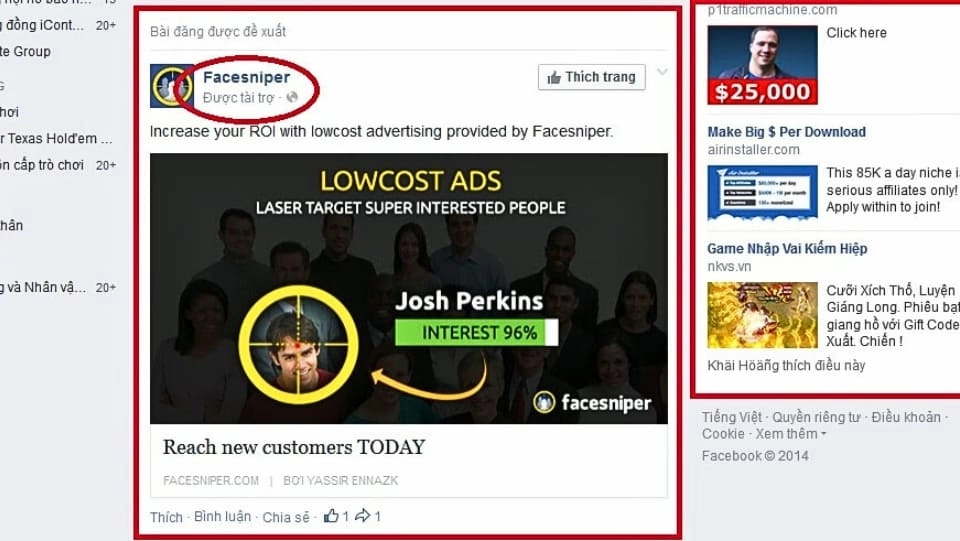
This type of ad can be displayed in the right corner or right in the middle of the Newsfeed. The ad will include 1 image and description automatically taken from the Fanpage. Sponsored ads are easy to recognize because they will have the text attached. “Sponsored” under the Fanpage name.
Suggested Ads
This type of ad is recommended by Facebook and only appears on customers' Newsfeeds. Recommended ads usually come from Fanpages that you have liked, followed, or watched videos of the Page in the Facebook Watch section.
see more
2. What do you need to know when running Facebook ads?
If you are new to Facebook Ads, before running Facebook ads, you will need to prepare some of the following content:
Have Fanpage account
To run Facebook ads, the first thing you must have is a Fanpage. The quality (content, images, videos) of Fanpages is closely related and greatly affects the results of Facebook advertising campaigns. Therefore, take the time to build and "take care" of your Fanpage before starting any advertising campaign.
If you do not have a Facebook Fanpage, you can refer to the article. Our 2 extremely fast and effective ways to create a Facebook page
Have a Facebook Ads account
With people run Facebook ads, you will definitely need to have a Facebook advertising account to be able to run Facebook ads. There are 2 types of Facebook advertising accounts that you need to understand:
- Personal Facebook Ads Account: This type of account is available by default in your personal Facebook account. Creating and setting up a personal account is very easy, suitable for beginners with Facebook Ads.
- Facebook Business Ads Account: This advertising account is also known as Business Manager Account. As the name suggests, this type of account is used mainly for organizations, companies and businesses.
- However, you can also create this account without being the owner of any company. Unverified business accounts may not receive advertising payment limit benefits and full support when the account is restricted or banned from advertising.
In case you already have an advertising account but cannot manage it effectively, you can read the article. How to use Facebook Ads Manager effectively
Have Visa card to pay for advertising
Facebook accepts payments with Visa and Mastercard, so you need to own a Visa or Mastercard to be able to run Facebook ads dental.
Visa cards will come in two types:

- Visa Debit (Debit Card): You can spend as much as you deposit (you should use this card to ensure your funds are not misused)
- Visa Credit (Credit Card): You can spend a certain amount of money up front based on your credit limit and pay it back at the end of each credit period.
3. Instructions for creating a Facebook Fanpage and advertising account?
Create Facebook Fanpage

Step 1: Select item Create new page.
Step 2: Choose the category that matches the orientation of your Fanpage to receive the most outstanding support features.
Step 3: Please fill in the following information completely and accurately: cover photo, profile photo, location description, opening hours,… according to customer and Facebook requirements.
Step 4: If you want to add administrator rights to another member, click select Add Email sign up their Facebook.
Note that when you name your page or username on Facebook, review it carefully before choosing to create this username. Because this username can only be changed within a certain period of time, Facebook will limit the number of times you can change it. This time limit can be up to 75 days for each change of Fanpage name or Username.
Create Facebook Ads account
Here are six simple steps to help you create a Facebook advertising account that anyone can do:
Step 1: Select more items in the advertising account section.
Step 2: Select item Create account and fill in all the information.
Step 3: Choose the time zone appropriate for the Vietnamese market (or the market where you want your ad to appear).
Step 4: Plan your budget and choose the appropriate spending level.
Step 5: When paying, you need to fill in the full card number and expiration year of your VISA card.
Step 6: If you want to add administrator rights to another Facebook account, go to Setting then add that account in the roles section on the account.
4. Notes to run Facebook ads more effectively
To run effective Facebook Ads, users need to know the following basic knowledge to make the advertising campaign more effective.
Campaign Goal
It is very important to determine the purpose of the advertising campaign. When choosing the right goal, Facebook's machine learning will help users choose the right form of advertising and choose the right cost.
Name Campaign

Naming your campaign will make it easier for you to run Facebook ads because it is easier to manage and evaluate their effectiveness. Additionally, you can add date information to make the navigation and evaluation process easier.
Choose the right category
You need to pay attention to some factors below to choose the right category when running Facebook ads:
- Clicks To Website: This type of advertising is intended to increase traffic to your website.
- Website Conversions: This form of advertising is designed to increase conversion rates on your website.
- Page Post Engagement: Support to increase post interaction on your Fanpage.
- Page Likes: This form of advertising helps increase the number of people who like your Fanpage.
5. Common mistakes when running Facebook ads
Wrong advertising format
Currently, Facebook advertising includes many different types. Therefore, users need to be alert to choose the most suitable advertising form for the set goals. Facebook has also provided information and detailed instructions for each type of advertising, so please research carefully to choose the right advertising form for your Campaign.
Low/no value content

If advertisers do not invest carefully in content, their ads will be ineffective because they do not provide customers with the useful information they need. Therefore, you should provide information that is truly beneficial to customers, such as: discounted products, great deals, etc.
Lack of Call To Action (CTA)
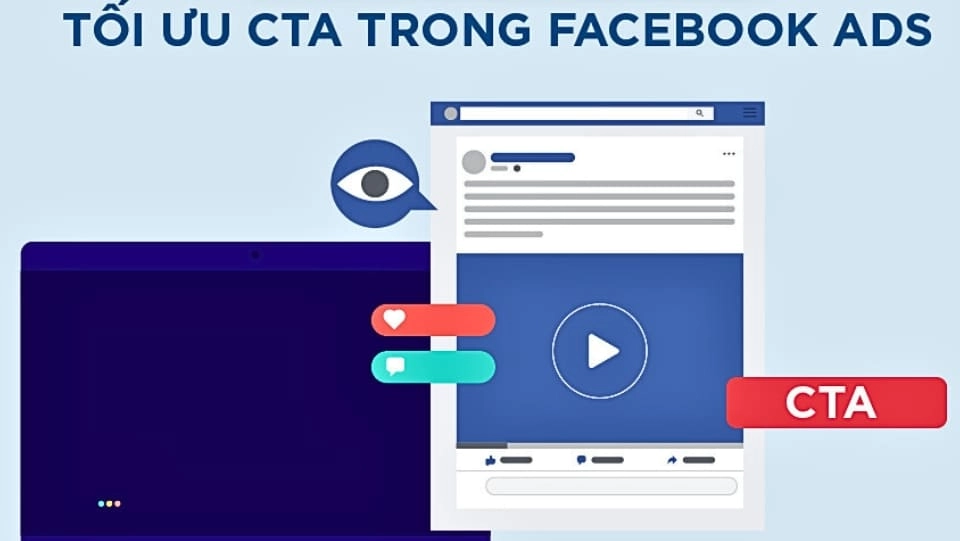
Many people running Facebook ads focus too much on products and services and forget about the call to action. In fact, good CTA (Call To Action) sentences will make the ad much more effective.
No pre-testing
When running Facebook ads, it is often difficult to evaluate which ad is the most optimal and works best at a given time. Therefore, you need to create multiple ad templates to test, from which you will know which one is most effective.
Trefer now: Facebook Advertising Service Optimized for Business
6. How to turn on/off or delete Facebook ads
How to turn Facebook ads on/off
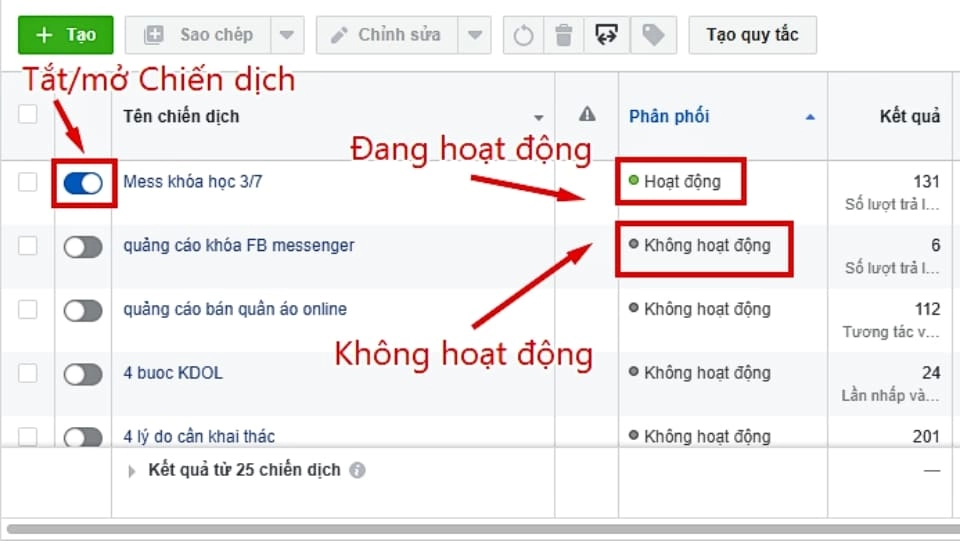
Step 1: Select the correct item Ads Manager on Facebook app.
Step 2: Slide the slider left/right to turn your ad campaign on or off.
How to delete Facebook ads
Do the same as the steps to turn on/off ads, you also go to the section Ads Manager then do the following:
- Select Campaign > Click Ad group or Advertisement
- Select the correct ad you want to delete and click the icon Erase.
Conclude
Above is the information about how to run facebook ads as well as the necessary related knowledge so you can run Facebook ads more effectively. After reading this article, hopefully you will be able to create your own advertising campaign.
If you are not confident enough in an effective campaign, please contact us at 5SMedia. With extremely preferential Facebook advertising service costs from only 5%. You will meet with consultants 24/7. Extremely effective advertising and support for image design, scripting, and strategies to run ads
Address 1: 05 Thanh Thai, Ward 14, District 10, Ho Chi Minh City
Hotline: 0965 165 166 or 0888 768 115
Fanpage: https://fb.com/howto.edu.vn
Tiktok: https://www.tiktok.com/@how.congdongso.net
Twitter: https://twitter.com/5smedianet
Youtube: https://www.youtube.com/@5smedianet
Email: infohowto.edu.vn@gmail.com