
Have you ever heard of the "divineness" of tools? Business Facebook Not yet? If you own your own Fanpage, or are an administrator for a certain Fanpage, you are certainly familiar with this tool. Together 5SMedia explore Business Facebook What's so "advantageous"?
1. Definition of Business Facebook
Facebook Business (BM) is also known as Business Manager, but it has now been changed to Meta Business Suite, although many people are still used to calling it Facebook Business Suite. This is a powerful tool that helps users manage their Facebook channel on a large scale, including Fanpage, Messenger and Instagram.
Not only available on computers, the Meta Business Suite tool also has an app on mobile phones and tablets, thereby supporting users to easily manage anytime, anywhere.
See more: Instagram Advertising Services
2. Features of Business Facebook
Business Facebook has many useful features provided to users, making their brand management clearer and simpler.
2.1. Messaging with customers
Using Meta Business Suite, you can view all messages in Messenger and Instagram of the account you manage. Besides replying to messages as usual, this tool also supports performing other tasks automatic messages.
This feature helps users create common questions/answers to advise customers faster. In particular, this feature will help you send the first greeting to customers, increasing sympathy right from the first meeting. Furthermore, after you read all your customer messages, you can completely classify them into categories such as: Spam, Read or Unread. This method makes handling and responding to customers more convenient.
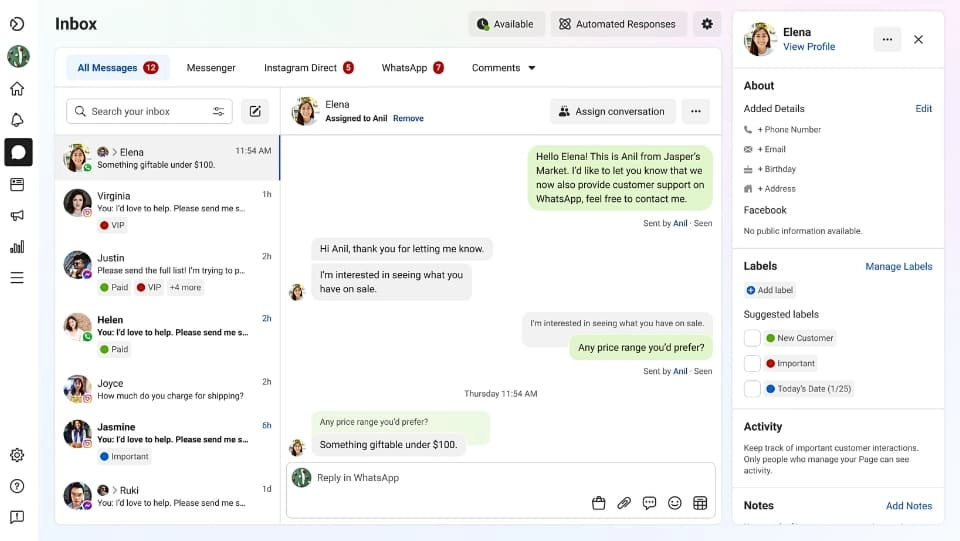
Not only that, you can also see notifications when there are new comments on articles on the Facebook and Instagram accounts you are managing. Thanks to that, reading and responding to guest comments is easier and faster because you don't need to reopen each post. Even better, the customer message window also displays their personal information on the right side for you to easily contact if necessary.
2.2. Create and post
Creating and posting is the basic and most used feature on Business Facebook. You can create a variety of content to post such as text, video, images,… on Facebook or Instagram page.
The interface for creating posts is also simple and easy to use, so even if you are a newbie, it won't take you too much time to get used to it and operate it. The special thing is that you can simultaneously post on both Facebook and Instagram when using Facebook Business Suite.
In addition, this tool also has the function of viewing the content schedule, looking at it you will know and manage what has been scheduled and posted. If you find something inappropriate, you can immediately adjust it by rescheduling the post. To manage your content calendar, select from the navigation menu Planning tool Please.
2.3. Customer Insights Analysis

To view Insights information, you can open it Navigation menu left and select Insights. Here, you will get an overall assessment of your business performance. Specifically, you'll see: your reach, audience stats, recent post performance, and Instagram insights.
In simple terms, this feature helps create forms that can be filled out immediately without leaving the platform.
2.4. Measure the effectiveness of implemented activities
This great feature of Meta Business Suite helps users manage all activities on Facebook and Instagram such as tracking the following metrics:
- The parameters show site performance such as: page visits, number of people reached, number of likes, new followers and new advertising trends. From there, it helps you identify which content is truly effective so you can focus on promoting and ignore content that is not highly effective.
- Advertising spend: Tracking your ad spend will evaluate the overall performance of your ad campaign so you can make an informed decision on whether to continue with it or pivot to other platforms.
- Information demographic characteristics of potential customers such as: gender, age and location where most people are concentrated.
2.5. Carry out advertising campaigns
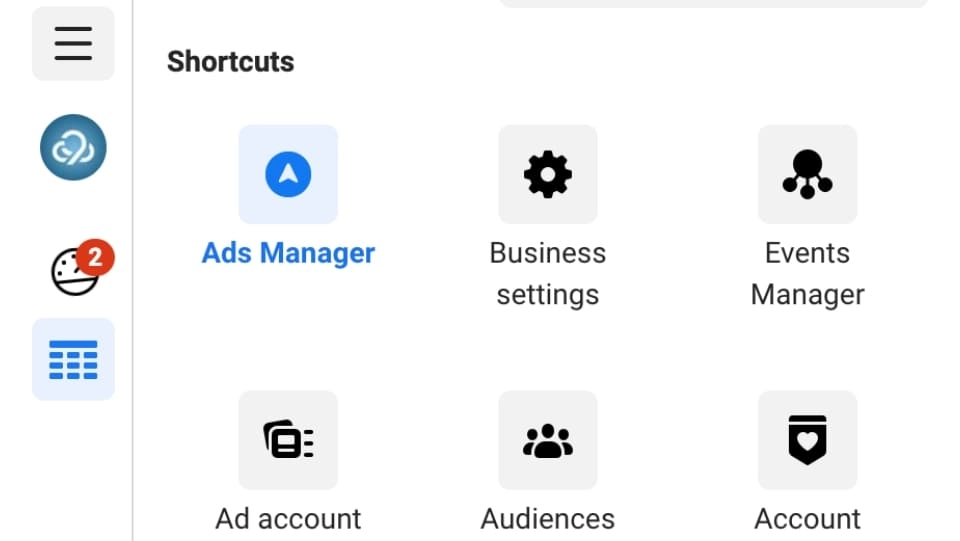
You just need to go to the section Advertisement and choose Create ads is already able to use this feature. Depending on the specific goals you have previously set, you can choose images, text or videos accordingly. Also, button Call to Action Can also be used to encourage and call for purchase action.
Find out more: Facebook Advertising service helps explode sales
2.6. Create a business presentation
Feature Create an appointment in Meta Business Suite helps businesses introduce services and interact with customers during specific time frames. Tools Create an appointment in Facebook Business Suite helps business owners easily set up one-on-one appointments with prospects and customers in general.
To create and manage appointments, all you need to do is scroll to All tools in the left navigation menu. Next, in Sell Products and Services, click Appointment. In this section, you can see information about upcoming appointments as well as inquiries on the dashboard.
Alternatively, you can also create a new appointment “manually” by clicking a button Create apps. After entering appointment details, click Create that's it. You will now see a record of the newly scheduled appointment in the dashboard My appointment. If needed, you can cancel or reschedule your appointment easily.
3. Why should you use Business Facebook?
If you do not want to use Facebook Business Manager to create a separate Fanpage for your business, you can absolutely use your personal account to create a Fanpage and then access it.
However, Business Facebook is not suddenly popular. If you use the Meta Business Suite manager, the following are great perks for you:
- Separate personal and work activities On Facebook: The situation of posting as an individual on the business's Fanpage will definitely not happen, and of course there is no need to switch between personal accounts and Fanpage.
- Manage Online Marketing and advertising campaigns of your business in a single tool as the business manager and ad manager work together to optimize access.
- Track interactions on Facebook and Instagram in the same inbox: Facebook Business will aggregate comments and messages from both for more efficient responses.
- Interact with colleagues, partners and agents: You can assign permissions to each member while still ensuring the safety and security of your account.
Maybe you are interested Professional Fanpage care package
4. Who should create a Business Facebook account
If you are just managing a small home business or personal social accounts, creating a Business Facebook may not be necessary. You should only create an account using this tool if you fall into one of the following situations:
- Your business has a dedicated management team marketing campaign or image on social media sites.

- You cooperate with Online Marketing companies to run ads or Fanpage management but don't want to share all of my account information.
- You are a unit being Manage multiple Facebook and Instagram pages or advertising accounts for multiple customers.
- You need access control Fanpage page without wanting to transfer ownership to employees or partners.
If you identify yourself as one of the above subjects, let's learn how to create an account and how to use Facebook Business.
5. How to create and use Business Facebook
Step 1: Create a Meta Business Suite account
Start the app and log in to your Facebook account or create a new account if needed.
Step 2: Fill in your contact information
Next, enter complete information such as: Full name, business email address, phone number, date of birth, and password then select Sign up. Rest assured that all your personal information will be kept confidential, ensuring safety when logging in.
Step 3: Select Facebook, Instagram account
Select the Instagram account to connect, check carefully to avoid confusion between business and personal accounts. If you choose a personal IG account, Facebook will ask you to switch before continuing with the setup process.
Step 4: Add people to a business account
You have the right to choose Fanpage admin rights by entering their email address and assigning permissions to that account.
Step 5: Check your business account
After completing setting up access to Meta Business Suite, click select Confirm. Facebook will take you to the dashboard dashboard and you can use all the tools inside the platform.
6. How is Facebook Business Suite different from Facebook Business Manager?
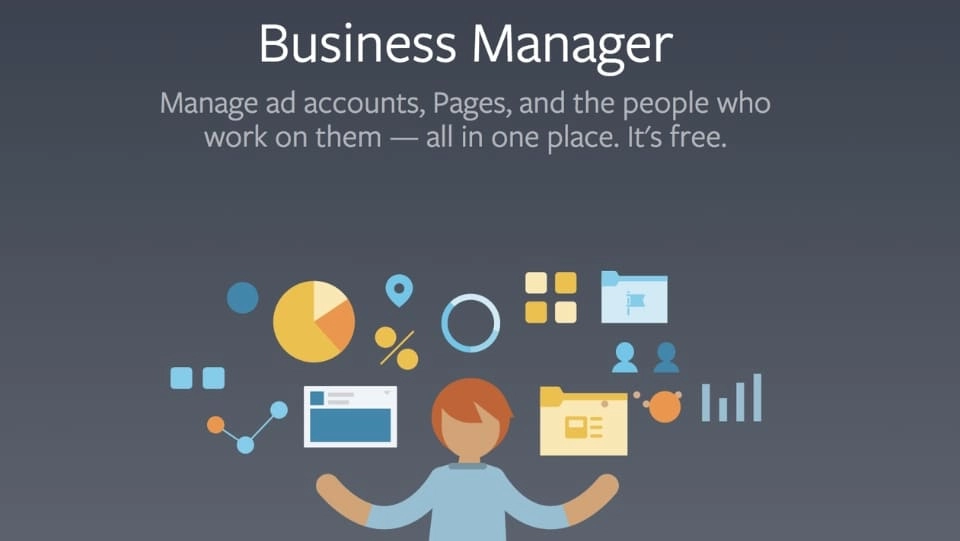
Facebook Business Manager is the predecessor of Meta BusinessSuite, it appeared a few years ago and allows managing content such as: page, product portfolio (although only at a basic level), advertising account and also user role.
Currently, Marketers have the right to choose between these two tools. However, in reality, Business Suite is gradually replacing Facebook Business Manager. In Business Suite, you can do everything you did before in Business Manager, including managing enterprise content in the Business Suite. Setting.
But if you don't like the new Meta Business Suite, you can still switch back to Business Manager. However, no one knows for sure how long Business Manager will continue to be supported, so it's best to get used to the new tool. In addition, Business Suite also provides more powerful features.
Conclude
Meta Business Suite Truly a useful tool for advertisers, marketers, and business owners. The tool has integrated all three platforms Facebook, Messenger and Instagram simultaneously, making management much simpler.
If you want to meet consultants, you can leave information or chat with us using the methods below.
CONTACT INFO
Address: Ho Chi Minh City
Hotline: 0965 165 166 or 0888 768 115
Fanpage: https://fb.com/5SMedia.net
Tiktok: https://tiktok.com/@5SMedia.net
Twitter: https://twitter.com/5SMedianet
Youtube: https://youtube.com/@5SMedianet
Email: infohowto.edu.vn@gmail.com