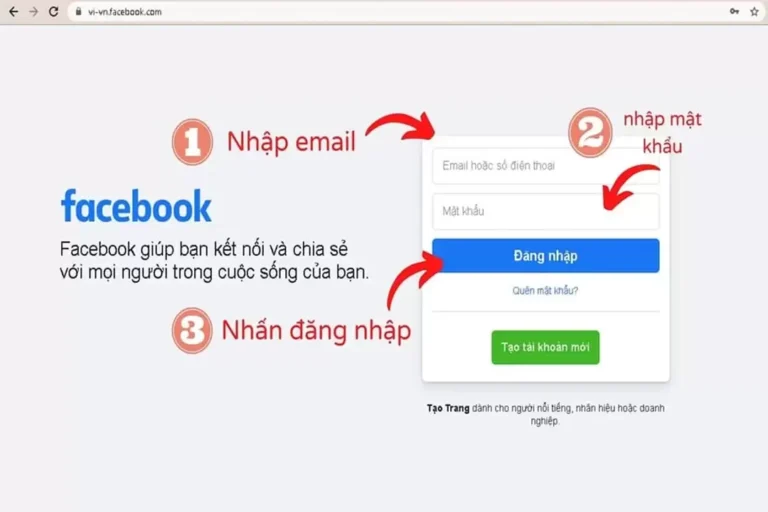
There are many ways to log in to Facebook on both mobile phones and computers. In addition to the simple, common ways, there are sometimes "difficult" cases that make you have to search. how to login facebook a little different. Let's explore some super simple ways to log in to Facebook!
How to log in to Facebook using email
If you create a Facebook account using an email address, then you can easily log in to the platform using that email.
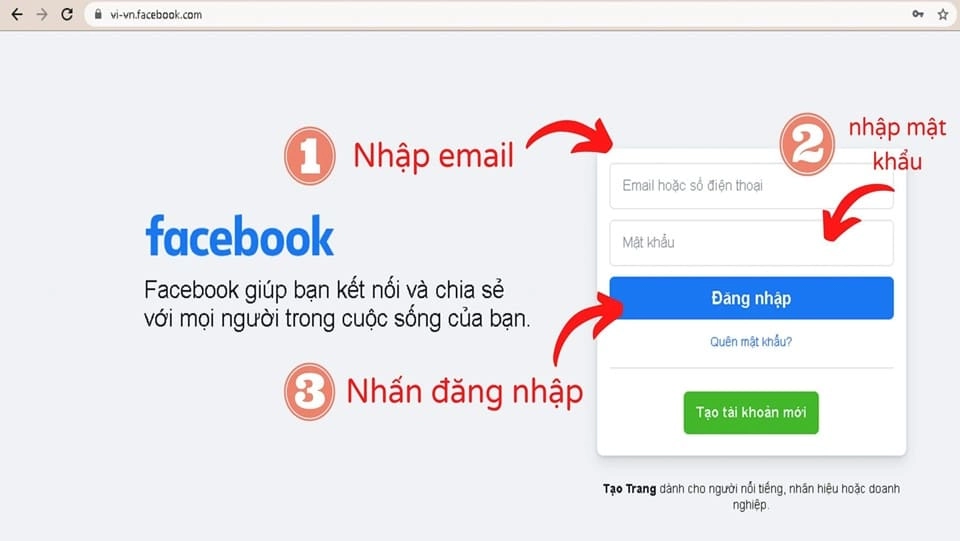
- Step 1: Access Facebook social network by link https://www.facebook.com/
- Step 2: At the box "Email or phone number”, you enter the email address you registered earlier.
- Step 3: Continue Enter password in the box "Password” and click “Log in”. Note that when creating a Facebook account, you need to remember the correct email address and corresponding password.
How to log in to Facebook with phone number
Besides email, phone numbers are also used by many people to log in to Facebook because of their convenience and ease of remembering. Especially middle-aged people who have just started creating Facebook accounts mostly use phone numbers.
- Step 1: Access Facebook using the link https://www.facebook.com/
- Step 2: Enter the phone number used to create the account in the “Email or phone number” box. (Similar to method 1, just replace email with phone number)
- Step 3: Enter your password in the “Password” box and click “Login” and you're done.
Maybe you are interested: Facebook advertising services
How to login Facebook with username
First, want to Facebook Login by username then you need to know your own username. To know this information, you should look at your personal Facebook link, your username is the string of characters after the phrase https://www.facebook.com/.
How to create & edit username
In case you do not have a username, meaning that from the time you created your account until now you still have the default personal Facebook link, you need to create a username following these steps:
- Step 1: Click on your avatar icon in the upper right corner. Select “Settings and privacy”.
- Step 2: Next select “Setting”.
- Step 3: Continue to select “Shared” in the left corner of the screen. At this time, a series of information will appear, including the box “User name", you click on the "Edit” and start changing your username as you wish.
How to login Facebook
Once you have a username, the login steps are as simple as follows:
- Step 1: Visit Facebook page at https://www.facebook.com/
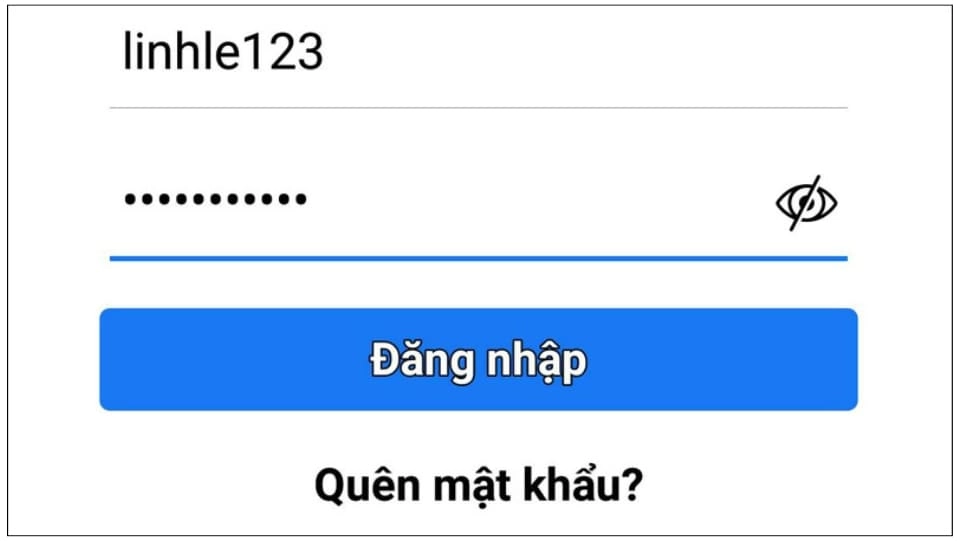
- Step 2: Copy your username and password into the corresponding boxes. Click “Log in” to complete Facebook login.
This way, you can use it when you accidentally forget both your email address and phone number.
How to quickly log in to Facebook using your profile picture
To Facebook Login fast and convenient, the first time you log in to Facebook, a notification will appear to remind you to activate the quick login feature by saving your login information.
If it is your phone/computer then you should click “Remember password” to make the next login faster and more convenient, so that the next time you just need to click on the avatar to open Facebook. On the contrary, you should not agree because there is a high possibility that someone else will intentionally log into your account and steal information.
This is also one of the ways to help you flexibly switch between different Facebook accounts on the same browser without having to re-enter login information.
How to log in to multiple accounts at the same time on your computer
Below are ways to log into Facebook with multiple accounts at the same time for your computer that you can refer to:
Use different web browsers
With computers, you can use many different web browsers to be able to log in to many accounts at the same time. For example Chrome, Coc Coc, Microsoft Edge, Firefox, Opera, Yandex, Brave, Safari (macOS), Torch.
Each browser you log in to a Facebook account to use, so the number of browsers you need to download will correspond to the number of Facebook accounts you have. And when you need to access an account, you just open the correct browser and you're done.
Login to Facebook using Incognito Tab
To use Incognito Tab to log in to Facebook, first open an incognito window by doing the following:
- Use key combination: Cmd + Shift + N (macOS) or Ctrl + Shift + N (Windows)
- Direct Click: Click on the three vertical dots in the upper right corner. Select “New Incognito Window”
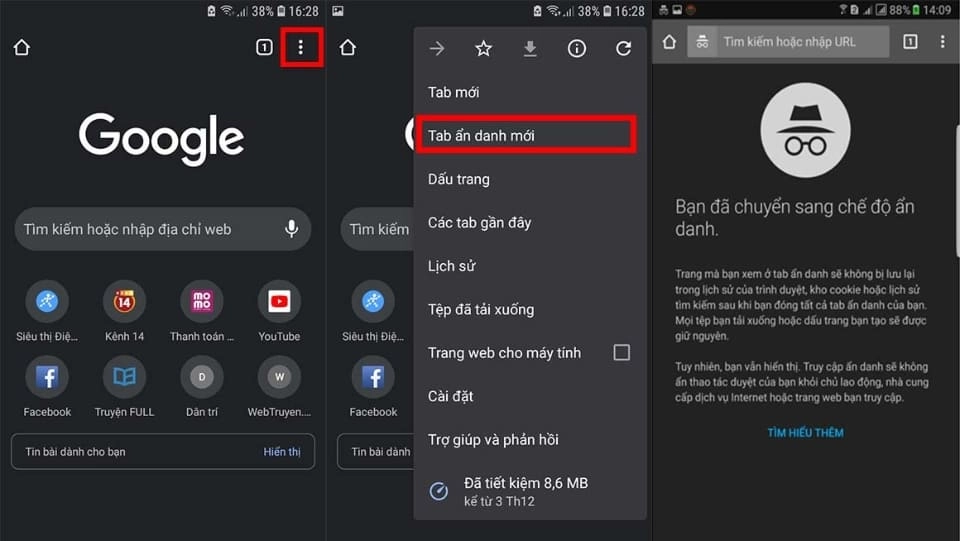
Using an incognito tab is the best way to log in to Facebook and your personal social network accounts if you have to use a friend's computer, or a public computer (Internet cafe, photocopy shop, ...). Because when you finish using and close the incognito tab, all the information you have logged in will automatically disappear, helping to avoid the risk of information leakage and account loss.
How to log in to multiple accounts at the same time on your phone
To log in to multiple Facebook accounts on your phone, you can refer to the following methods:
Use different web browsers to log in

Similar to computers, phones can still use multiple web browsers to log in to multiple Facebook accounts at the same time. However, it is certain that it will not be as convenient as on computers.
You can use popular Web browsers such as Google, Microsoft Edge, Opera, Firefox, Coc Coc,… In addition, on Android operating system phones, the Chrome browser is usually available, and on iPhone lines, the Safari app will definitely be available.
Use different Facebook apps
Many people may not know that Facebook has many versions besides the Facebook app that everyone often uses. If you search on app stores like CH Play (Android) or App Store (Iphone), you will find many versions of Facebook. However, downloading too many apps like that will take up a lot of space, make your device "heavy" and can make your phone more sluggish.
Frequently asked questions when logging into Facebook
If I forget my password, how can I log into Facebook?
Forgot password It's not a difficult problem to solve, it's just that you know how to handle it correctly or not? In case you forget your password, don't try to log in too many times, click on the line "Forgot password”. Then choose to verify in many forms as follows:
- Send code via email, phone number
- Use your Google account: Sign in to Google to quickly reset your password
- Send the code via Facebook notification. If you are logging in on another app or device, choose this method to receive a notification with the login code.
What should I do if my email or phone number is incorrect?
- Wrong email: Please double check that the email you entered is complete. abcxxx@gmail.com not yet. If it is enough, then you continue to check the characters before the @ sign.
- Wrong phone number: Try entering your country code, and omitting the first 0 in the phone number. For example, if the phone number is 096xxxx, re-enter it as +8496xxxx
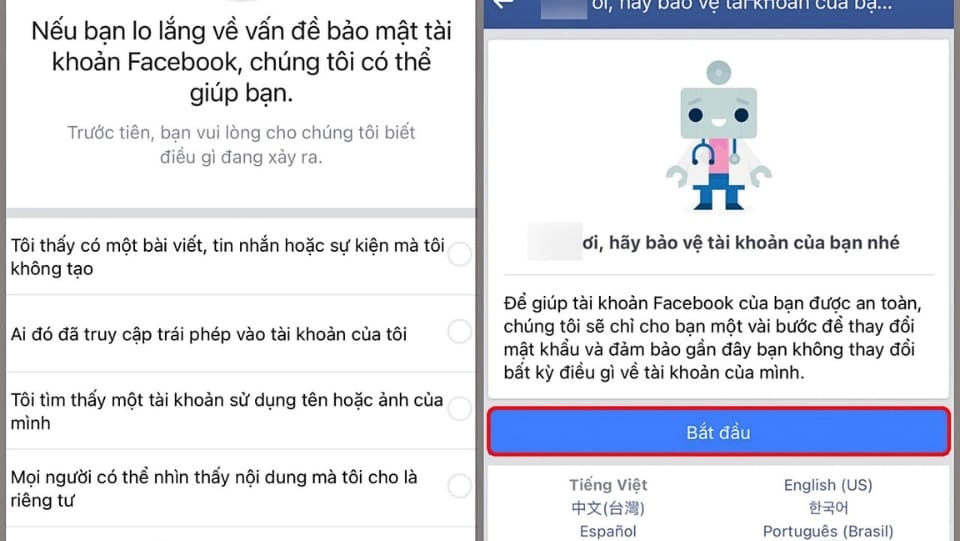
How do I know if my account is hacked?
If your account has one of the changes below, it may have been hacked:
- Password or email automatically changed.
- Account information changed (Facebook name, date of birth, biography, ...).
- A message was sent but it was not written by you.
- Your profile has strange posts that you did not post.
Then you can use how to get back facebook account when hacked 90% got it back or Facebook help page to get your account back.
How to know if Facebook account is disabled?
When your Facebook account is disabled, you will see this message when you log in. If you log in and do not see the disabled message, you may have another problem.
Conclude
There are many ways to login Facebook popular on phones and computers. You can use email, phone number or username to log in easily. In addition, in some more complicated cases such as forgetting password, email, ... you still have ways to handle. Hopefully the above methods have helped you solve problems when logging into Facebook.