
To buy products on Taobao, you need an account to log into the system. If you are having difficulty logging in to Taobao, the article below will show you how Login to Taobao on your phone and computer to help you.
What is Taobao?
Taobao is the largest e-commerce website system in China, founded by Alibaba Group in 2003. Taobao is the largest e-commerce website in the world and the 8th most visited website according to Alexa. This commercial website operates according to the C2C model, which is a form of direct connection between sellers and buyers.

Through Taobao, businesses can post advertisements for their products to attract buyers. At the same time, with just a phone or computer, buyers can easily refer to a variety of products. When shopping on Taobao, you can pay online or in cash. This respects the rights of both parties.
If you are in need import taobao goods with cheap price please Contact us now for more details
Maybe you are interested
- How to create a taobao account in Vietnamese
- Taobao Order service at factory prices without intermediaries
- Experience in shipping Chinese goods to Vietnam from az
- What does the Chinese goods shipping service to Hanoi include?
- Instructions for shipping Chinese goods to Vietnam fastest
How to register to buy Taobao products on your phone
To buy Taobao products on the phone, buyers can download the Taobao app to their device or log in to the Taobao website on the phone to log in and make purchases.
How to log in to Taobao via app
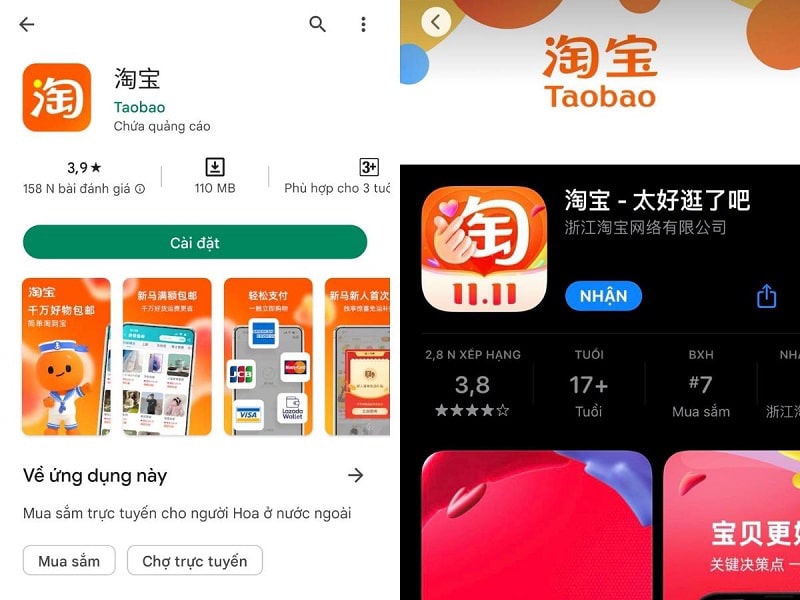
Currently, the Taobao app is available on both Android and IOS operating systems. The following will be instructions for downloading the Taobao application to your phone.
Step 1: Download and install the Taobao application to your phone
To download the Taobao app to their phone, shoppers will access the App Store (for IOS operating system) or CH Play store (for Android operating system). Then, proceed to enter the search for the application “Taobao”. Next, select "install" and the app will automatically download and install to your mobile device.
Step 2: Open the Taobao application on your phone
After successfully installing the application, the buyer opens the Taobao application, selects "My Taobao" (human icon) and then logs in to Taobao.
Step 3: Log in to Taobao
There are 2 ways to log in to Taobao: log in with phone number or username. Buyers only need to enter their username or phone number and password to register with the system. Finally, click on the orange box to log in to your Taobao account.
How to log in to Taobao via website on phone
In addition to logging in to your account via the Taobao application on your phone, shoppers can access the Google browser and log in to their purchasing account on the system.
Step 1: You access the Taobao website
First, you access the google browser on your phone. Here, you enter the Taobao website search on the search bar.
Step 2: Proceed to translate the Taobao website into Vietnamese
Similar to purchasing on a computer, shoppers can also easily translate the website into Vietnamese when purchasing Taobao products from their mobile web browser.
Step 3: Log in to your Taobao account
To log in to their account, shoppers will select "My Taobao" (with a human-shaped icon). At this point, the system will automatically redirect to the account login interface.
Step 4: Enter your name and password to log in to Taobao
In this step, the buyer enters their account name and password to log into the system and can successfully access the Taobao system.
Instructions on how to log in to your Taobao account on your computer
Recently you learned how to log in to your Taobao account on your phone. Next, we will guide you how to log in to your Taobao account on your computer. You can log in to your member account on the system by following these steps:
Step 1: Visit the website of Taobao e-commerce platform
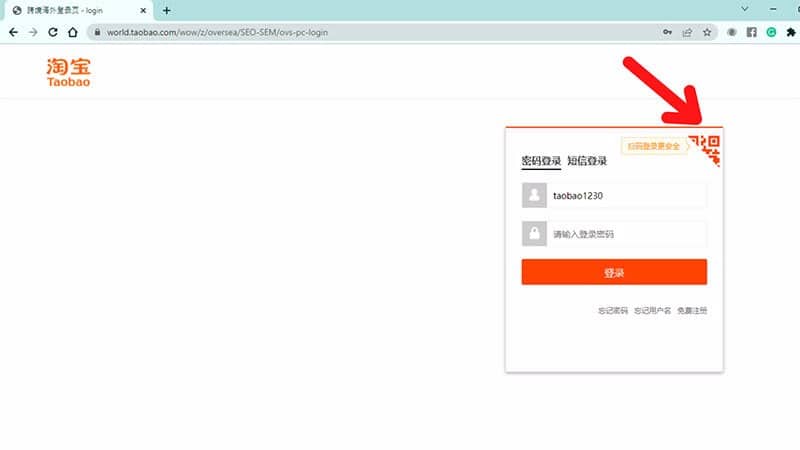
First, the buyer visits Taobao's website at https://world.taobao.com/. In this step, the system will suggest buyers to translate the website into Vietnamese. If you do not understand Chinese, please click on the Vietnamese language box to register an account in the most convenient way.
Step 2: Select the free account login section
At the main interface of the screen, the shopper chooses to log in to a free account. After selecting, Taobao will transfer you to the account login interface.
Step 3: Proceed to enter Taobao account information
Finally, enter your login account information including login account name, password and click on the orange box to successfully log in to your account.
Instructions on how to log in to Taobao using QR code
In addition to the two ways to log in to Taobao on phones and computers, Taobao also allows shoppers to log in to their accounts using QR codes. To log into your account in this form, you need to follow these instructions:
Step 1: Visit the Taobao website
Similar to logging into Taobao on computers and phones, shoppers access Taobao and select the page translation feature into Vietnamese.
Step 2: Select account login
Select the free account login option so that Taobao will automatically switch to the login interface.
Step 3: Open the QR code scanning interface to log in to your account
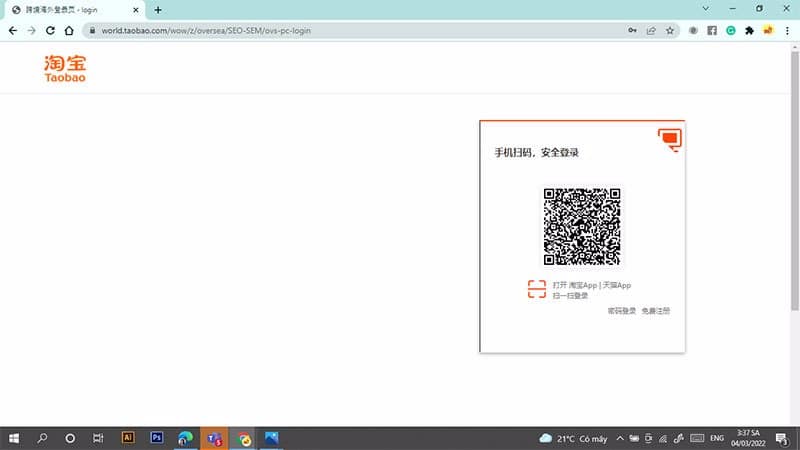
Instead of logging in with a member account, shoppers can click on the secure login section to scan the QR code in the top right corner of the login interface.
Step 4: Scan the QR code to log in to Taobao
After clicking the QR code scanning feature, Taobao will display a QR code that is used to log in to your account. At this time, the buyer opens the Taobao application on his phone and clicks on the code scanning function in the left corner of Taobao's search tool bar to scan this login code.
After successfully scanning the QR code, the system will display a confirmation message to log in to your account on your computer. Shoppers just need to click on the orange box to confirm their login to access the website and make a purchase.
How to fix errors when unable to log in to Taobao
To easily fix errors when logging into Taobao, we need to know the causes of inaccessibility. Normally, when you cannot log in to your Taobao account, it can be due to the following 3 main reasons:
- The first, possibly due to an Internet connection error
- Monday, Taobao does not allow Vietnamese IP addresses to access
- Tuesday, error caused by the client
The following will be how to fix common errors when logging into Taobao.
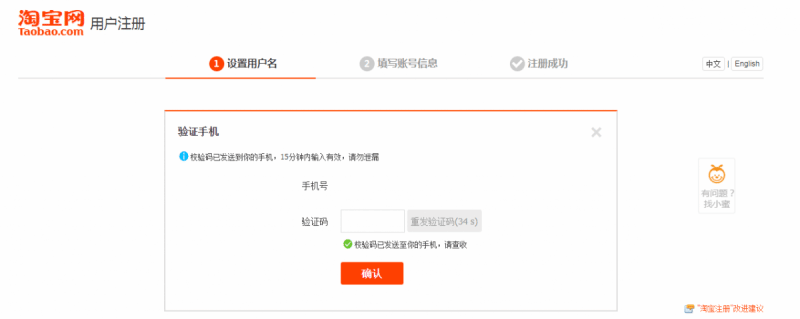
Due to Internet connection error
In this case, customers only need to call the network's headquarters to report the error so that it can be repaired promptly and can be used.
Taobao does not allow Vietnamese IP addresses to access
For this Taobao IP blocked error, users can solve the problem in many different ways. Methods include: Change navigation to taobao.com. This method requires the user to visit the product link, copy the link, and go to a new tab.
At the same time, users should switch to the original Chinese version by deleting the word "world" in the browser. Finally, redirect this link to the Taobao website. This allows people to visit Taobao websites to buy cheap Guangzhou products.
Error due to client
This error is relatively difficult for those who are just starting a business or importing cheap Guangzhou goods on e-commerce sites. In this case, the user should delete all browser cookies on the website. Each browser has a different deletion method. Therefore, everyone should pay attention to which browser they use properly.
Additionally, how you delete cookies depends on whether they are cookies on your browser's website or cookies in your browser.
Can I buy products without logging into Taobao?
Previously, customers did not need to log in to Taobao to check products or view images, information, and clips related to the product. However, today this has become more strict and the number is limited. Therefore, customers must also have a Taobao login account to view detailed product information.
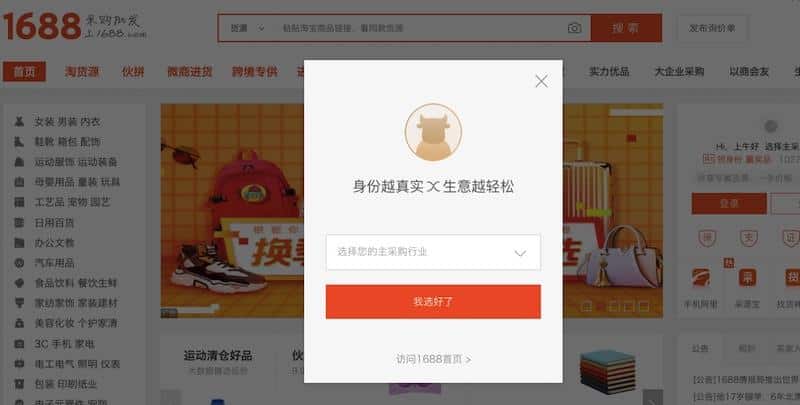
The main reasons for these problems are:
- Due to user overload. This happens quite often as Taobao has become one of the most visited e-commerce sites in the world today. Taobao has created a "login" protection layer to protect the safety of the website as well as meet the shopping needs of customers.
- Because Taobao is a website for Chinese customers, access from abroad is limited. Therefore, it is necessary to have an account for users to easily log in.
- Taobao wants to track customer behavior to improve the shopping experience.
- Monitor fraudulent accounts: Recently, online shopping has developed extremely strongly but some problems have also arisen. For example, many customers order but do not receive the goods, leading to many problems.
In addition to the above reasons, there are many other reasons that directly affect how you access the Taobao e-commerce site and how you log in to the system. Therefore, when using Taobao, you must follow the rules set out for ease of use.
Why should we log in to our Taobao account?
It can be seen that the way to completely solve the problem of "Taobao requires login" is to create an account to log in.
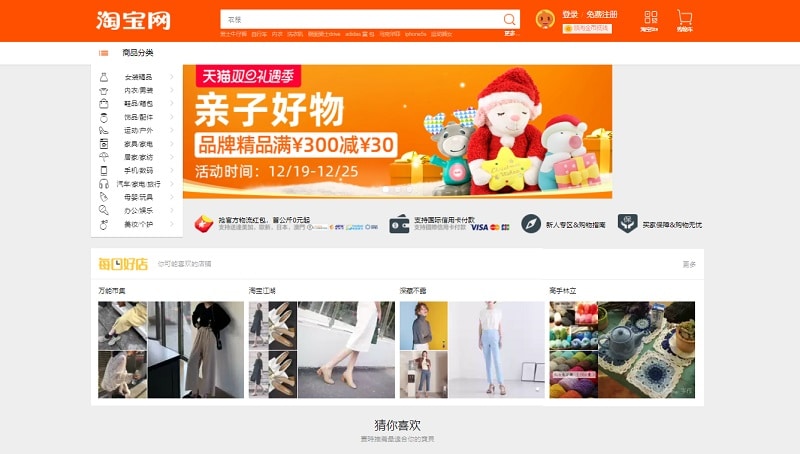
Here are some reasons and advantages we should log in to Taobao:
- Supported with many incentives: The system will easily identify who you are through your account. On big sale occasions, the system will give discount codes and discounts through the customer's account.
- Suggested related products: The system is based on your account information and product search history to provide the most suitable results for the product you are looking for.
- Receive notifications of Taobao sales: The system will send notifications to your account, so you don't miss any promotions.
- Easily add products to cart and buy: Log in to calculate domestic shipping fees and check your purchase information.
- Follow your favorite shops: In case we have found a product we like but don't remember where it is sold, don't worry. The Taobao system will save the products you have previously viewed.
Hopefully the useful information in the above article will help you log in to Taobao and make a successful purchase. Wish you will have happy shopping moments.
Infomation: If you want to sell online, where can you get the goods? 4 ways to find extremely reputable sources of goods



 EN
EN  VI
VI