

V-Ray is a high-quality rendering software widely used in the design and graphics industry. With the ability to create realistic and vivid images, V-Ray has become an important tool in creating 3D images and architectural drawings.
With its flexibility and high performance, V-Ray allows users to adjust lighting, material, and landscape settings to create beautiful, professional images.
In addition, V-Ray also supports integration with other design software such as 3ds Max, SketchUp and Revit, helping users easily create creative and unique works.
In this article, I will guide you how to do it. how to set material in vray sketchup
see more
How to set materials in vray sketchup
Before making materials, we have an item called V-ray Asset Editor.
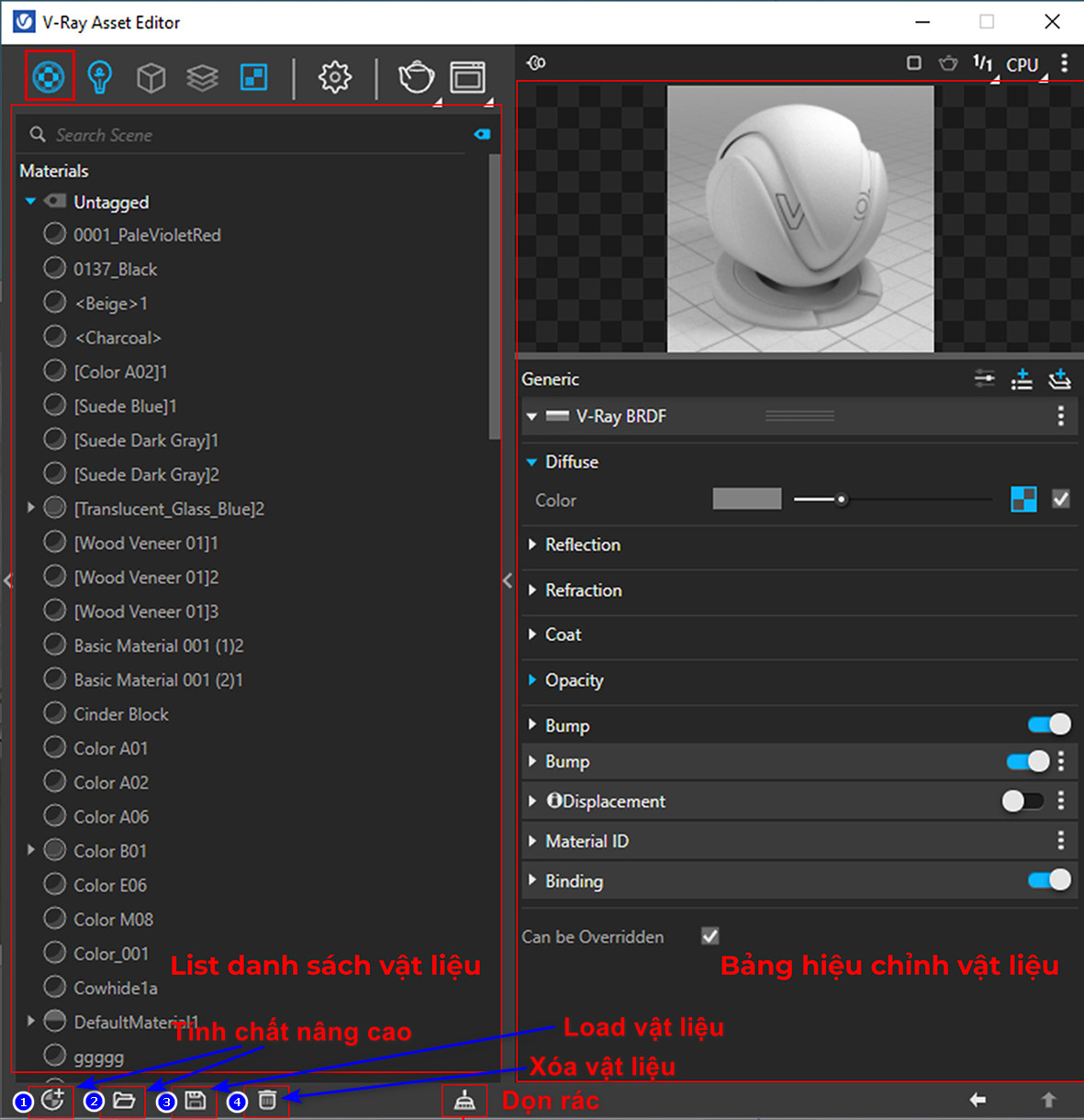
In addition, V-ray allows us to create many different types of materials depending on the intended use:
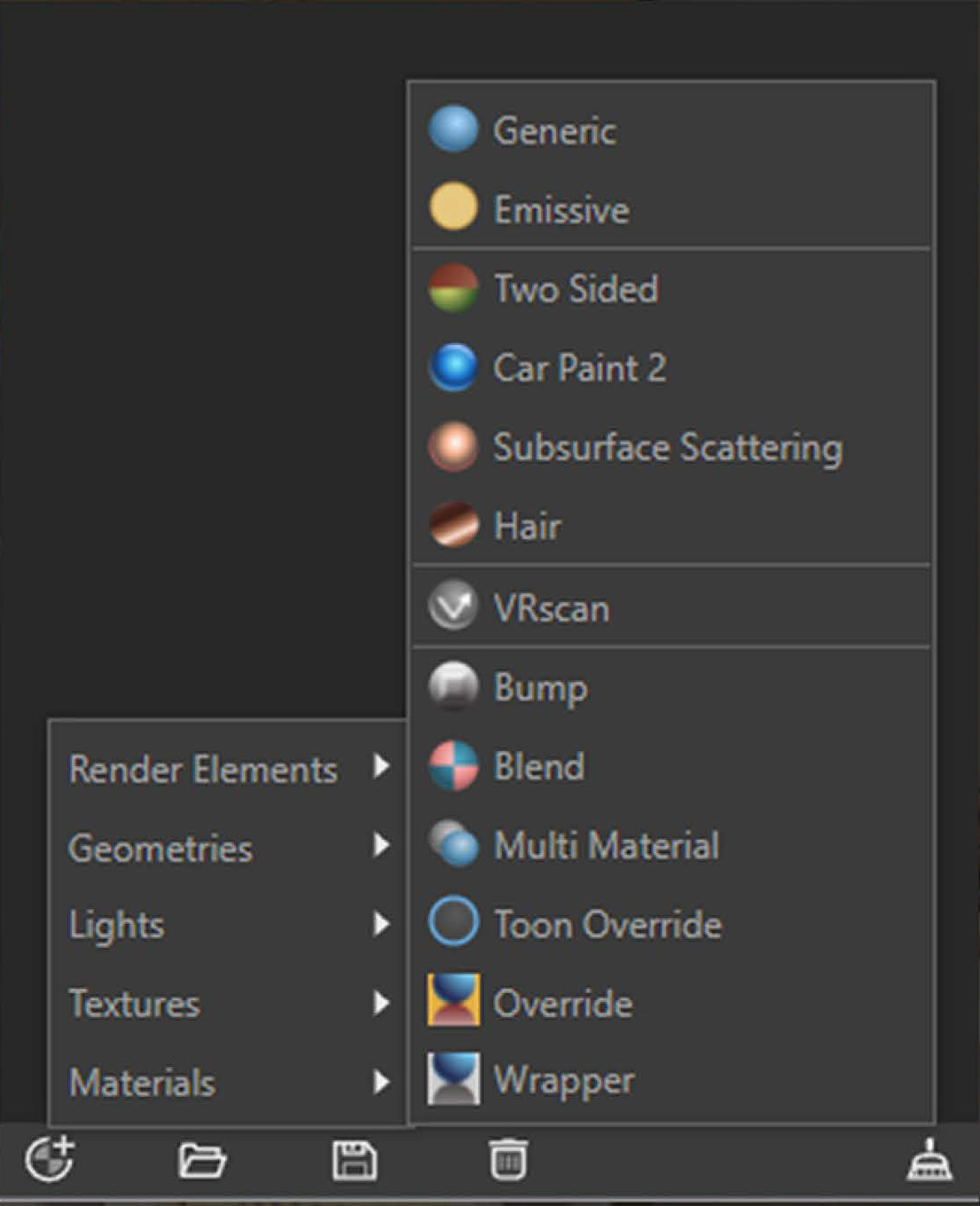
Describe |
Function |
| Generic | Basic materials |
| Emissive | Luminous material |
| Two Sided | Double-sided material |
| Car Paint | Automotive paint materials |
| Surface Scattering | Light-condensing material |
| Hair | Hair material |
| Vrscan | Materials used in the Scan library |
| Bump | Create another Bump layer |
| Blend | Blending material |
| Multi Material | Mother and child materials |
| Toon Override | Animation materials |
| Override | Overburden material |
| Wrapper | Base material |
Materials in space always come with environmental factors such as dust, scratches, dirt, etc. So when rendering materials in V-Ray, you need to learn to produce them.
Material operations
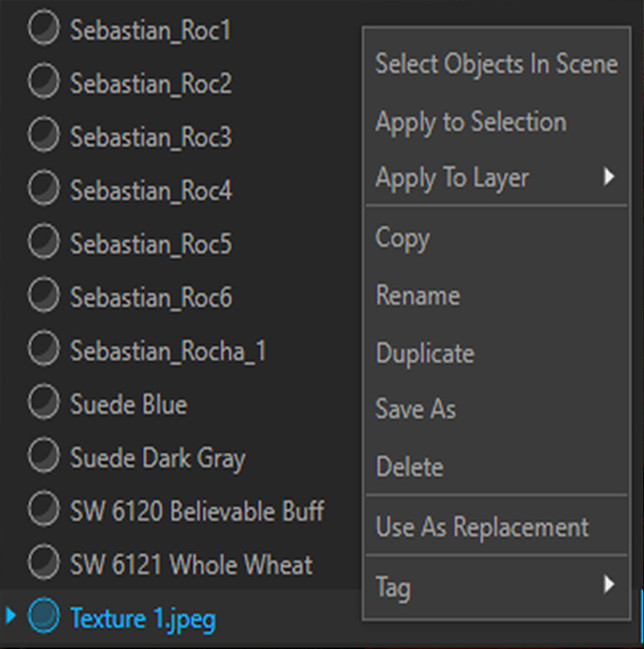
Right-clicking on a material will display the following options:
Describe |
Function |
| Select Objects In Scene | Select objects using materials |
| Apply To Selection | Pour material into selected object |
| Apply To Layer | Pour material for specific layer |
| Copy | Copy material |
| Rename | Change name |
| Duplicate | Double the material |
| Save As | Save material |
| Delete | Clear material |
| Use As Replacement | Material replacement |
| Tags |
Material correction:
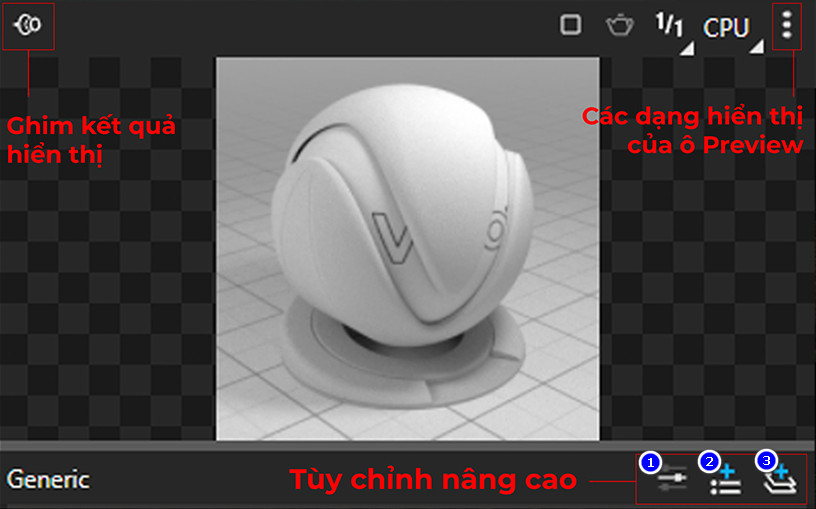
In there:
- Switch to basic / advanced (1): summary or full correction mode of the material.
- Add attribute (2): add advanced auxiliary attributes.
- Add layer (3): add advanced effect layers.
How to create material MAP
1. Bamboo and rattan materials:
You go to the advanced feature first then select Materials > Two sided it will output 2 frames Opacity and Diffuse.
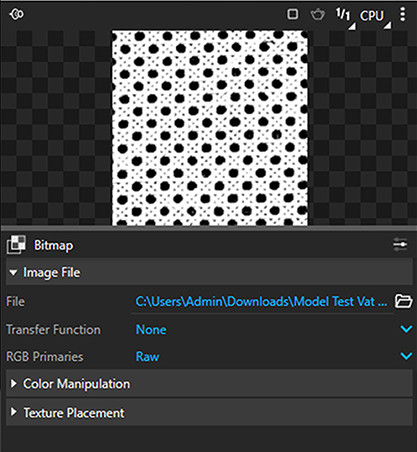
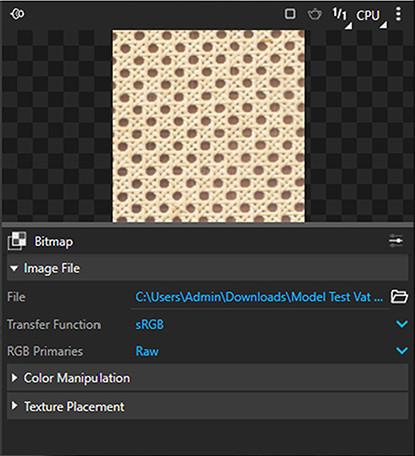
To create rattan woven material:
- Opacity: Load black and white map to create perforated effect, the blacker the map, the more perforated the material, the whiter the map, the higher the visibility.
- Diffuse: Load display material map (color material map)
Note: To map the perforated material, uncheck Diffuse Texture Alpha.
2. Translucent curtain material:
Curtains are divided into 2 layers:
- Translucent layer (transparent)
- Fabric layer (solid)
To make the transparent layer translucent:
Step 1: Prepare an external material, absorb a whitest possible cloth material.
Step 2: Set up 2-sided material mode in the Create Asset panel.
Describe |
Function |
Note |
| Front Material | Top layer of material | Select the part of the curtain that needs to be filled with material. |
| Back Material | Bottom material layer | |
| Translucency | Adjust transparency | The higher you pull, the more transparent it is. |
Step 3: Select the 2-sided curtain material setting mode, suck and pour the material into the translucent curtain part.
Step 4: Pour the material into both sides of the curtain.
Step 5: Scan the curtain that has just been filled with material – right click – Vray UV Tools – Select World mode.
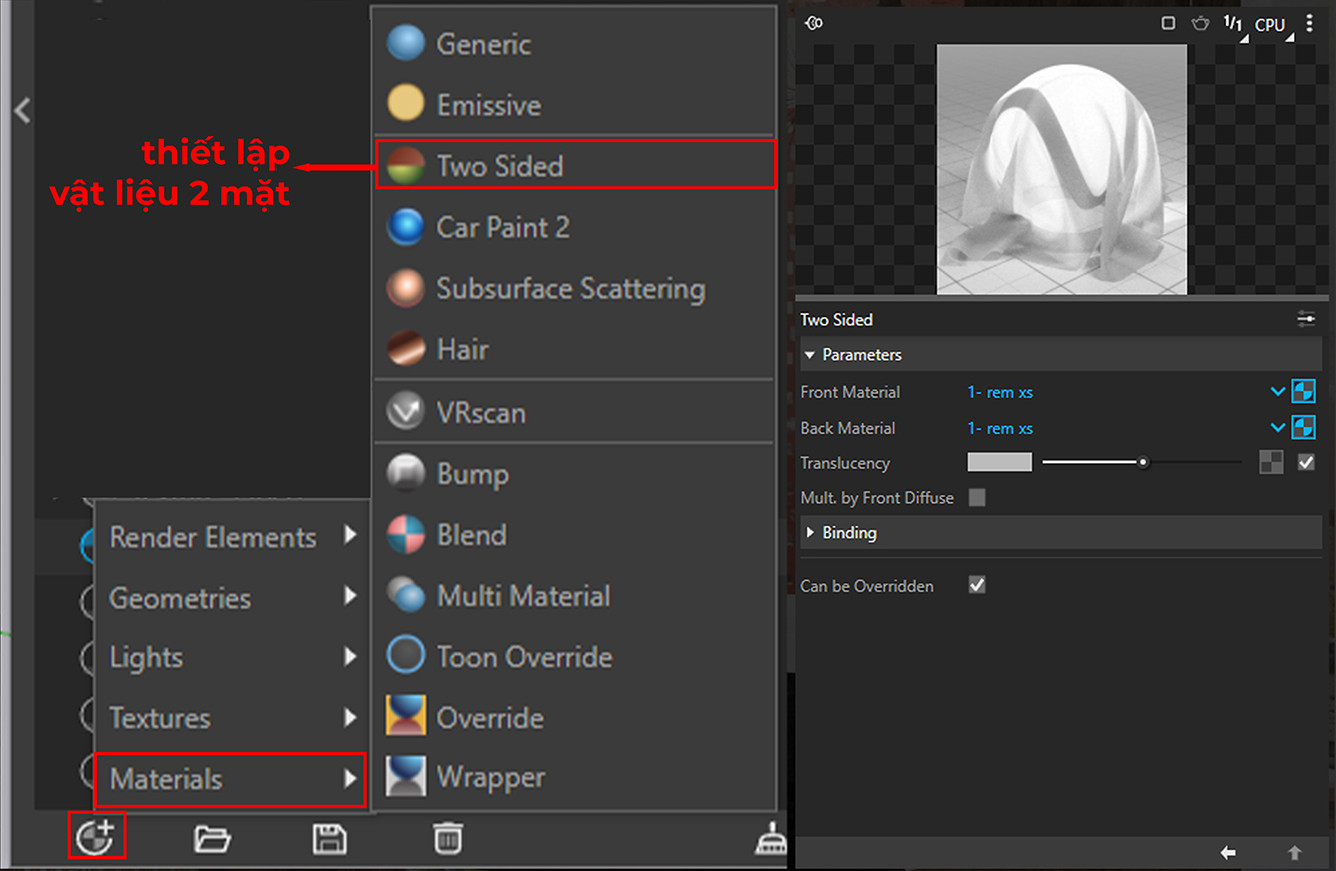
3. Fabric material:
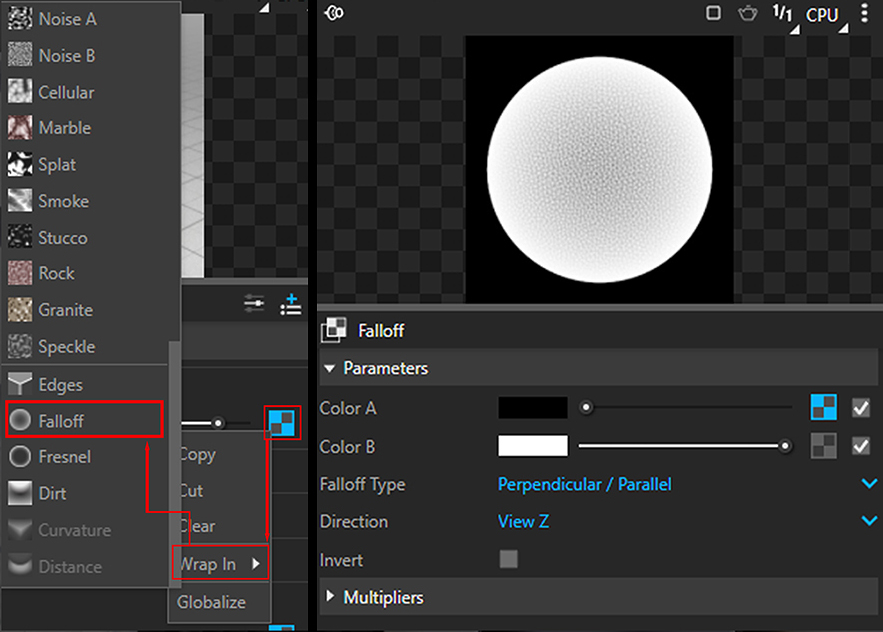
Before making fabric, you go to the square symbol then go to Wrap in > Falloff It will give 2 colors:
- Color A: represents the dark layer
- Color B: represents the light layer
To create fabric material:
- Select Falloff mode in Diffuse channel (The essence of Falloff is to create a level of contrast between light and dark on the fabric surface)
- To correct color: select Color Correction mode in Falloff channel
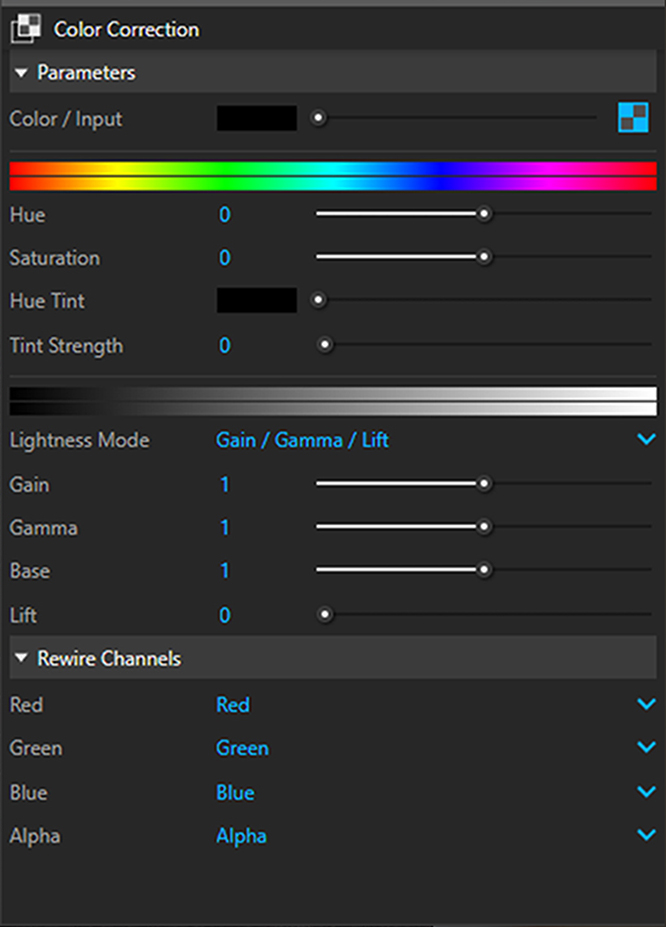
Including:
Describe |
Function |
Note |
| Hue | Change color | Usually default value is 0 |
| Saturation | Change freshness | Usually default value is 0 |
| Lightness Mode | Brightness adjustment mode | Set to Gain/Gamma/Lit mode |
| Gain | >1 map will be bright, <1 map will be dark | |
4. Glass material:
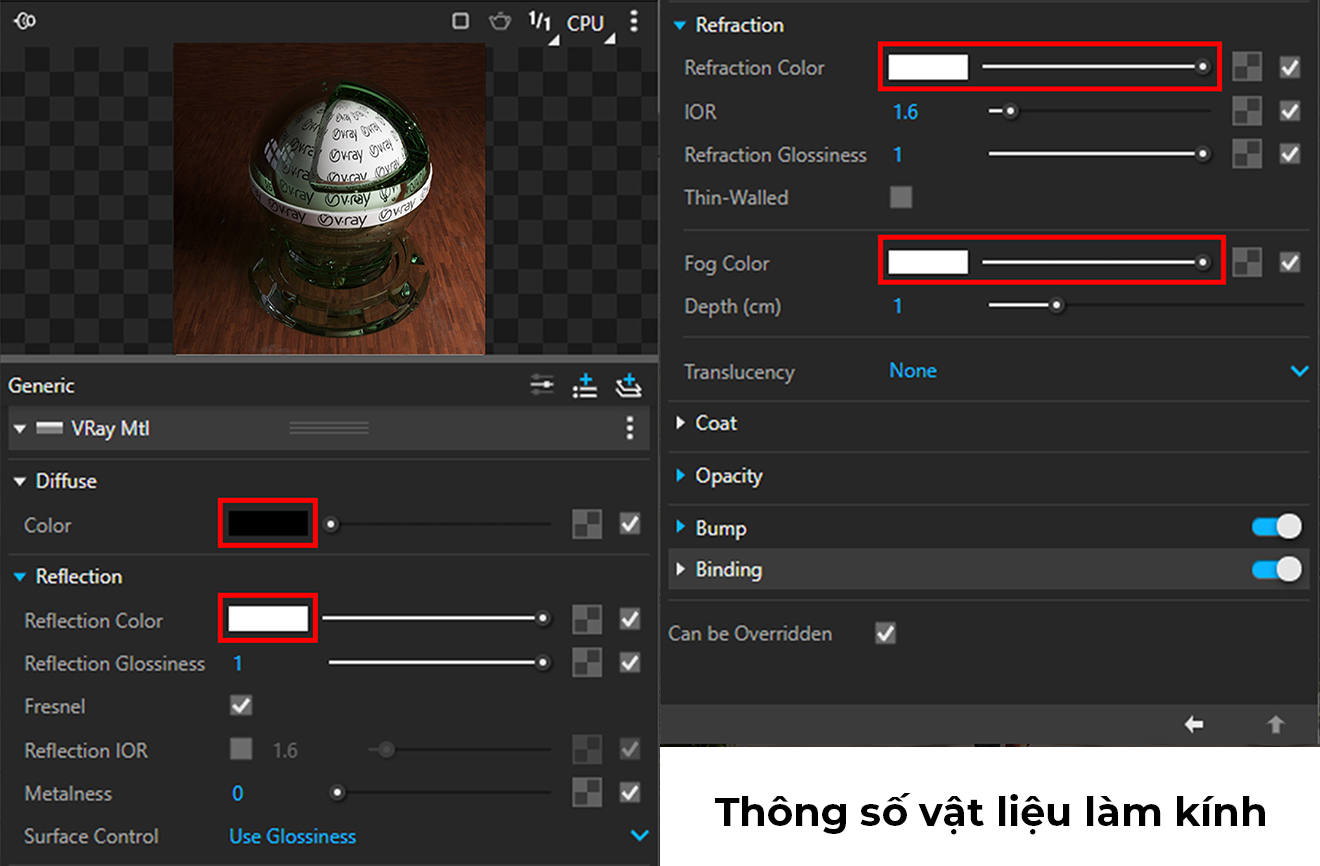
If you have any questions, please contact us. we!
Conclude.
So I just shared with you some how to set material in vray sketchup. Hope this article will be helpful to you.

 EN
EN  VI
VI