
How to get your Facebook account back when it's been hacked 90% can get it back including changing your email and phone number. Facebook is an online social network used by many people around the world. However, on the flip side, many hackers take advantage of users' loopholes to take over accounts for fraud or blackmail. In this guide I will guide you how to get back your Facebook account (how to recover your Facebook account) when hacked. Even if your password and phone number are changed, you can get it back. Let's get started
How to get your Facebook account back when it's been hacked
1. In case of lost email and phone number
The sign that your Facebook has been hacked is that you cannot access your account. Even though your account is installed on your phone, it still exists. When logging in, the system always reports incorrect password. Even if you change your password, the system will not send it to your gmail or phone number, but it will send it to the other hacker's account. So what should we do now? recover facebook password (how to retrieve facebook account) at this time.
To get your Facebook account back in this case, you must meet the following requirements:
- Facebook account password changed only refill within 24 hours
- Right email access My Facebook account has just been lost.
- Number phone still must operate Okay.
- On the phone, I was accessing Facebook before when I was completely logged out Do not delete the old account, do not create new accounts
After fully preparing the above information, we will proceed Recover Facebook account (how to recover Facebook password)
If you are a seller and want to reach out and push more orders, please contact us.
We accept running Facebook + Google ads at extremely cheap prices
Hotline: 0965 165 166
Method 1: How to get back your Facebook account through Gmail.
Step 1: Log in to gmail to check notifications
When you log in to gmail you will see these warning messages appear
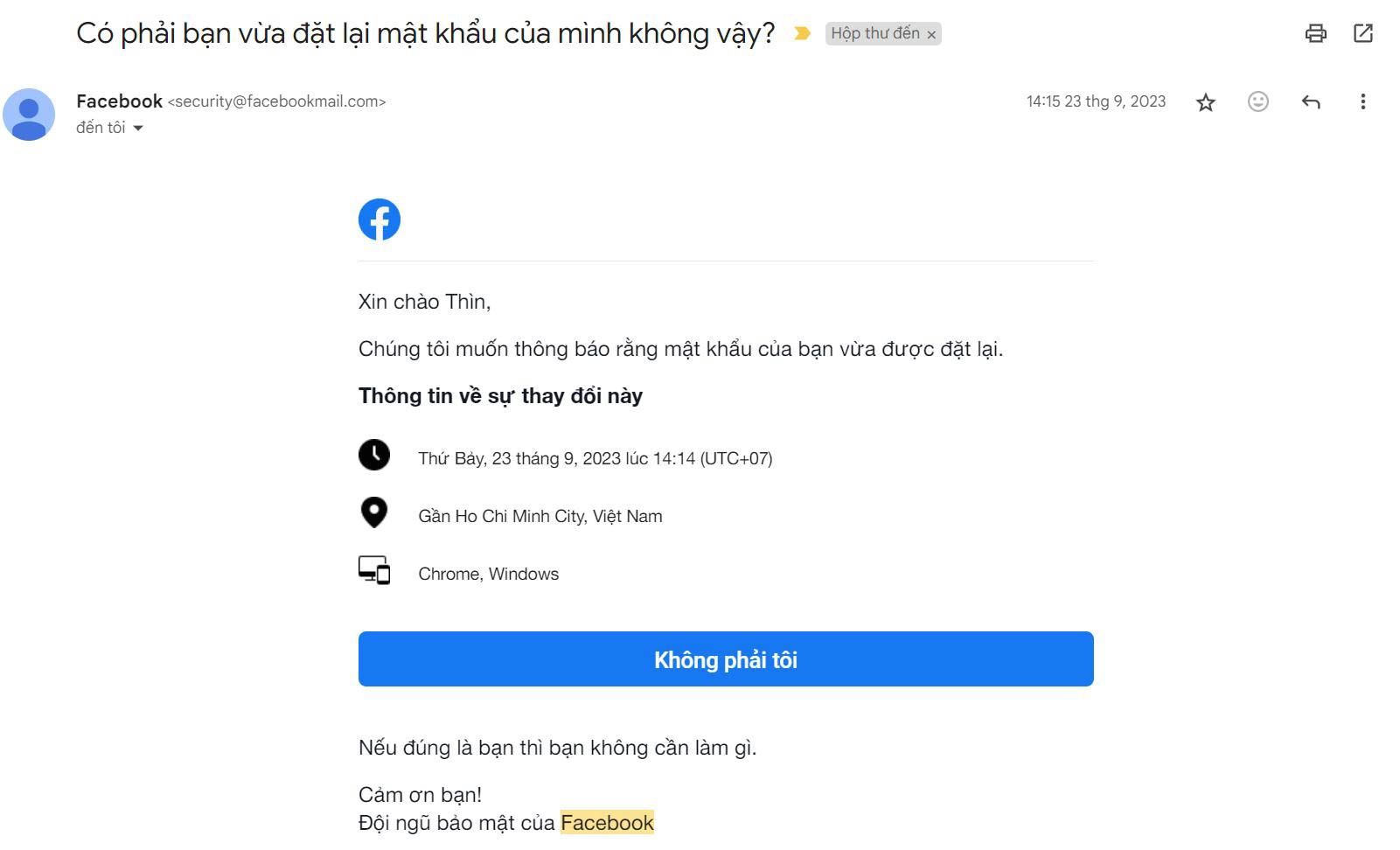
When this message appears, it means you can click on the option in gmail to get it You can get your Facebook account back (recover your Facebook account). Within 24 hours you have it completely Can you get your Facebook account back (recover your Facebook account) through warnings and instructions in gmail.
Step 2: Follow the instructions.
When you click on the instructions, the system will begin to restore your Facebook account. All you need to do is follow the instructions on your screen.
Step 3: Change information
After Facebook has found your account information, Facebook will verify whether you have done anything on your Facebook account. That way you will have to answer security questions and verify the actions you have done before. Once completed, you can now use your Facebook.
Step 4: Security
Once you have your Facebook account back, you need to secure your account better How to increase Enable security for Facebook To increase security, it can no longer be hacked.
- Set up 2-layer security. Can be installed by code, verified via application or verified via code via gmail
- Add a phone number and gmail that can be verified
After installing security, your Facebook will be safe and no longer have to worry about being hacked
Method 2: How to retrieve your Facebook account through the website
Step 1: Access website www.m.facebook.com/hacked
You use your phone and access the link www.m.facebook.com/hacked When you access our website

Step 2: Protect your account
Next, enter protect my account. The system will ask you to fill in your account information and password (you can enter the old password before being hacked).
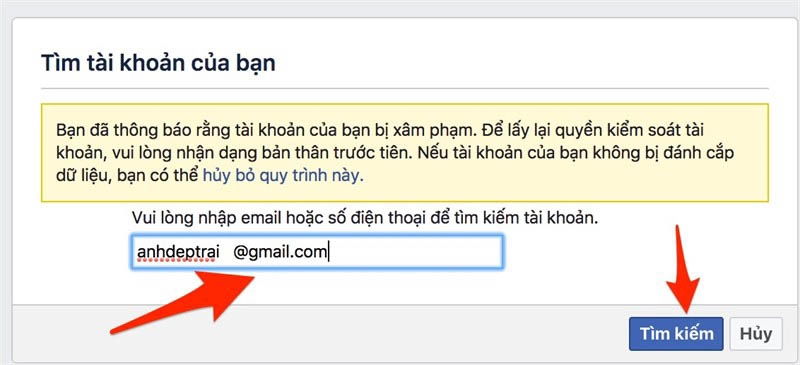
Note this entry: The user section requires you to remember the following 3 contents: 1 gmail of the account, 2 in case gmail is changed, log in with the user or phone number, 3 in case you lose both In the above 2 cases, you must enter UID. But usually with this item, you just need to enter your gmail and the Facebook system will find your Facebook account.
Step 3: Facebook finds your account
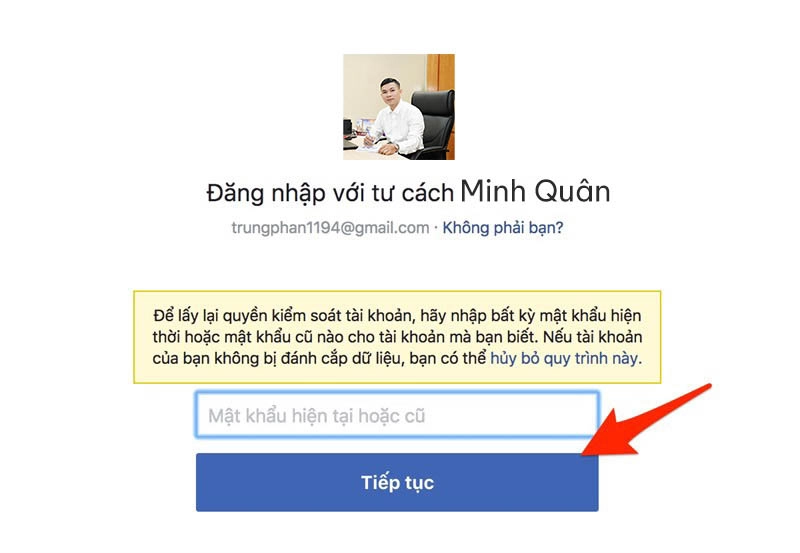
When you enter correctly, Facebook will return the correct results to you. As shown above, Facebook has found the correct result, you can re-enter your old password. In some cases, you will no longer have access and will have to choose to no longer have access to your account.

Step 4: Identity verification
When you click on you do not have access to any account, Facebook will confirm your identity to make sure it is you.
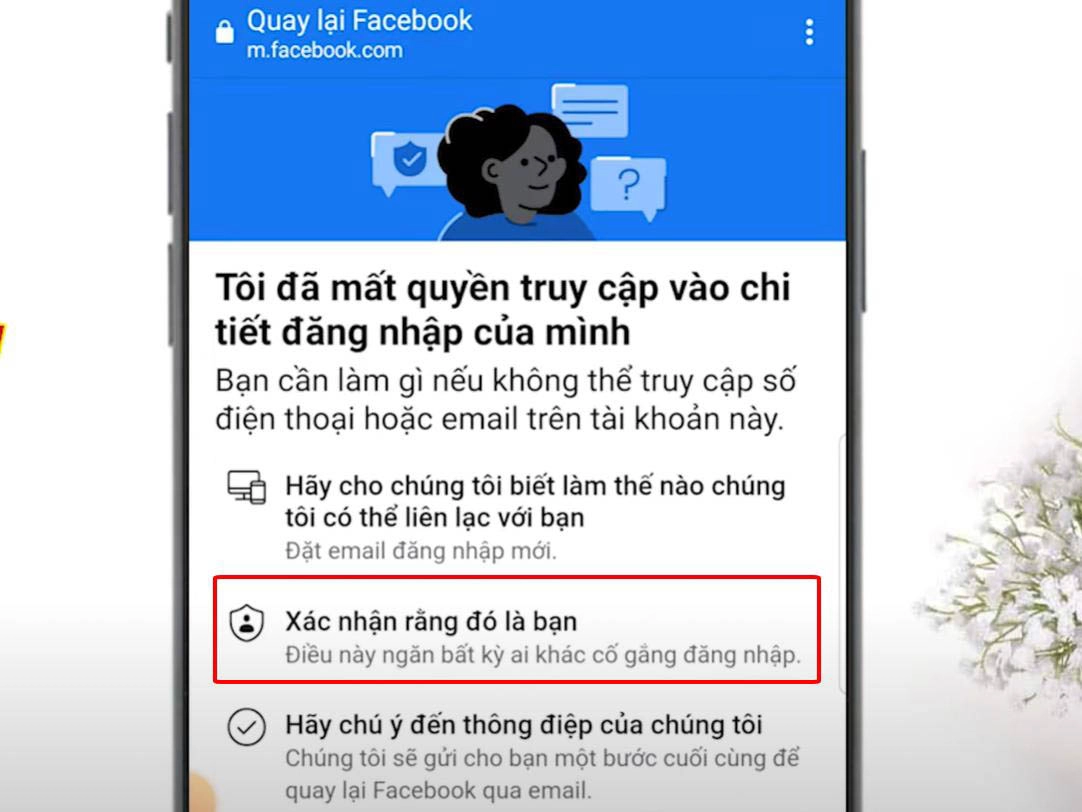
You will need to upload a photo of your citizen ID card or vehicle documents or passport... to verify your identity. Note that you need to take these pictures properly. Requirements must be clear. If you don't scan it once, you need to take a photo and upload it.
Step 5: Enter your new gmail for Facebook to notify you

When you can no longer access your email, Facebook will ask you to enter a new email so Facebook can send information to your account.

After you confirm, go to your email to get the confirmation code.
Step 6: Download identification documents
After everything has been completed, upload your identification documents to complete verification.

After you complete the submission, Facebook will verify and send your account back to you
Conclude.
With this way to retrieve your Facebook account, you can completely rest assured using Facebook without others taking it back. Hopefully this article will help you a lot to help your Facebook work normally again.
View article origin