How to create taobao account
Taobao is a Chinese e-commerce platform. This place is full of Chinese products and quintessence. Taobao e-commerce platform helps sellers and buyers access the products they desire. Sellers also have the opportunity to sell a lot of goods at this place.
Benefits when tCreate a Taobao account
When joining the Taobao e-commerce platform, the first thing you need to do is have a Taobao application. Then register for an account on Tao Bao to be able to use this application.
When you use that Register an account on taobao. You will have more benefits. You will operate more conveniently and find products more easily.
If you are in need import taobao goods with cheap price please Contact us now for more details
These right When you Sign up for taobao like:
- Feel free to find the products you like without account registration notifications appearing.
- When you make a successful purchase on Taobao, you will earn points into your account depending on the product you purchased.
- Participate in many incentive programs. Notification will be sent via email or account number depending on the form you register.
- Easily follow your favorite shops or products you like.
- Review order history and previewed items. From there, Taobao will suggest similar products to you so you have more options.
- Your rights are protected when a dispute occurs. For example, you buy an item but have to return it. Or complaints from suppliers to users.
- …And many other benefits. Currently, Taobao has updated many interesting policies.
- Order from taobao at factory prices without intermediaries
- The Taobao order page has integrated payment and shipping to Vietnam
How to create the latest taobao account in 2022
Job create taobao account very simple. To make it simpler for you, you should Sign up for taobao right on your phone
Doing.
Step 1: Prepare
A smartphone can be iOS or Android
Step 2: Download the taobao application to your phone
If your phone is android, go to CHPlay and download an application called taobao. If your phone is iOS, go to Appstone then search for an application called taobao
|
|
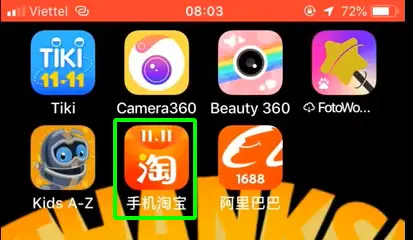 After successfully downloading the application to your device After successfully downloading the application to your device |
Step 3: Register a taobao account
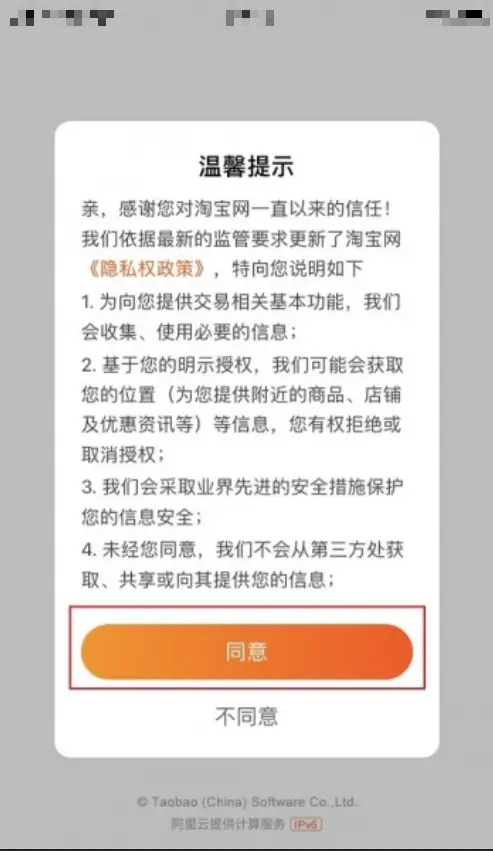
Before registering you need to agree to Taobao's terms.
|
|
|
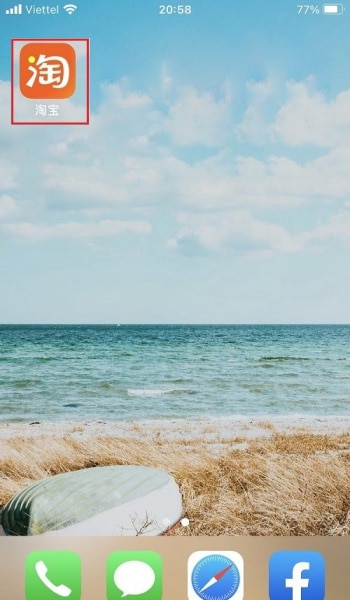
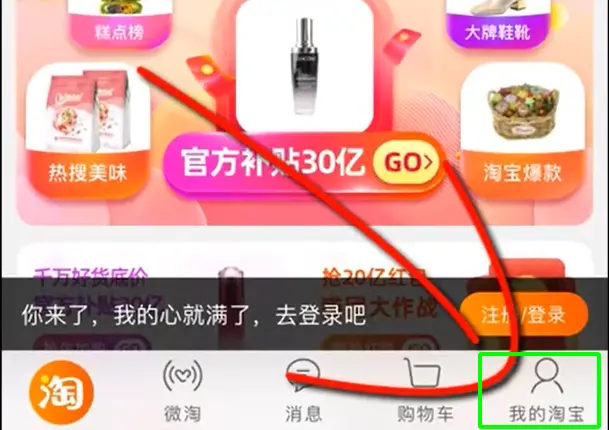
Continue to open the application. You select the humanoid icon as shown below.
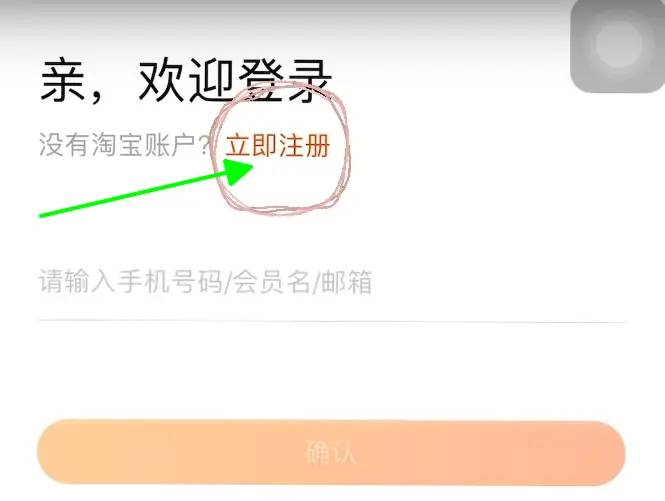
You will have a notice board and create a new account as shown below
Continue and you will see a new dialog box appear. Here you will enter Vietnam's country code +84
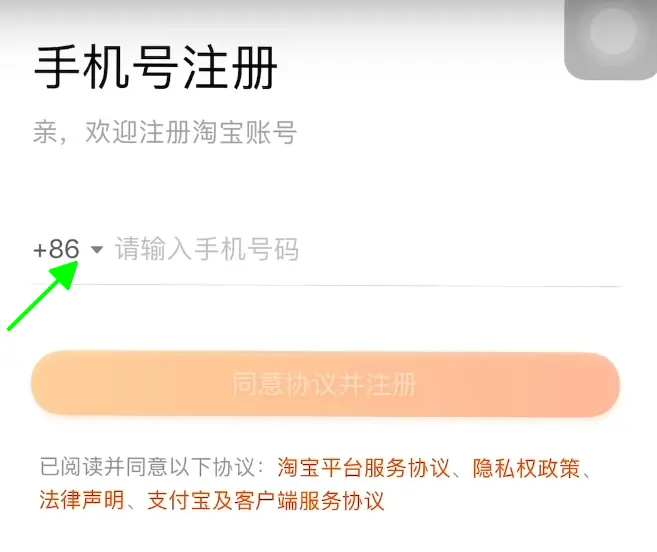
Now you need to enter your phone number and then a message will be sent to your phone number. You just need to log in and activate your account

After successfully entering the code, you can access and search for your product.
Step 4: Note how to register for a taobao account
There are some cases where you send multiple registrations to Taobao but still do not receive the code. Now you need to turn off your wifi mode and connect in 4G mode. I only see this happen occasionally to some of you. Most of the time, just register once and you'll be fine.
Step 5: Complete
This is what it looks like when you guys Sign up for a taobao account success
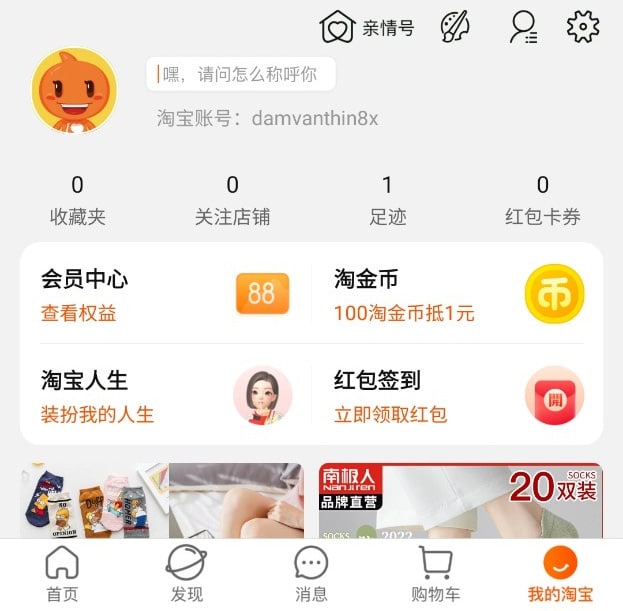
So you can see that creating a Taobao account is extremely simple, right?
Use your account to search for products on the website more easily.
So you can search more easily. You should search for your products on the website using the account you just registered.
Step 1: Prepare
You need to prepare one of the following two browsers. Chrome software or Coc Coc software to be able to translate the language from Chinese to Vietnamese for easier use.
Step 2: Log in to your account on your computer
To log in to your Taobao account from your phone to your computer's internet browser, do the following.
- Open Chrome or Coc Coc software Visit Taobao website on the computer.

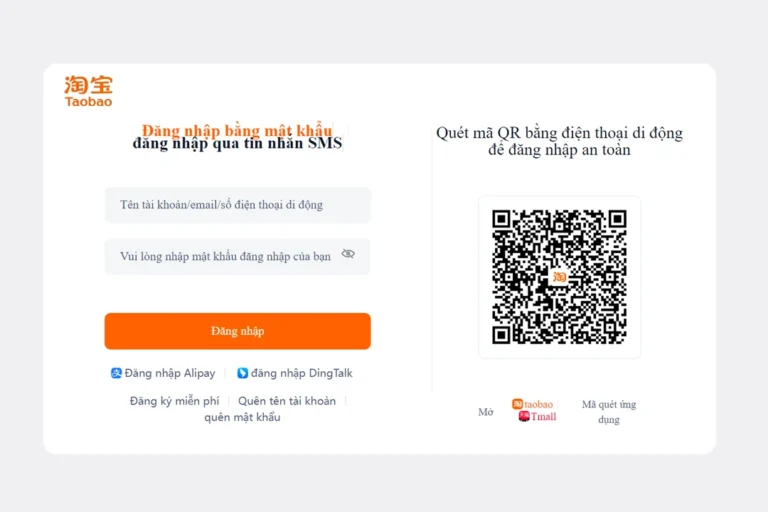
To make it easier for you to log in, you can switch from logging in by number to logging in via Qr code. You just need to move like the picture above. We will get the login interface as shown below

Step 3: Log in to Taobao on the web using your phone
Open the Tao Bao application on your phone. In Tao Bao's application, there will be a code scanning section to log in
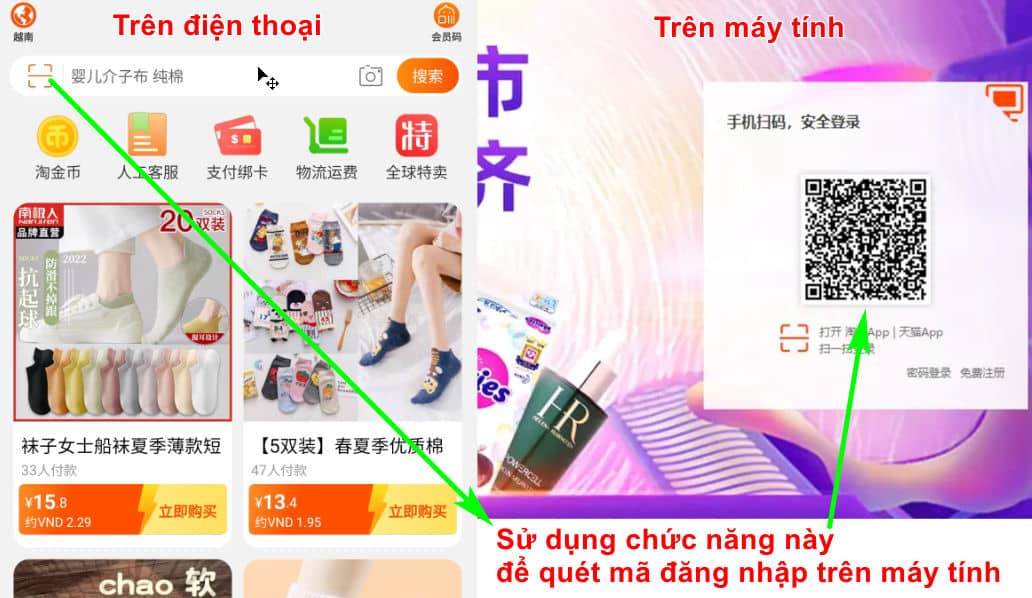
On your phone, press the button on the left and the system will allow it Log in to taobao so you can use it as shown below
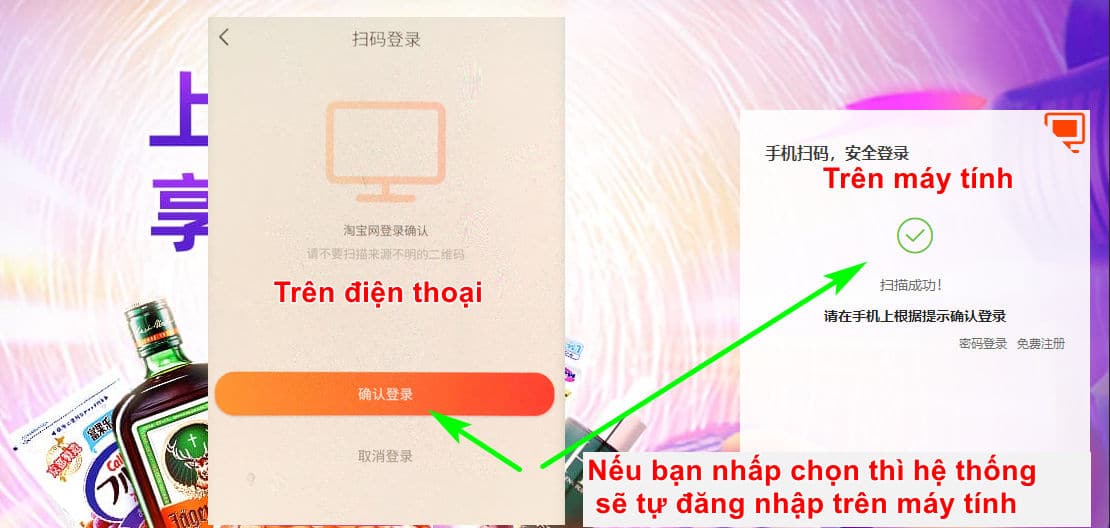
After you log in successfully, you will have the following overview interface.
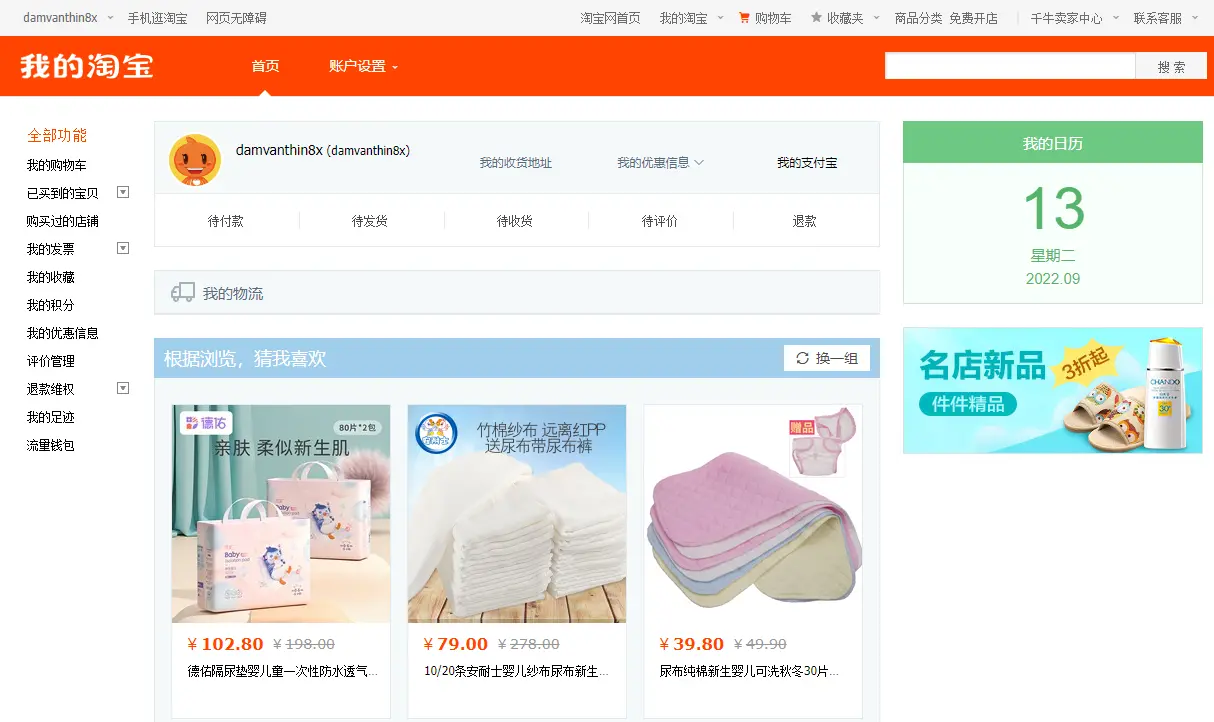
Step 4: Use taobao in Vietnamese
To use taobao Vietnamese On the computer it is extremely easy. In the first step, you already use Chrome or Coc Coc software. Now you just need to right-click on the screen. Please click translate into Vietnamese. Now you can use it taobao Vietnamese Already
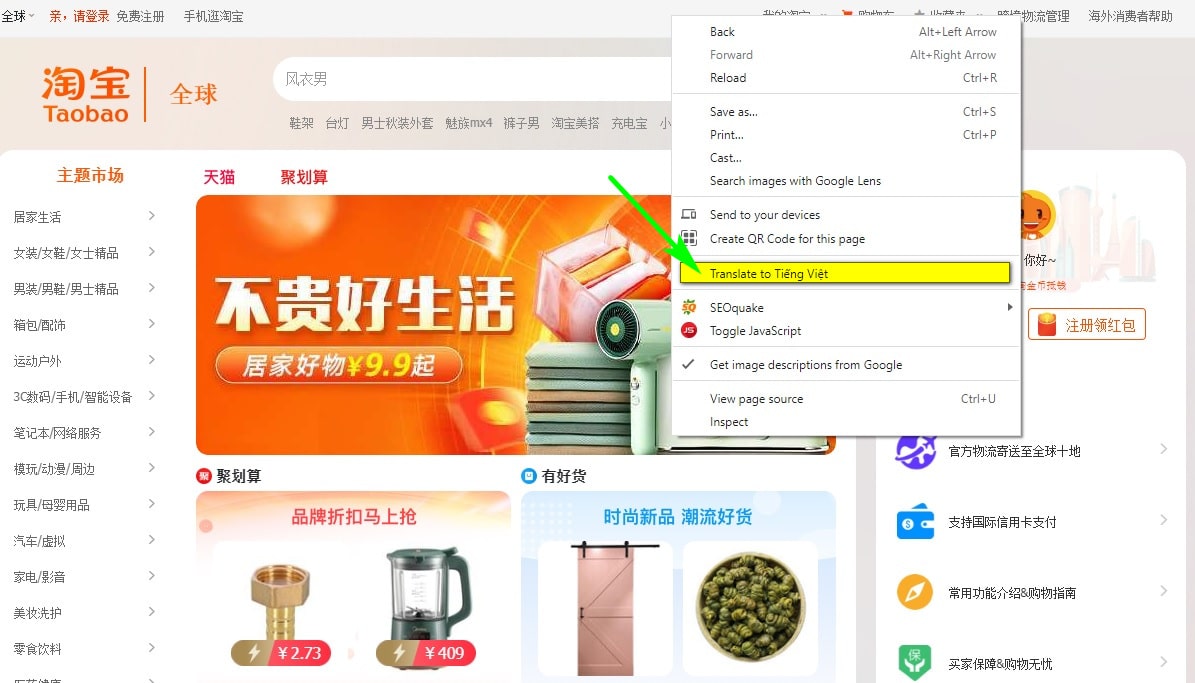
After successfully converting taobao to Vietnamese it will be:

Wow, I'm so sorry, right guys?
When you know How to create a Taobao account, how to find product sources on Taobao and bought the goods. Now, please connect with the shipping units to deliver the goods.
In the following article, I will guide you. Way Search for products on Taobao effectively. The system will then automatically connect with the shipping units for you. Your job is to just find the product you like.
If you have any questions, you can text us on zalo.

Epilogue
Through this article we see. Job Sign up for taobao is extremely easy. You can register by phone or Sign up for a taobao account on the computer. The hardest thing to order from Taobao is a bank card and shipping to Vietnam. In the following article we will support you in ordering from a > Asia. Commitment 100% you will receive the goods right at your home.
Good luck.
Don't forget to follow the page facebook howto us to be updated with the latest information.