How to create Gmail and fix common errors when creating gmail. To use all the utilities of Google tools, you first need to have a gmail account. Usually, people who have just bought a phone will not know how to create a Gmail account and for them it is a new thing.
If you don't know how to create a Gmail account or have created one but have not been successful, this article will guide you. how to create gmail most detailed. In addition, this method also fixes common errors when you create a Gmail account!
1. What are the advantages of Gmail?
Gmail Topic: The sender can view and summarize important and necessary information of the gmail content to help the recipient quickly see the main content. This saves time and creates convenience for the sender and recipient to know how to collect and classify gmail by topic or by the nature of the work.
Free virus and spam check: If your mailbox receives emails suspected of being spam or containing harmful viruses, they will be automatically classified as Spam.
Free Gmail Storage: Gmail currently has a storage of information with a maximum capacity of up to 15GB for free for users. Therefore, you can comfortably store data (text, images, videos, or data files ...).
Smart Search: With smart and effective search filters, Gmail Filters help you quickly filter emails by main content. For example: incoming mail, from range, subject or by type of attachment.
Gmail is reliable: One of the highlights that has turned Gmail into an information exchange application widely used by individuals, businesses, and organizations is that Gmail is rarely interrupted, so important emails will not be missed.
Simplify when having many Emails: Many people do not know that Gmail can aggregate small Gmail accounts into one common account. This is suitable for businesses because they do not have to check each small Gmail account, saving time.
Integrate multiple office tools: Currently, Gmail is both a place to exchange data and information, and also provides tools to support editing such as: word, powerpoint, excelThese tools are very useful for office workers.
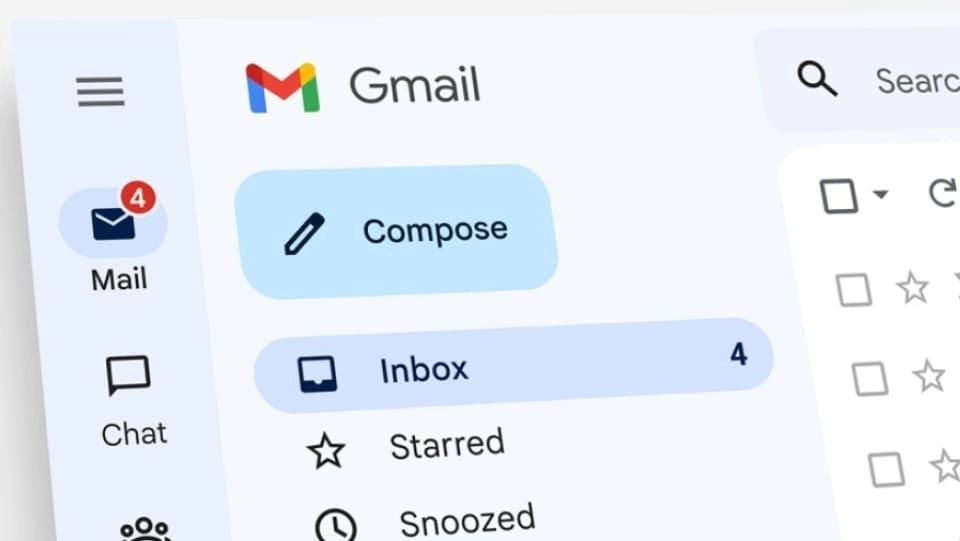
Interface customization: You can freely change and adjust the application interface according to available suggested themes or create your own interface. This utility is to prevent your Gmail usage from being boring, increasing fun and creativity.
Improved performance: Gmail helps users improve work performance because it has task management functions integrated into the account.
Time-saving shortcuts: You can absolutely use the preset shortcuts in Gmail to speed up your work progress and be more flexible.
Use the entire Google ecosystem: With the extremely large Google ecosystem, you can completely use this account to register and use free Google software. Moreover, with this account, you can log in with your Google account to other applications from third parties when the third party integrates. For example, log in to Facebook with a Gmail account, log in to a website with a Google account.... There are many other useful features when you have created a Gmail account.
2. Details on how to create Gmail
How to create Gmail on phone
For the convenience of creating a gmail account on your phone, you can download the Gmail App to the IOS or Androids app store before creating an account. The steps to download the Gmail app include 3 very simple steps:
Step 1: Click the link below to download the Gmail App depending on your phone's operating system:
- Android Phone: Gmail for Android
- iOS Phone: Gmail for iOS
Step 2: Select Setting.
Step 3: Wait about 1 minute for the phone to automatically complete the installation.
Then you start Create a Gmail account as follows:
Family name you Fill in middle name and last name, name section you fill in your name
User name: In this section, you fill in the username in this section. name is uniqueIf you enter and it says someone else has used it, it means you cannot use this account and you will need to change it to avoid duplication.
Password: You fill in your desired password in the password you should use a strong password to avoid being attacked. Passwords are usually Uppercase and lowercase letters with numbers and special characters
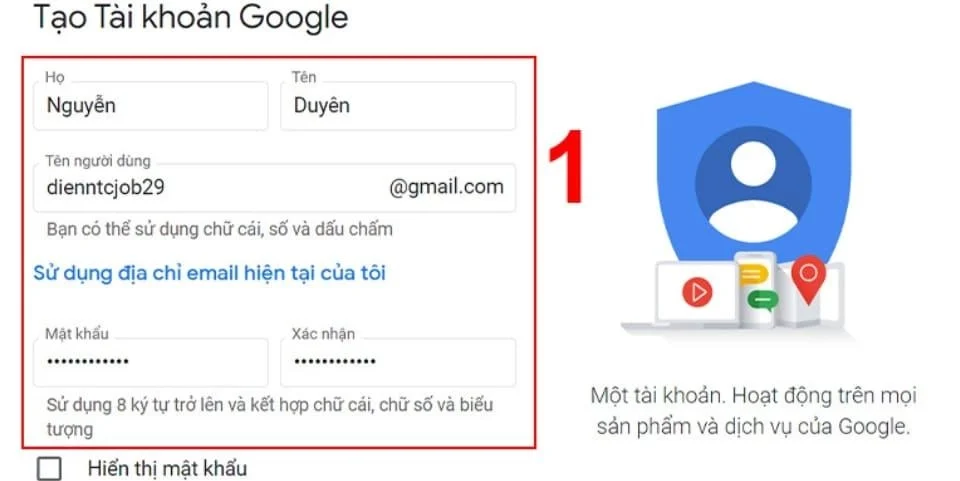
Step 4: Fill in your information completely and accurately such as: full name, password, date of birth, username, etc.
Step 5: Enter your phone number to increase account security, and enter your email address to restore security if anything goes wrong.
Step 6: Enter the correct verification code that Gmail sent you via text message or phone call to complete registration.
How to create Gmail on computer
Step 1: Visit home page mail.google.com to enter the main interface of Gmail > Click the button Create account > created for me personally
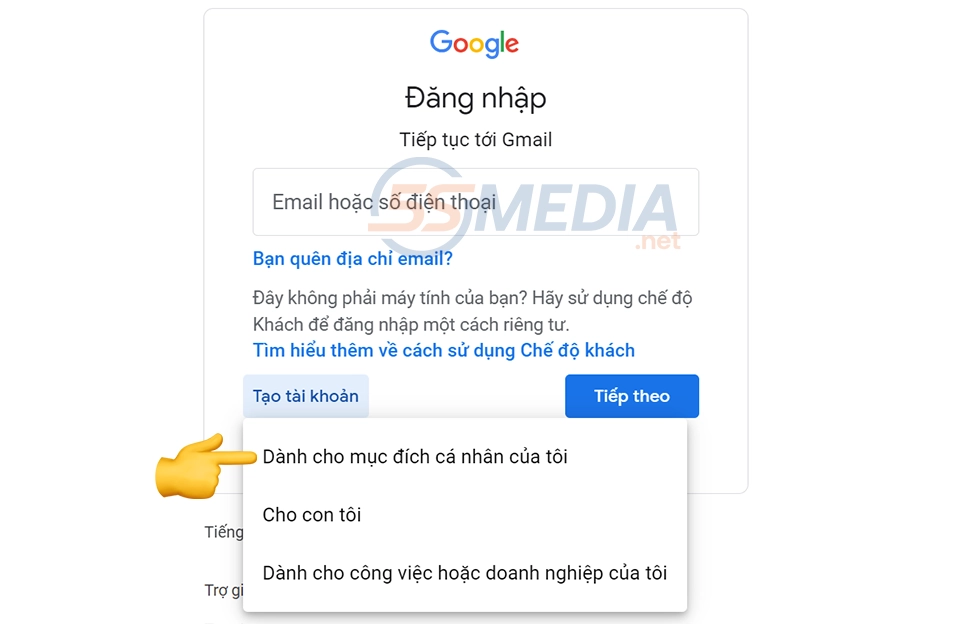
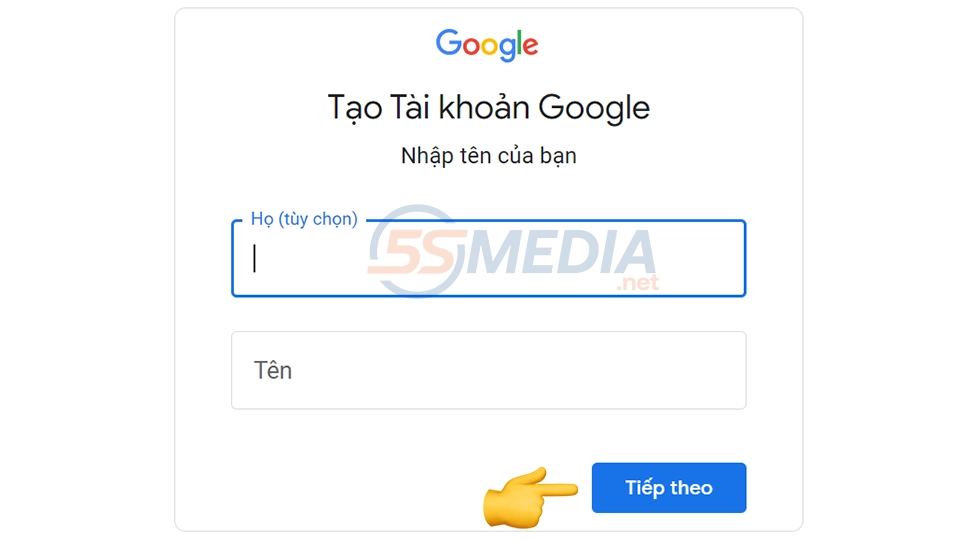
Step 2: Fill in your personal information, fill in your first and last name in order:
- Full name: is the information you should use the real name of the individual, business or brand you need to create.
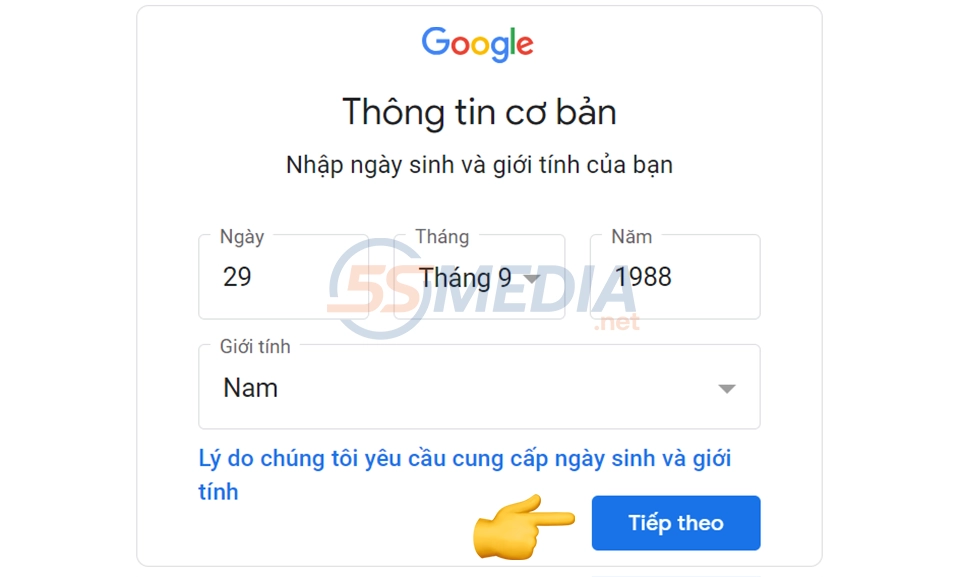
Step 3: Fill in date of birth and gender
Step 4: Fill in your Gmail to create note your Gmail must be unique and not duplicate with any other Gmail
- User name: To put it simply, this is your login name. You cannot enter any special characters here and must write them without accents. If it is duplicated, you must change to another name.
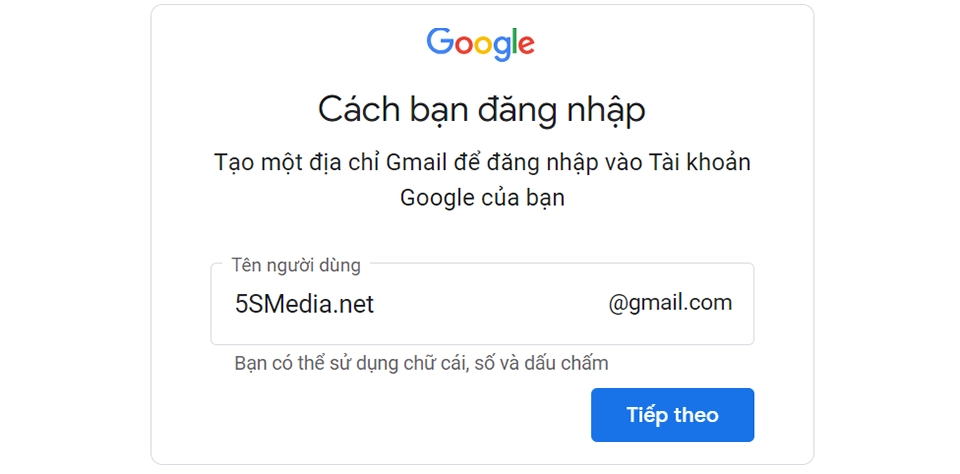
Step 5: You enter your password
- Password: This is arguably the most important part because it relates to security. You should choose a strong password that is easy for you to remember. Then enter the password twice in the two boxes to make sure that your password is correct.
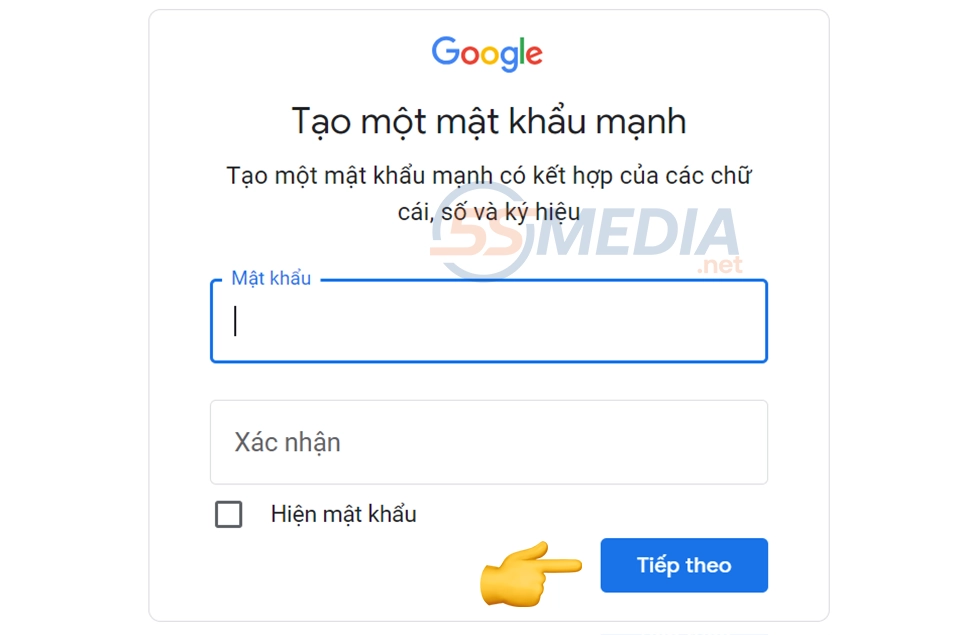
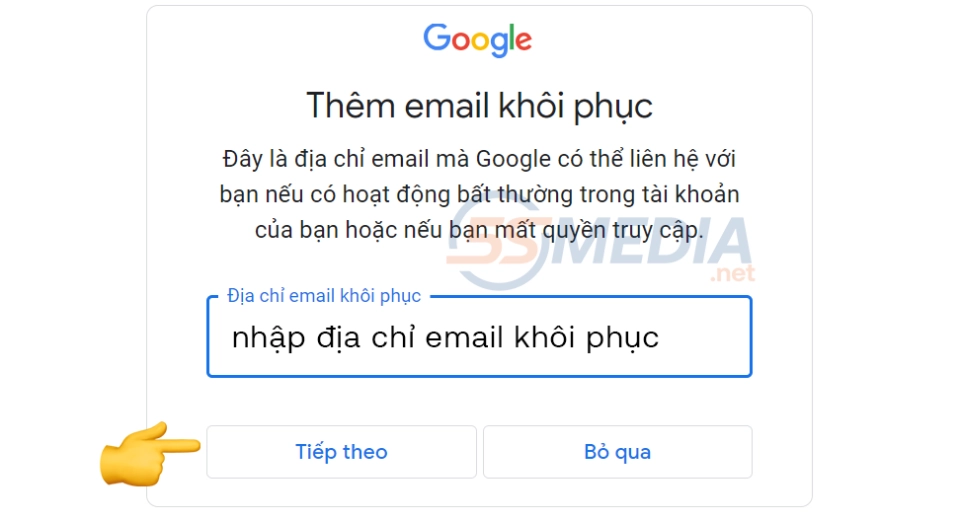
Step 6: Enter the Gmail you want to recover.
In this step, you should enter your previous gmail so that if you forget it or this gmail has any problem, you can restore your Gmail, then enter the confirmation code and you're done.
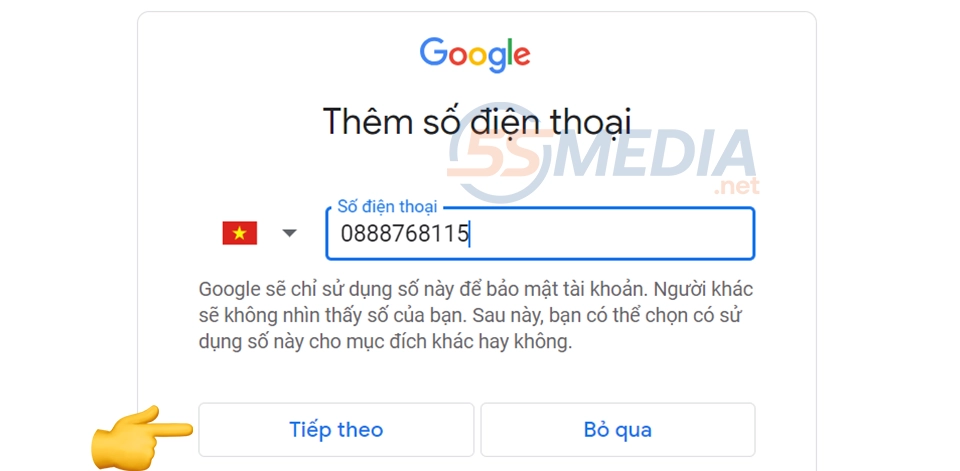
Step 7: Fill in recovery phone number
This is also a very important step because it is related to security. If you enter this phone number later to recover your account, you will have many options to lose this and have another to get your account back.
Step 8: Enter confirmation code
This is to make sure your phone number is still working properly.
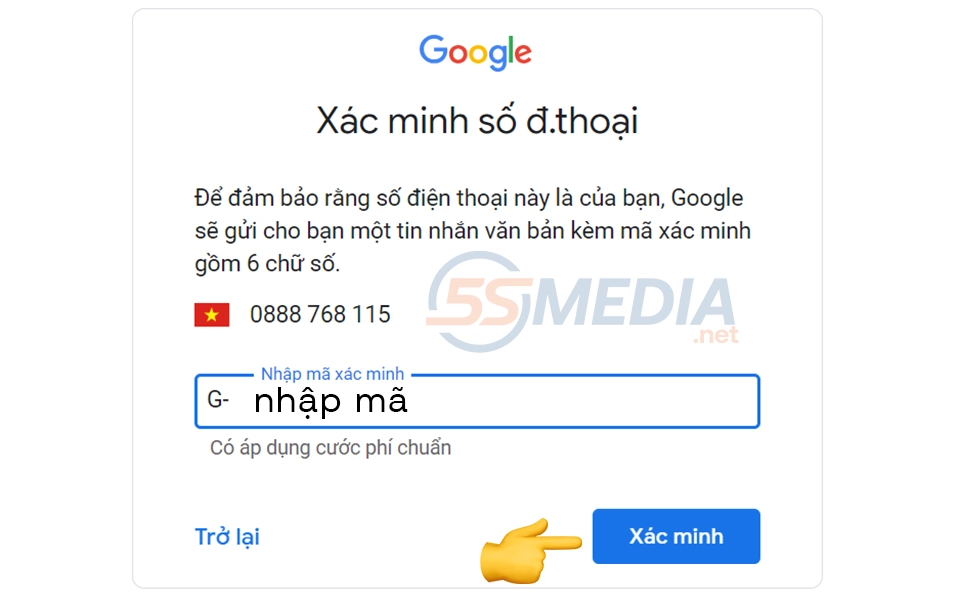
Step 9: Select I agree
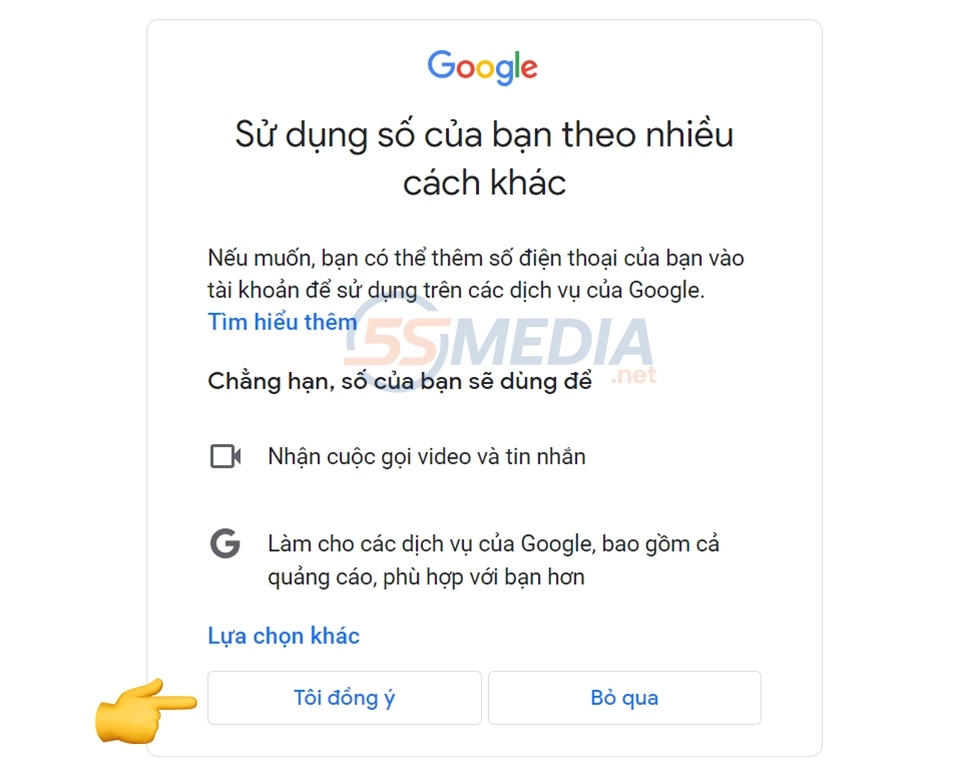
Step 10: Review account information and click next
At this point you need to review your account information to see if it is correct and if there are any errors before clicking next.
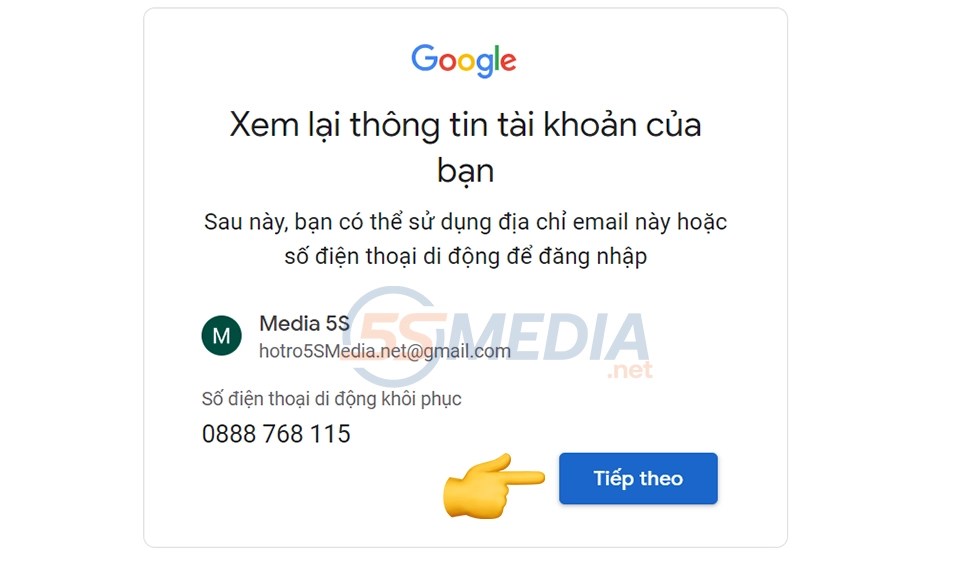
Step 11: Select I agree
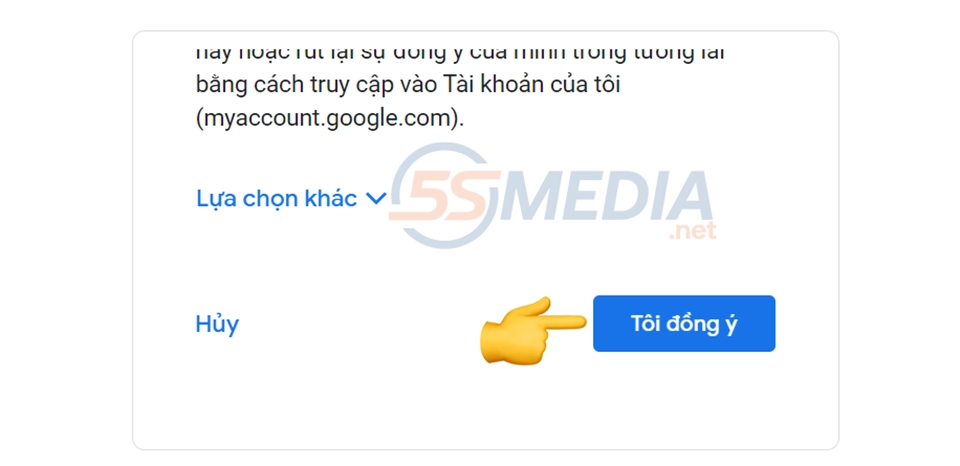
This item is the last item of the how to create gmail Creating gmail is extremely simple, isn't it?
Check out our professional Advertising Services
3. Why can't I create a Gmail address?
If you cannot create a Gmail address, this is a fairly common occurrence. You may have encountered one of the following reasons:
- Your Gmail address is already in use.
- Your Gmail address contains special characters that Google does not allow.
- Your Gmail address is the same as an email that was previously used but has been deleted.
- It is possible that Google has detected that you are abusing Spam behavior.
4. Should I sign up for Gmail without a phone number?
To register for Gmail without using a phone number, the steps are similar to the above, but when it comes to filling in your date of birth, you will choose a year of birth that is less than 18 years old.
However, your Gmail account will definitely be the account you use to connect to many other useful applications such as Youtube, Instagram, Facebook, App Store, CH Play, etc. Therefore, if your Gmail account is age restricted, it will affect your service experience, as well as the use of Google utilities.
5SMedia We recommend that you do not create a Gmail account without a phone number if it is not necessary for the following reasons:
- The security of the account is reduced because there is no contact phone number to prove the owner. If the Gmail account is not secure, it will lead to many other consequences, and the most serious is the reduction of the security of the application accounts that you use the Gmail address to link.
- If Gmail has any problems or issues, it will be difficult to recover your account. This is because your phone number is the fastest and easiest way to confirm your account.
5. Video tutorial on how to register a Gmail account
Conclude
Through the last article, I just guided you Details on how to create Gmail and fix common errors. Currently, Gmail accounts are not only used for sending emails back and forth but also directly linked to many other popular applications, so having a Gmail account is necessary. Hopefully after reading the above article, you will know how to create a Gmail account on your device.
Wish you success in creating Gmail!
If you are a seller who wants to increase orders quickly, please contact us at 5SMedia. With the service Google advertising, Facebook advertising, Tiktok advertising reach people with the right needs. We guarantee that your orders will sell like crazy. At cost Google advertising, Facebook advertising Extremely preferential from only 5%. You will meet with consultants 24/7. Extremely effective advertising and support for image design, scripting, and strategies to run ads
Address 1: 05 Thanh Thai, Ward 14, District 10, Ho Chi Minh City
Hotline: 0965 165 166 or 0888 768 115
Fanpage: https://fb.com/5SMedia.net
Tiktok: https://tiktok.com/@5SMedia.net
Twitter: https://twitter.com/5SMedianet
Youtube: https://youtube.com/@5SMedianet
Email: infohowto.edu.vn@gmail.com