
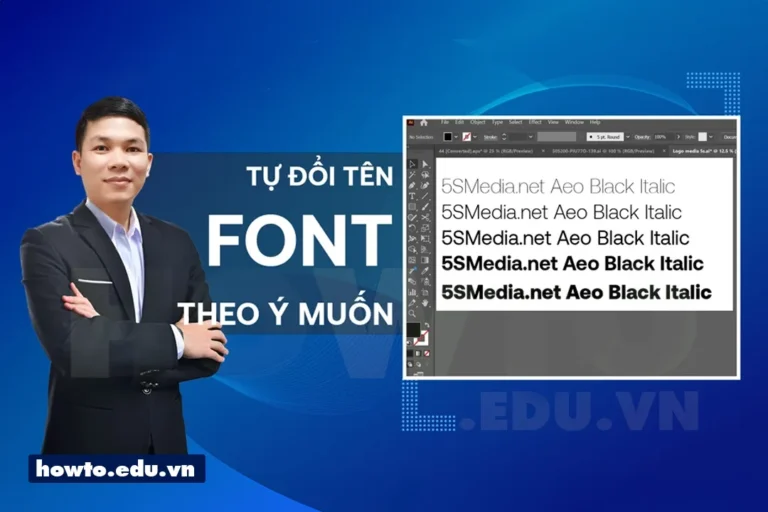
How to create your own font. You want to have one unique font name as desired yours or font name by brand yours. To be different and express your own personality? Luckily, there are many tools and methods to create your own fonts. You can create from your own ideas or choose existing fonts and edit them to your liking. Let's learn with 5SMedia how to create font for yourself below.
What is a font?
Font is a set of characters and symbols designed in a special style. It allows us to retype content as we want. Fonts can have many different styles, from simple and traditional to complex and creative. You can choose a suitable font yourself to create uniqueness and highlight your text or design.
See more:
How to create your own font
Step 1: Prepare software to rename your own font
I will not guide you in this part because it is related to copyright. You can go online and type in the search keyword: download fontlap Studio 8 then install it on your device.
Step 2: Looking for beautiful fonts that you want to rename, you can refer to beautiful fonts here.
Download super beautiful Vietnamese fonts
Link to download super beautiful Vietnamese FONT
Step 3: After finding all the fonts we like, we will rename the file outside first.
Step 4: Open Fontlap 8 Studio software then select Open font to rename
Step 5: After you change the font information and export the file, we will have a set of fonts as desired.
After installation is complete, open the software.
1. Check the font you just created
After creating, you need to install it on your computer and then open any software to type to see if there are any errors. If the self-created font has no errors, you can use it normally. If the self-created font has errors, you can edit it as usual. The video I have shown above is very detailed.
With common error fonts, it will be misaligned or not display accents or have many characters not displayed. At that time, you just need to enter the correct word in the software and fix it.
a) How to create fonts from your ideas
Font creation software is designed by its software or other vector software. You can also completely create a font from your own ideas to help users create completely new and unique fonts. You can use the tools in the software to draw characters, edit the thickness and font style of each character, then save it as a complete font. Popular font creation software today such as FontStruct, FontLab, Glyphs, FontForge, FontCreator, corel, illustrator and TypeToolThese software have diverse features and help you create fonts according to your preferences.
b) Edit the existing font for your own
If you don’t want to create a completely new font but just want to create something from scratch, software like Adobe Illustrator and Corel also offer font editing features. You can change the font’s weight, height, typeface, color layer, and many other elements to create a completely new and unique font.
In addition, you can also get available fonts that can be re-Vietnamesed or edited to better suit you. From there, you will immediately have a set of fonts that are exactly as you want, not like anyone else's name.
2. How to create fonts online
Nowadays, technology is developing more and more, people want everything to appear online. Especially now that is the technology trend, so more and more developers want to bring more content to be able to know more about their website.
a) How to create fonts from hand drawings
If you have a pen and paper, you have all the tools you need to create your own font. Online font generator websites like Calligrapher and Font Space allows you to upload your hand drawn drawings and convert them into living fonts.
You can create simple characters like letters, numbers and punctuation or create a full-fledged drawing that can be used as a complete font.
b) Edit existing fonts
Similar to font creation software, online font creation websites also allow you to edit existing fonts. You can upload your favorite font and edit elements like weight, height, typeface, and more to create a new and unique font.
3.Create fonts using mobile apps
Mobile apps are also a useful tool for creating your own fonts. Apps like iFontMaker, Font Maker, and iFont allow you to create fonts from scratch and edit existing fonts. With the ability to draw directly on the screen of your phone or tablet, creating fonts is simpler and easier than ever.
4. Participate in font creation contests
If you want to try your hand at creating fonts and also win some cool prizes, font competitions are a great option. You can enter competitions like the International Type Design Competition, the Adobe Design Achievement Awards, or competitions hosted by design-focused websites.
5. Collaborate with a professional designer
If you don’t have the time or confidence in your ability to create your own font, it’s a smart idea to work with a professional designer. They can help you create a complete font that fits your idea. You can search for designers on sites like Behance, Dribbble, or Fiverr.
6. Use free or paid fonts
If you don't want to create a completely new font and just want to use existing fonts, you can search on websites that offer free or paid fonts such as Google Fonts, Font Squirrel, or MyFonts. These websites have thousands of different fonts that you can download and use for free or purchase a license to use in your projects.
Frequently asked questions
Q: How do I create a font that fits the requirements of a design project?
Answer: You can create fonts from your own ideas or edit existing fonts to create a font that suits your project requirements.
Q: What tools are there to create fonts online?
Answer: There are many online font creation tools like Calligraphr, MyScriptFont, iFontMaker and Font Maker.
Q: Can I download and use fonts from the internet for free?
Answer: Yes, you can search and download free or paid fonts from websites like Google Fonts, Font Squirrel or MyFonts.
Q: Can I use a font created by someone else to edit and create a new font?
Answer: You should check the terms of use before using someone else's font to modify and create a new font. If permission is not granted, you should contact the author to ask for permission before using.
Q: What skills do I need to create my own font?
Answer: You need design skills and an understanding of font terminology and elements to be able to create a font that meets the requirements of the project.
Conclude
How to create your own font I not only help you get a unique font and express your personality in your design projects, but also a relaxing and fun way to experience your creativity. With the tools and methods introduced, hopefully you have more ideas to create a font of your own. Let's start and try your hand at creating fonts today!
If you are a seller who needs to increase sales effectively. Please contact us. With extremely preferential costs from only about 5%. You will meet a consultant 24/7.
Address 1: 05 Thanh Thai, Ward 14, District 10, Ho Chi Minh City
Hotline: 0965 165 166 or 0888 768 115
Fanpage: https://fb.com/howto.edu.vn
Email: infohowto.edu.vn@gmail.com


 EN
EN  VI
VI