Skip to content
  • About us
  • Contact
  • en_USEN
  • viVI
FacebookTwitterPinterest
HOWTOHOWTO
  • All
    • Tips
      • Google
      • Facebook
      • Tiktok
    • Instruct
      • What is Q&A?
      • Taobao
    • WordPress
      • Code
      • Plugins
      • Themes
        • Flatsome
        • Theme Nevo
  • ShareHot
    • WordPress
    • Code
    • Plugins
    • Tips
    • Windows
    • Apple
    • Graphics
    • Experience
  • Graphics documents
    • illustrator
    • Sketchup
    • Coreldraw
    • 3ds max
    • Enscape
    • Photoshop
    • Graphics Plugin
  • Course
    • Photoshop course
    • illustrator course
    • Coreldraw course
    • Edit video course
    • Course Sketchup
    • Autocad course
    • Website management course
  • Service
  • Software
    • Windows
      • Tips
      • Office
      • Necessary
      • Tools
    • Apple
  • Game
  • News
    • Technology
    • Review
Hello!

  • Lost your password ?
HOWTOHOWTO
  • Home > 
  • Graphics > 
  • Fix error: Chao Vantage live link not working in sketchup 2024

Fix error: Chao Vantage live link not working in sketchup 2024

By How To 22/11/2025 0 760 Views
Fix error: Chao Vantage live link not working in sketchup 2024
Article categories

Fix error: Chao Vantage live link not working in sketchup 2024. Like other versions, when you install the Chao Vantage software, it will operate normally. However, for some reason, when you install Sketchup, it doesn't work. Especially installing into Sketchup 2024 version. In this article, I will guide you to fix the error of Vantage live link not working in Sketchup 2024.

To fix Chaos Vantage Live Link not working error in SketchUp 2024, you can perform the following steps:

Steps to check and fix Chao Vantage errors

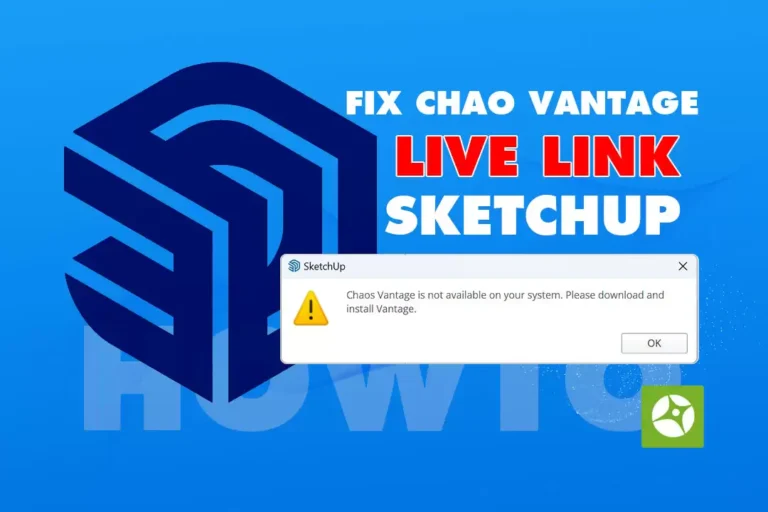
Error appears when opening sketchup and clicking on it live link.

Fix error: Chao Vantage live link not working in sketchup 2024

Steps to fix Chao Vantage live link not working error.

Step 1: Cleanly uninstall the Chao Vantage version you installed

Step 2: Reinstall correctly according to the following path. “C:/Program Files/Chaos Group/Vantage” Its default path before installation is “C:/Program Files/Chaos/Vantage” is wrong, causing Chao Vantage not to work on sketchup.

In case you fix it and it still doesn't work, please check the following items.

  1. Update Chao Vantage to the latest version: Make sure you are using the latest versions of both Chaos Vantage and SketchUp 2024. Sometimes new updates fix compatibility errors or improve Live Link performance.
  2. Manual installation: Avoid using tools that automatically download and install drivers. Instead, download and install Chaos Vantage and SketchUp manually to ensure all necessary files are installed properly.
  3. Check network connection: Make sure your network connection is stable, as Live Link requires a network connection to function properly.
  4. Check your firewall and security software: Sometimes firewalls or security software can block the connection between SketchUp and Chaos Vantage. Check and allow these programs in your firewall or security software settings.

After you've done this, you will be able to use the plugin Hello Vantage live link works perfectly. In case it doesn't work, please leave us a comment or contact us via Facebook page howto.edu.vn us for the best support.

Conclude.

Recently, I just shared with you the details on how to do itFix the problem of Vantage live link not working in the latest sketchup 2024. Hopefully this guide will help you a lot, fix the error so you can use and work normally.


Tags : Tags Hello Vantage   live link   Vantage
Share
FacebookShare on FacebookpinterestShare on PinterestMessengerShare on Facebook Messenger
twitterShare on TwitterlinkedinShare on LinkedinvkShare on VkredditShare on ReddittumblrShare on TumblrvideoShare on Viadeobuffer. bufferShare on Bufferpocket. pocketShare on PocketwhatsappShare on WhatsappViberShare on ViberemailShare on EmailskypeShare on SkypediggShare on DiggmyspaceShare on MyspacebloggerShare on Blogger YahooMailShare on Yahoo mailtelegramShare on Telegram gmailShare on GmailAmazonShare on AmazonSMSShare on SMS
How To

How To

A person who is passionate about sharing knowledge from life. Common knowledge in life. Sharing is my passion. Hopefully my knowledge will bring many benefits to you

Related articles

Fix error: Chao Vantage live link not working in sketchup 2024

Graphic Design The art of creating appeal

By How To 19/11/2025

Graphic Design Art creates attraction! In…

Fix error: Chao Vantage live link not working in sketchup 2024

20 latest updated graphic design trends

By How To 19/11/2025

The beginning of a new decade is often a sign…

Fix error: Chao Vantage live link not working in sketchup 2024

How to use Pen Tool Photoshop

By Tung Thai 16/09/2024 0

Photoshop is an application specialized for civil design…

Leave a Comment Cancel reply

Categories What is Q&A? What is the structure of that place?

What is Interior Design? How much does an interior design job pay?

12/12/2025
What is Material?

What is Material? Material application in the field of design

11/12/2025
What is the poster?

What are posters? 9 Tips for designing beautiful, quick Posters

11/12/2025
What does graphic design do? Is it easy to get a job?

What does graphic design do? Is it easy to get a job?

11/12/2025
Water is the water material in Enscap

Water is the water material in Enscap

11/12/2025

Recent comments

  • male1 year ago
    On How to create a fade effect in Photoshop
    Great
  • phat phat2 years ago
    On Who is 5SMedia?
    Useful article
  • Minh Anh3 years ago
    On How to create basic materials in vray Sketchup
    Very good, admin
Copyright © 2025 HOWTO - Powered by HOWTO

5SMedia.net | hocdohoacaptoc.com | huongdansudung.vn | webantam.com

Back to Top
Hello!
  • All
    • Tips
      • Google
      • Facebook
      • Tiktok
    • Instruct
      • What is Q&A?
      • Taobao
    • WordPress
      • Code
      • Plugins
      • Themes
        • Flatsome
        • Theme Nevo
  • Share
    • WordPress
    • Code
    • Plugins
    • Tips
    • Windows
    • Apple
    • Graphics
    • Experience
  • Graphics documents
    • illustrator
    • Sketchup
    • Coreldraw
    • 3ds max
    • Enscape
    • Photoshop
    • Graphics Plugin
  • Course
    • Photoshop course
    • illustrator course
    • Coreldraw course
    • Edit video course
    • Course Sketchup
    • Autocad course
    • Website management course
  • Service
  • Software
    • Windows
      • Tips
      • Office
      • Necessary
      • Tools
    • Apple
  • Game
  • News
    • Technology
    • Review
en_US EN
en_US EN vi VI