Hello friends. Enscape Render error with file thrown out is extremely annoying. While you are working and you turn on the software, an error message appears. Especially many very silly errors. In this article, I will guide you to find and fix Render errors in Enscape that people often make. How to handle those Enscape errors.
Handle Enscape errors when rendering
1. Enscape error when turning on rendering freezes
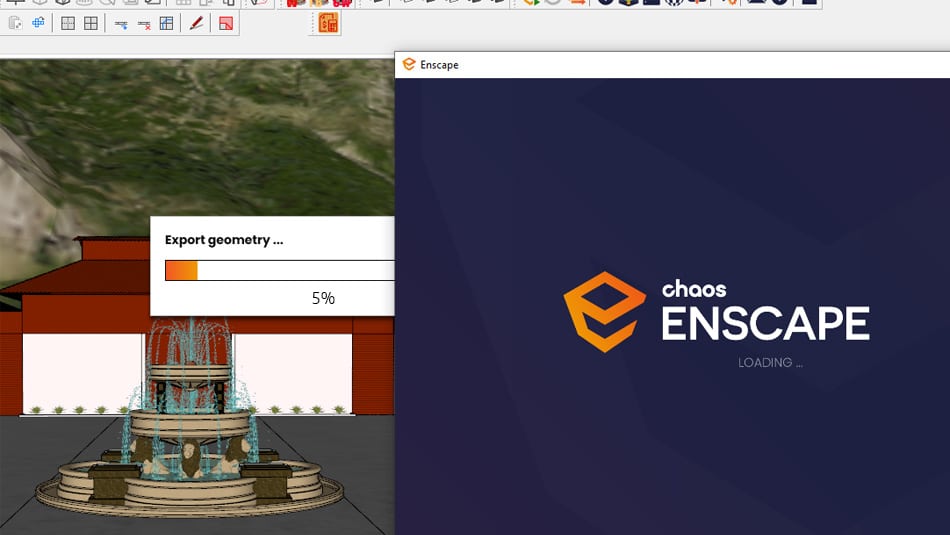
With Render enscape error freezes When you turn on rendering, it just stands still in the loading frame. Waiting forever, it still cannot enter the render frame. They have the following reasons. To ensure your machine can run, please refer to the following causes and then eliminate them.
- Download Enscape full version
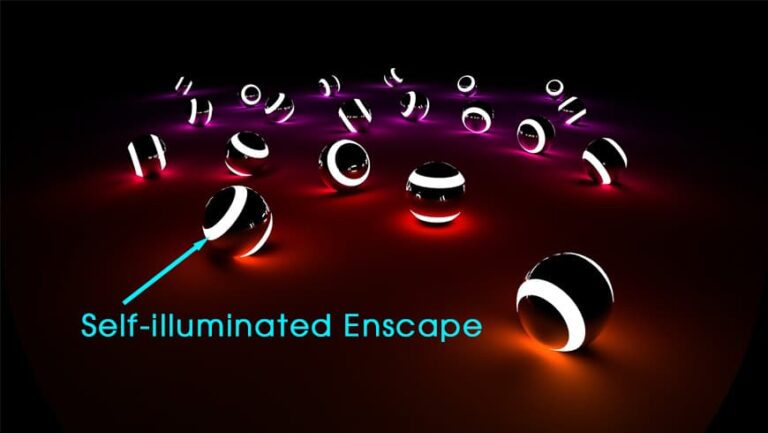
- Self-illuminated material in Enscape
- Foliage of grass and leaf materials in Enscape
- Carpet in Enscape material Carpet, Fur
- Details of Setting parameters in Enscape
- HOW TO toolbar in Enscape
Cause 1: error due to low configuration: With low configuration error you will not be able to open Enscape software. When Enscape opens, it will stand forever and cannot enter. The only way to fix it is Upgrade the video card Just turn up your computer. The configuration that you can run temporarily for use should be at the following level. CPU i7 5th generation or higher, Ram 8Gb or higher, 4G video card or higher, 120GB SSD hard drive or higher. Only then can your computer run.
Reason 2: Model error on file. When you make a file, your file has too many decorative details or items. At this time, your computer will also have to work harder. This leads to the machine taking a long time to load and possibly even not being able to load at all. At this point, you need to test a blank file first with nothing to see if it can run. If Enscape can get inside, it means your computer can still run Enscape.
- Now you just need to open the old file and wait patiently for your computer to process it.
Service to fix all types of errors on computers, fix errors in graphic software.
Contact Message or zalo Contact us immediately for advice on a detailed quote
Fix Enscape Render error with file thrown out
– This is a mistake that makes me quite uncomfortable. If you are familiar with this error, you will be able to identify the error and how to handle it faster.
– To handle errors Enscape Render file crashed Please pay special attention to the following notes.
- The computer configuration must be strong enough otherwise the weak configuration will sometimes occur
- Error due to driver is too low. This case often occurs when you install a new one but when installing, do not update the latest driver, so the system will not recognize all the hardware, leading to an error message.
- Error due to error in retrieving model from library. So when exporting, the whole file is also corrupted. Even though the 2 errors above have met the conditions for the machine to render. Below is the software error manifestation
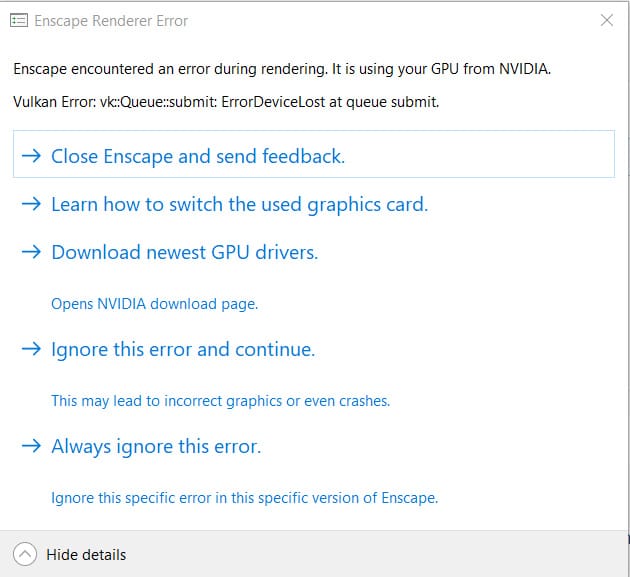
- Just like before, I also got the same error. After searching forever, I finally found the cause. Because I've done so much of mine until it's complete, I don't want to do it again, so I found it. My error was a model error when I took it from the library and then scaled it too much.
3 Ways to find the cause of the error “enscape reports enscape encountered an error during rendering it is using your gpu from nvidia”
Method 1: Review your computer configuration to see if it renders well or not, or if your video card configuration is too weak to analyze the data. From experience, you just need to open a blank file and then turn on rendering. If there is an error, it is due to low configuration. If your computer still renders normally, we will go to step 2.
Method 2: Review whether our VGA Driver software has been updated to the latest. If your driver is too old and Enscape updates continuously, it will also lead to error messages like the above situation.
- How to see if our driver has been updated or not is as follows.
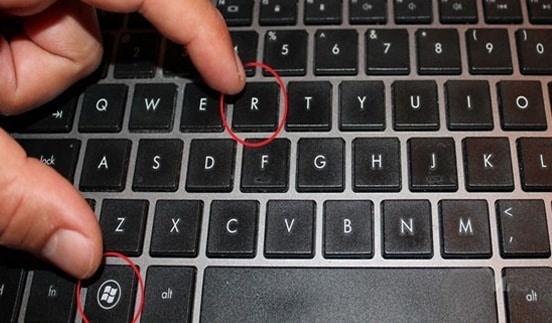
Dialog box number 1 appears. Please type the following command Devmgmt.msc Then follow the order number to see if your computer has been updated to the latest driver.
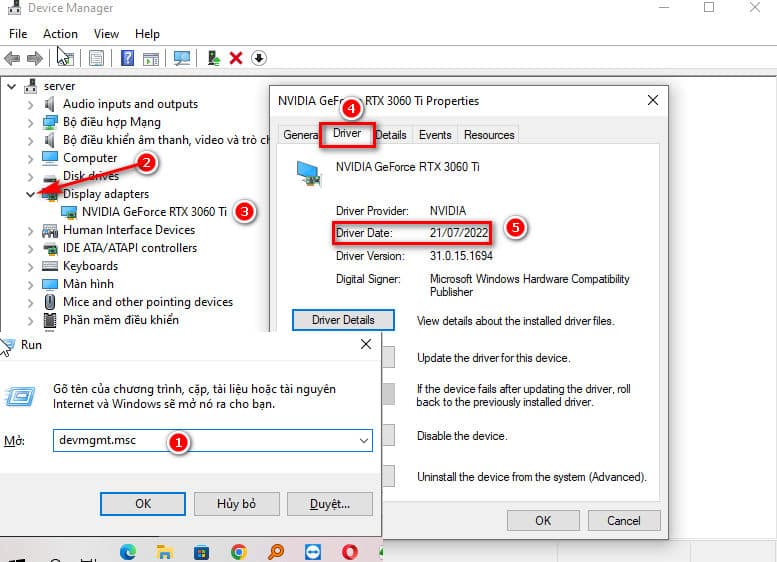
Once we have checked that the driver is fully updated, we can go to the next method. If your computer has not been updated, find the correct name then go to the homepage to download and reinstall. Like my machine is Driver RTX 3060 Ti. Just go online and type in the correct name of your card, then go to the homepage to download it again.
Method 3: After you have tried all 2 methods without success, please proceed to find and try each model on the file. This part makes it easy to lose control. Please do it slowly ^^.
Method: Hide each object one by one and then save. Then we turn on rendering again. Please do this slowly and you will get errors.
Method 4: This is the last method. This method requires you to reinstall the latest version of Sketchup. Then try again
Note: When reinstalling, if your device has a license key, please remove the key. Otherwise, you will lose the key.
Epilogue.
So I just showed you how to do itfix Enscape error Render file crashes, render enscape crashes. Hope this small article is useful to you. If you find it useful, please leave a comment and rate 5* for me.
If you are not confident about Sketchup and Enscape, you can also refer to them Sketchup and rendering course with Enscape by Graphic Express. Course 1 on 1 training Very suitable for people who go to school and work and are not constrained by time.