Download 1001 bit pro Vietnamese plugin
Plugin 1001 bit Pro is a plugin with many useful tools that help you draw every day. However, the software interface is in English, which is a barrier for you to not be able to use it. In this article, I will guide you Download plugin 1001 bit pro V2 completely in Vietnamese so you can use all the tools in this plugin set.

Download 1001 bit pro Vietnamese plugin
Step 1: Download the Plugin file
https://drive.google.com/file/d/10clkQceCi-qr2Ufr684w_b5GU1fxUebH/view?usp=sharing
Unzip Pass: hocdohoacaptoc.com
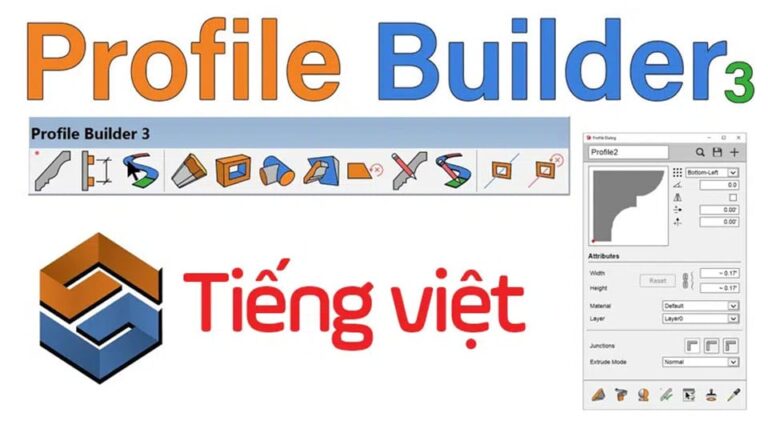
- Download Profile builder 3 full Vietnamese version
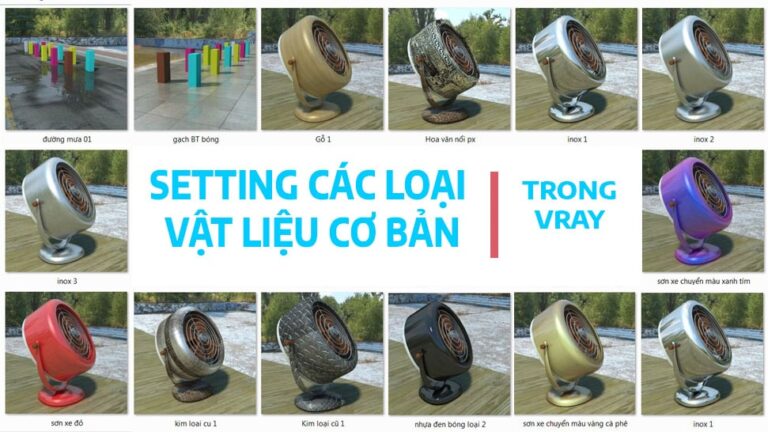
- How to create basic materials in vray Sketchup
- How to use tools in sketchup
- Instructions for Setting up sketchup when first installing
- Fix Enscape Render error with file thrown out
Step 2: Proceed with installation p1001 bit pro plugin
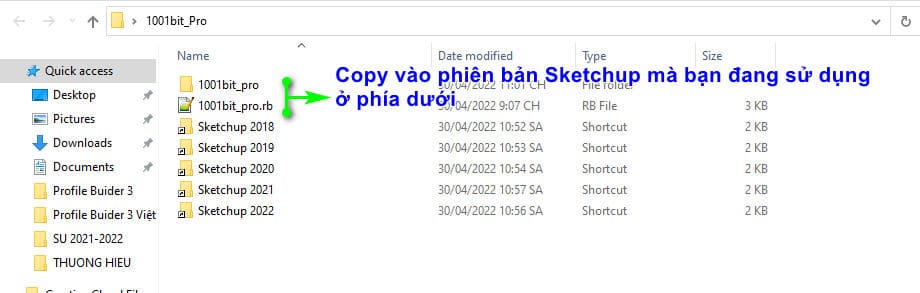
Copy the entire folder 1001bit_pro and files 1001bit_pro.rb Enter the version you are using as shown below
Step 3: Open Sketchup and enjoy the results
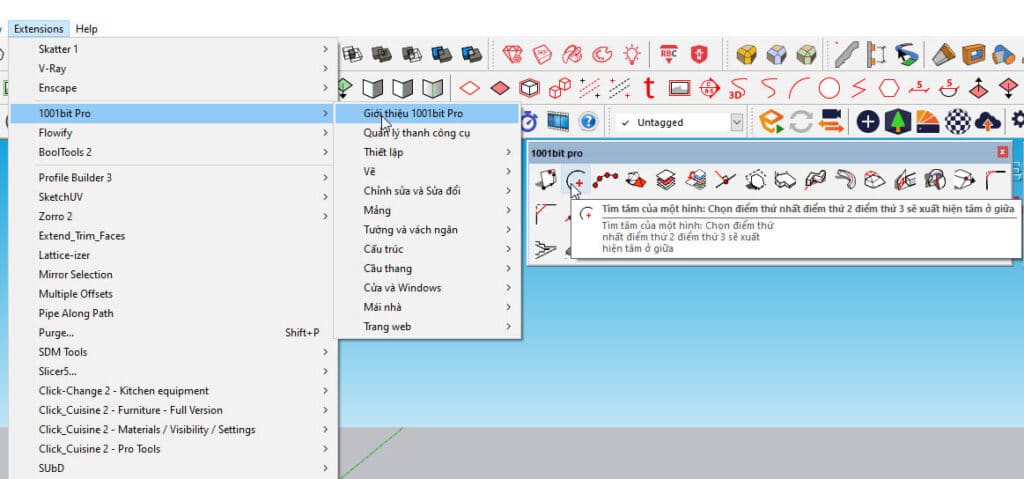
Main functions of Plugin 1001 bit Pro
- Measuring distance: Draw a point on a surface by specifying the horizontal and vertical distance from a reference point. Works on diagonal faces.
- Find the center of a shape: Select the first point, the second point, the third point, and the center will appear
- Divide the line segment into several equal segments. Select a line segment in the image then have many options.
- Move an object to a new position on the image: Select 3 points on the image and then select 3 points on the object to move to
- Set Tag/layer for selected objects to manage objects
- Draw an edge perpendicular to a face in 3D space (rarely used).
- Insert the projected cross-section of a block into a plane. Operation: Select 4 points of a plane, then select the point where the object needs to be displayed on the plane
- Create a plane from random points: Select each point on the screen and finish double clicking
- Send an image along the given path: Action: Select the path then select 2 edges on the given image to follow the path
- Push the selected block along the given path: Action: Select the path -> Select the middle point of the Profile and the start or end point of the Profile -> select the path again
- Push the selected block (maintain angle)
- Push the selected Profile face to the target plane When they intersect, they stop
- Create a rotated surface from the edges: Action -> Select the line to rotate -> select the rotation axis
- Move the selected point to 1 location.
- Round the corners on both sides
- Beveled both edges evenly
- Extend 1 edge When they reach the opposite edge, they stop to connect with each other.
- Creates edges parallel to the previous line.
- Slice horizontally across all sides connected at the selected level. Operation: Select any face > select a point or position on the edge to be cut
- Create a slope for a selected line. Action > select a line that is a plane with rounded corners > Select the tool > change the Hight parameter > select 2 points a little apart.
- Scale tool like in autocad
- Create an object that runs evenly on a straight line. Operation. Select the object to run > Select the tool > Select the position of point 1 - point 2 > point to the beginning of the line position and the end of that line segment
- Align an object from 1 object into a square of the desired number
- Create an object that runs evenly in a circle and can be moved up and downg. Action: Select object > select tool > set parameters > Select starting and ending points of the line
- Create an object that follows the selected path. Operation: Select 2 objects > select tool > select center of object to run -> select next path.
- Create different types of vertical walls including the given Pro file.
- Punching holes to create a door frame on the wall with the given size can use the given Profile
- Create one or more horizontal grooves on the selected face.
- Create columns
- Create different types of foundations
- Convert grid lines to frames according to the given Pro file Convenient when using many given grid lines such as high voltage poles, columns, trusses, iron frames with many details...
- Automatically create different types of stairs
- Create automatic elevators
- Create window frames
- Create door frames
- Choose from pre-installed window and door frames
- Divide the selected face into multiple cells. >> Divide the selected face into cells like a wardrobe with Profile to choose the stitching.
- Create an equally divided perforated frame from the given shapes that can be of any shape. There are many good options.
- Create horizontal air curtains on the selected face
- Create a door frame developed from a line suitable for making door frames, iron railings...
- Create beams on the selected roof surface. External Profile can be selected.
- Create beams, rafters and purlins for the roof.Create beams, rafters and purlins for the roof
- Generate roof automatically from given roof surface
- Create a corrugated iron roof on a flat surface. Operation: Select the first and second points as the width, the third point select the length of the corrugated iron roof.
- Bring an object flat onto a curved surface.
- Project an object below a curved surface
- Create multiple grid lines on curved surfaces
Conclusion:
1001 bit pro plugin This is a plugin with many good utilities. Initially, I had not yet Vietnameseized it, so my ability to use it was limited and I knew few of its features. Since Vietnameseizing the 1001 bit Pro Plugin, I have been able to use many of its features. You should try Download 1001 bit pro Vietnamese plugin Let's use it and see how it feels. Finally, I hope you can draw quickly and hope these functions will help you a lot.
If during use 1001 bit pro plugin Viet Hoa If it's not reasonable, I would like to receive everyone's feedback to modify the plugin to make it as complete as possible.
Group Zalo discusses 3D or follow Page to be updated with the latest information
Source: HOW TO